To Next Page


S
srodriguezAug 16, 2025
How to fix LG FAS163F when radio stations cannot be tuned in?
- Ddean59Aug 16, 2025
If you're unable to tune into radio stations on your LG Stereo System, ensure the antenna is securely connected and properly positioned.

How to fix LG FAS163F when radio stations cannot be tuned in?
If you're unable to tune into radio stations on your LG Stereo System, ensure the antenna is securely connected and properly positioned.
Why my LG FAS163F has no power?
If your LG Stereo System has no power, start by ensuring the power cord is securely plugged in. If it is, check whether electricity failed by testing other electronic devices.
How to troubleshoot no power on my LG FAS163F Stereo System?
If your LG Stereo System has no power, first ensure the power cord is properly plugged in. If it is, check if there's a power outage by testing other electronic devices.
What to do if the LG FAS163F Stereo System remote control does not work?
If the remote control for your LG Stereo System isn't working, first make sure you're within 16 ft (5 m) of the unit. Then, check for any obstructions between the remote and the unit and remove them. If it still doesn't work, replace the remote's battery with a new one.
Why is there no sound coming from my LG FAS163F Stereo System?
If your LG Stereo System is not producing sound, make sure you have selected the correct function by pressing the FUNC. (FUNCTION/INPUT) button and verifying the selected input.
What to do if my LG Stereo System does not start playback?
If your LG Stereo System won't start playing a disc, it might be because the disc is unplayable. Try inserting a disc that is compatible with the system. Also, the disc might be dirty. Clean the disc and try again.
What to do if my LG Stereo System has no power?
First, ensure the power cord is securely plugged into the outlet. If it is, check if there is a power outage by testing other electronic devices.
Why is my LG FAS163F remote control not working properly?
The remote control may not work properly if it is too far from the unit. Try operating it within 16 ft (5 m). Also, make sure there are no obstacles between the remote and the unit. If the issue persists, replace the battery with a new one.
What to do if LG Stereo System does not start playback?
If your LG Stereo System won't start playback, ensure that you've inserted a playable disc. If the disc is playable, try cleaning it.
Why LG FAS163F radio stations cannot be tuned in?
If your LG Stereo System is not tuning into radio stations, ensure the antenna is securely connected and properly positioned.
Protect against electric shock, fire, moisture, and ensure proper ventilation.
Guidelines for safe handling of the power cord and laser system.
Tips for clean, dry hands and avoiding excessive pressure on touch buttons.
Overview of CD slot, display, VSM, Clock, Timer, and USB port.
Details on eXtreme Dynamic Sound System and OPTIMIZER for improved audio.
Explanation of buttons for power, functions, playback, and navigation.
Instructions for sleep timer, display dimming, and sound adjustments.
How to connect speakers, FM aerial, and AM loop aerial.
Connecting the power cord and inserting batteries into the remote.
Inserting, playing, pausing, stopping, and skipping tracks on a CD.
Using repeat, random, and track programming for customized listening.
How to connect and play music files from a USB portable player.
Notes on supported file systems (FAT) and device types.
Finding, selecting, and preset saving of FM/AM stations.
Utilizing RDS for station information and program types.
Connecting and selecting audio input from portable devices.
Capturing FM, AM, Portable, or CD audio onto a USB drive.
Choosing bitrate, speed, and important notes for USB recording.
Step-by-step guide to setting the current time.
Setting alarm times, volume, and source for wake-up.
Using the sleep timer and EQ presets for personalized listening.
Activating and understanding VIRTUAL and ON STAGE sound effects.
Specifications for MP3/WMA playback, including bitrates and file systems.
Solutions for common problems like no power or no sound output.
Fixes for CD playback errors, radio tuning, and remote control issues.
Details on power supply, weight, dimensions, operating conditions, and audio output.
Technical data for CD playback performance and speaker characteristics.
 General
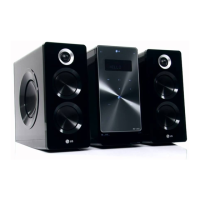
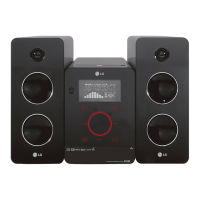
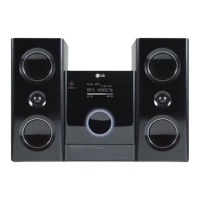
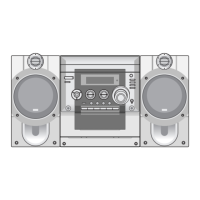
| Brand | LG |
|---|---|
| Model | FAS163F |
| Category | Stereo System |
| Number of Discs | 1 |
| Audio formats | MP3, WMA |
| Tuner | Yes |
| Remote Control | Yes |
| CD Player | Yes |
| USB Port | Yes |
| FM Radio | Yes |
| AUX Input | Yes |
| Speaker Configuration | 2.0 |
| Type | Mini |
| Playable Media | CD |