EasyManua.ls Logo

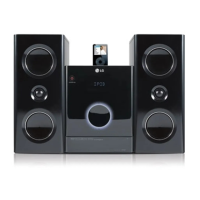
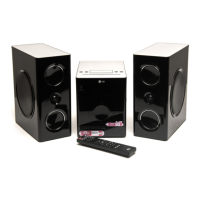
LG FB163-D - User Manual

LG FB163-D
24 pages
Print Icon
To Next Page IconTo Next Page
Loading...
FB163-A0P_ENG_AP_MFL41599946
Model: FB163
FBS163V
ENGLISH
FB163-D0P_ENG_MK_9949 6/24/08 6:54 PM Page 1
As an ENERGY STAR
®
Partner, LG
has determined that this product
or product models meet the
ENERGY STAR
®
guidelines for
energy efficiency.
ENERGY STAR
®
is a U.S. registered mark.

Questions and Answers

  • R
    Robert FischerSep 9, 2025
    Why is there no power on my LG FB163-D?
    • B
      barronkristySep 9, 2025
      If your LG Stereo System has no power, the power cord might not be properly plugged in. Ensure the power cord is securely plugged into both the stereo system and the power outlet.
  • P
    perezkathySep 7, 2025
    How to fix LG FB163-D that does not start playback?
    • C
      Cynthia MitchellSep 8, 2025
      If your LG Stereo System does not start playback, it could be due to a couple of reasons. First, ensure that you are inserting a playable disc. Second, check that the disc is placed with the playback side down.
  • P
    Paul FisherAug 22, 2025
    How to fix an LG FB163-D with no power?
    • J
      Julie YoungAug 22, 2025
      If your LG Stereo System has no power, the first thing to check is whether the power cord is properly plugged in. Ensure the cord is securely connected.
  • L
    lbarnettSep 5, 2025
    What to do if my LG Stereo System remote control isn't working?
    • B
      Benjamin RhodesSep 5, 2025
      If the remote control of your LG Stereo System isn't working properly, there could be a couple of reasons. First, ensure that you are pointing the remote control directly at the remote sensor on the unit. Second, the batteries in the remote control might be exhausted; try replacing them with new ones.
  • E
    Elizabeth ClarkSep 4, 2025
    What to do if the LG FB163-D Stereo System remote control is not working?
    • D
      dannymillerSep 4, 2025
      If the LG Stereo System remote control isn't working, make sure you're pointing it directly at the unit's remote sensor. Also, try replacing the batteries with new ones.
  • C
    Corey MillerSep 2, 2025
    Why won't my LG FB163-D start playback?
    • A
      Amanda ArmstrongSep 3, 2025
      If your LG Stereo System won't start playback, you may have inserted a disc that cannot be played, or the disc may be upside down. Try inserting a playable disc with the playback side facing down.
  • J
    James OwenSep 1, 2025
    What to do if my LG FB163-D has no picture?
    • E
      Elizabeth CooperSep 1, 2025
      If your LG Stereo System isn't displaying a picture, ensure the disc is correctly placed within the guide on the disc tray and that the disc is clean. Also, verify that your TV is set to the correct video input mode to receive the signal from the unit.
  • W
    Wendy WilliamsAug 31, 2025
    What to do if the LG FB163-D Stereo System remote control does not work?
    • D
      Dr. Kelly CharlesAug 31, 2025
      If your LG Stereo System remote control isn't working, make sure you're pointing it directly at the remote sensor on the unit. If that doesn't solve it, try replacing the batteries with fresh ones.
  • D
    Dylan MillerAug 30, 2025
    What to do if there is no picture on my LG FB163-D Stereo System?
    • D
      Dustin WeberAug 30, 2025
      If there is no picture on your LG Stereo System, make sure the disc is placed correctly within the guide on the disc tray and that the disc is clean. Also, ensure that your TV is set to the correct video input mode to receive the signal from the unit.
  • C
    Christine WigginsAug 29, 2025
    Why is my LG FB163-D Stereo System remote control not working?
    • C
      christophergreenAug 29, 2025
      If your LG Stereo System remote isn't working, make sure you're pointing it directly at the remote sensor on the unit. Also, the batteries in the remote might be dead, so try replacing them with new ones.

LG FB163-D Specifications

General IconGeneral
BrandLG
ModelFB163-D
CategoryStereo System
LanguageEnglish

Related product manuals