- 2-13 -
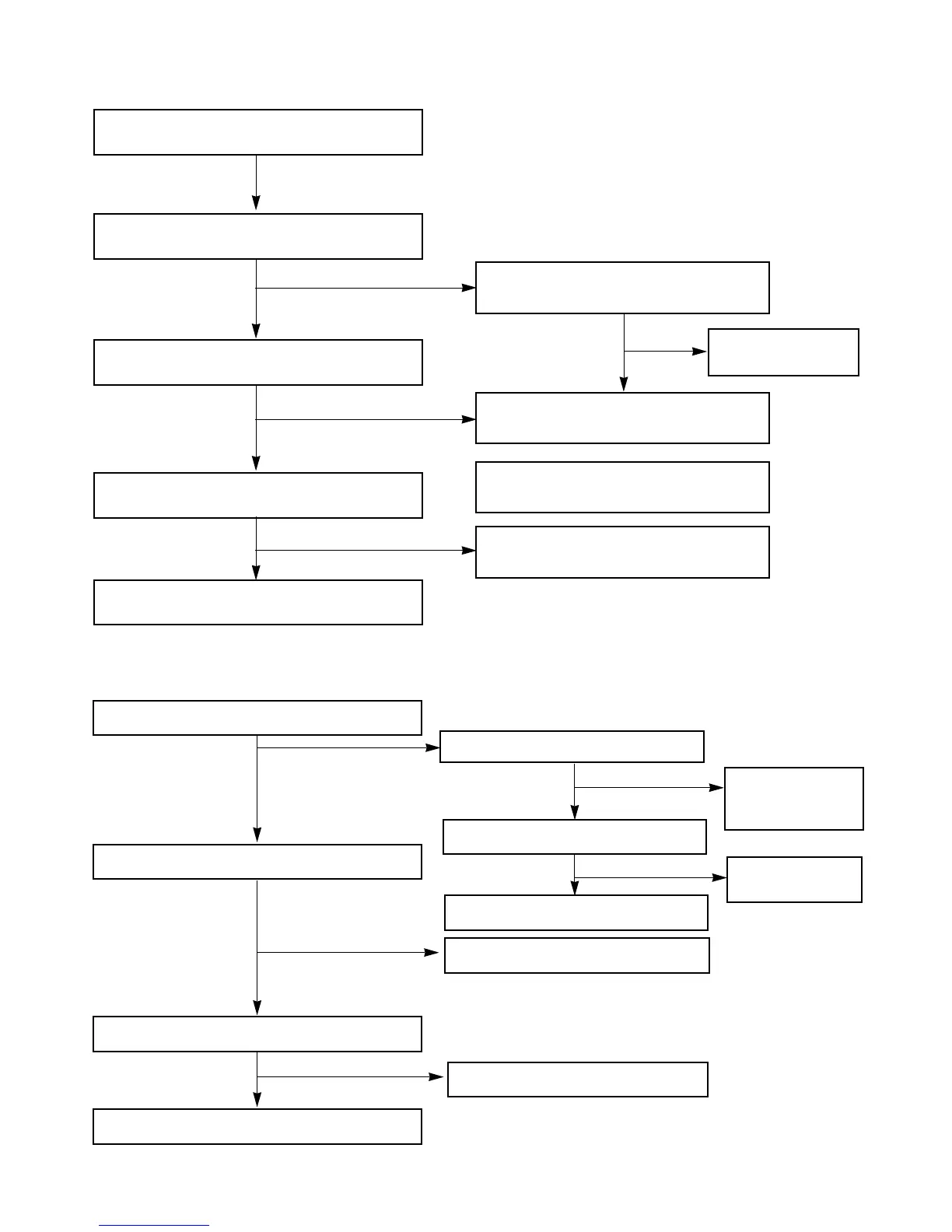
IC401 Troubleshooting
Check the IC301 Pin85,86,75,76
Refer to “IC301
Troubleshooting”
Replace the IC401
Check the PATTERN of MICOM (85,86)
IC401 Pin 21,22
Replace the IC401
Check the power of IC401 Pin29.
Check the Pulse of IC401 Pin21,22
Check the signal output of IC401 Pin 32,33
Check the Signal output of pin25, 24
OK
YES
YES
YES
YES
YES
NO
NO
NO
NO
FM (TUN101)
Check the 10V input of TUN101 B+ 6
Check the “High” Voltage of TUN101 VT(5PIN)
Check the OSC waveform of TUN101 Pin 8
Refer to “IC102 Troubleshooting”
Check the 12V of Q102 “E”
Refer to “Power
Circuit Trouble-
shooting”
Check the “LOW” of IC103 Pin 7
Refer to “IC103
Troubleshooting”
Replace the Q102
Replace the TUN101
Replace the TUN101
YES
YES
YES
YES
YES
NO
NO



 To Next Page