EasyManua.ls Logo

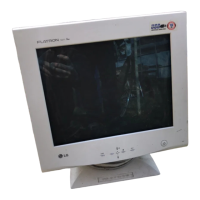
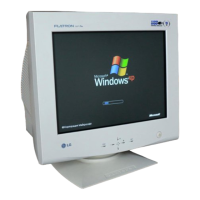
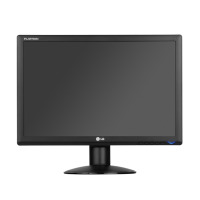
LG Flatron 775FT - User Manual

LG Flatron 775FT
28 pages
Print Icon
To Next Page IconTo Next Page
Loading...
P/NO : 3828TUL062B (S-9910)
Printed in Korea
OSD
SET
®
Please read this manual carefully before operating your set.
Retain it for future reference.
Record model number and serial number of the set.
See the label attached on the back cover and quote this
information to your dealer when you require service.
http://www.lge.co.kr
Colour Monitor
775FT
Users Guide
Benutzerhandbuch
Manuel d’utilisation
Guida Utente
Guia del Usuario
USER’S GUIDE
Flatron 775FT Colour Monitor

Other manuals for LG Flatron 775FT

Questions and Answers

  • E
    Elizabeth MillerAug 1, 2025
    What to do if the 'OUT OF FREQUENCY' message appears on my LG Flatron 775FT Monitor?
    • R
      Robert SullivanAug 1, 2025
      If your LG Monitor displays an 'OUT OF FREQUENCY' message, it means the video card signal frequency is outside the monitor's operating range. You should use the graphics board's utility software to adjust the frequency setting.
  • J
    John GreenAug 7, 2025
    Why does my LG Flatron 775FT Monitor display an abnormal picture?
    • B
      breeseAug 7, 2025
      If your LG Monitor displays an abnormal picture, especially when using a non-VESA standard video card, try setting the monitor to one of its factory preset modes. Alternatively, select a resolution and refresh rate that falls within the monitor's specified limits.
  • S
    stephanie50Aug 12, 2025
    Why doesn't my LG Flatron 775FT Monitor enter power saving mode?
    • G
      ggibsonAug 12, 2025
      Your LG Monitor might not enter power saving mode because the computer video signal isn't following the VESA DPMS standard. This indicates that either the PC or the video controller card isn't utilizing the VESA DPMS power management function.
  • S
    Shane DuncanAug 18, 2025
    How to fix the SELF DIAGNOSTICS message on my LG Flatron 775FT Monitor?
    • M
      Michael GonzalezAug 19, 2025
      If you are seeing a SELF DIAGNOSTICS message on your LG Monitor, it typically means the signal cable isn't properly connected or is loose. Ensure the cable is securely connected at both ends.
  • J
    joe36Aug 25, 2025
    Why is the power LED on my LG Flatron 775FT amber?
    • A
      arogersAug 25, 2025
      An amber power LED on your LG Monitor indicates that there's no active signal coming from your PC or that the signal cable isn't securely fastened. Check both the computer power and the graphics adapter configuration.

Summary

Introduction to the Flatron Monitor

Important Safety Precautions

Essential safety guidelines for installation, use, and servicing.

Installation and Connection

Connecting the Monitor to PC

Describes how to connect the monitor to an IBM VGA PC compatible system.

Connecting to Apple Macintosh

Explains the connection process for Apple Macintosh computers using an adapter.

Monitor Operation and Controls

OSD Adjustment Guide

Guides users on how to adjust monitor settings using the OSD system.

OSD Brightness, Contrast, Color, Position

Details how to adjust Brightness, Contrast, Color, and Position via OSD.

Technical Information and Troubleshooting

Troubleshooting Common Issues

Provides solutions for common problems like no signal, amber power LED, or distorted images.

LG Flatron 775FT Specifications

General IconGeneral
Display TypeCRT
Maximum Resolution1280 x 1024
Refresh Rate85 Hz
Aspect Ratio4:3
Dot Pitch0.24 mm
Max Resolution1280 x 1024
Vertical Refresh Rate50 - 160 Hz
Input SignalAnalog
Input Connector15-pin D-Sub
Power Consumption70 W
Screen Size17 inch
Input Connectors15-pin D-Sub

Related product manuals