Need help?
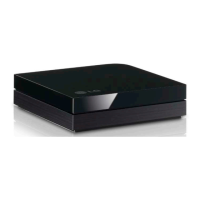
Do you have a question about the LG FMA-LG102 and is the answer not in the manual?
Critical warnings about opening the product, exposure to moisture, and handling.
Covers reading instructions, usage near water, cleaning, ventilation, heat, and power cord safety.
Guidelines for product servicing by qualified personnel and using correct replacement parts.
Connecting Ethernet and power, and initial system setup steps.
Connecting the FMA-LG102 to the RF system and signal level verification.
Explains DHCP client operation and default IP address settings.
Introduces configuration via FTG Application or software web page.
Process of loading an FMA file into the device using the application.
Accessing the device's web interface for configuration tasks.
Uploading an FMA configuration file using the web interface.
Solutions for missing OSD/call letters and split screen TV modes.
Troubleshooting incorrect TV dates/times and PC access via Ethernet.
Step-by-step guide to download and update firmware on FTG devices.
 General
| Type | TV Wall Mount |
|---|---|
| Brand | LG |
| Model | FMA-LG102 |
| Maximum Weight | 50 kg |
| Compatible Devices | Televisions |
| Item Weight | 2.5 kg |
| VESA Mounting Standard | 200 x 200 mm |


 To Next Page