7
The Basics
TIPS s With the screen backlight off (asleep), you can press the Volume Down Key twice
to activate the Camera app.
s With the screen backlight off (asleep), you can press the Volume Up Key twice to
access the QuickMemo+ app.
11. LED Flash Brightens up the captured image or recorded video when
you turn on the flash.
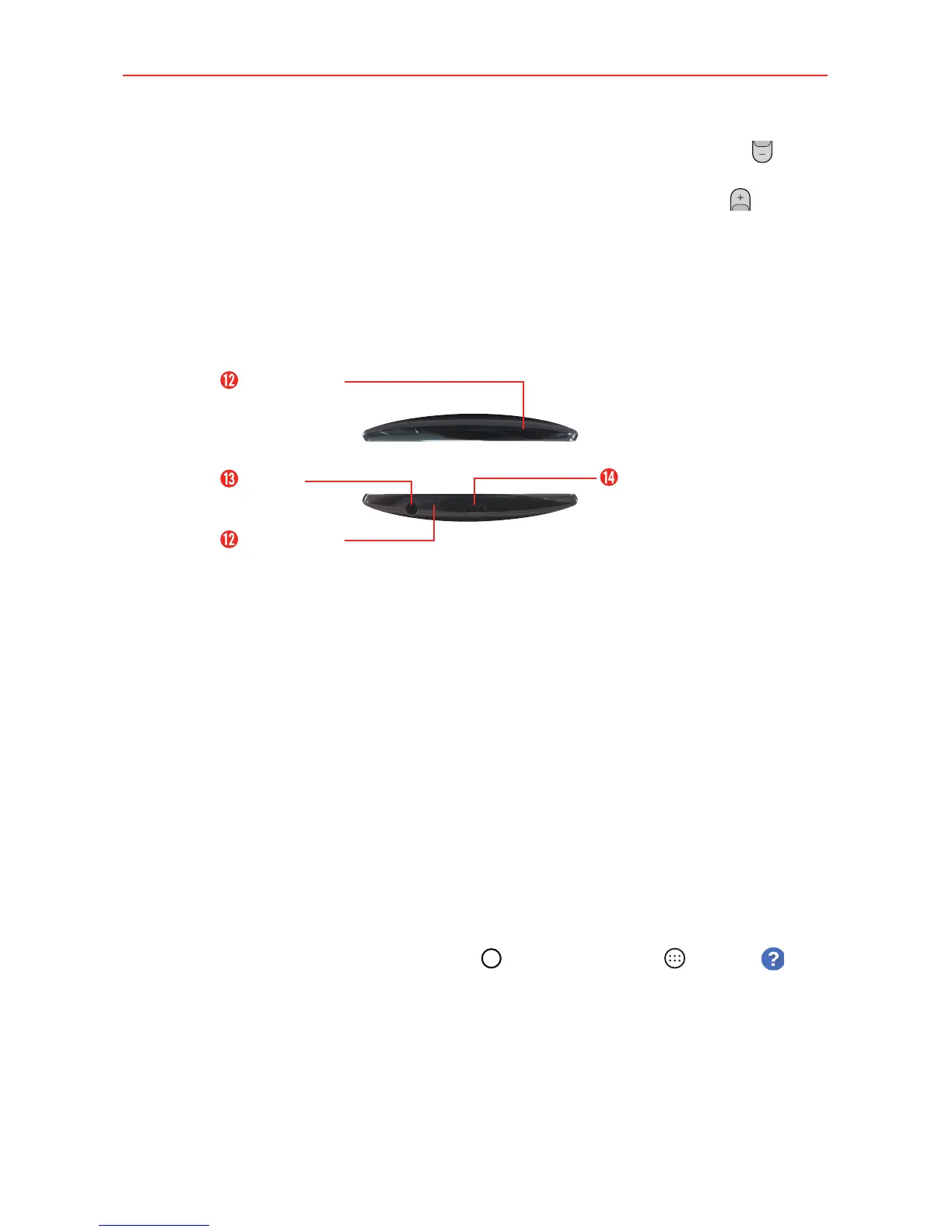
Top and Bottom View
USB/Charger
Port
Microphone
3.5mm
Headset Jack
Microphone
12. Microphone Transmits your voice to the other caller. It's also used for
voice-activated functions.
13. 3.5mm Headset Jack Allows you to plug in an optional headset for
convenient, hands-free conversations. Y
ou can also plug in headphones
to listen to music.
14. USB/Charger Port Allows you to connect the phone and the USB cable
for use with the charger adapter
, or other compatible accessories.
Help
The Help app allows you to quickly and conveniently view information about
your phone, including how-to videos, Icon glossary, etc.
To access Help, tap the Home Button
>
the Apps icon >
Help .



 To Next Page