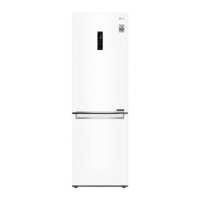
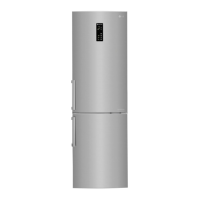
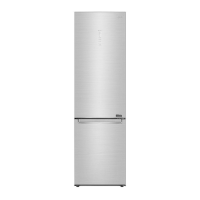
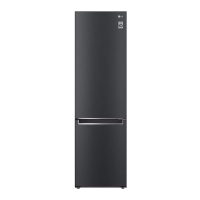
This document is an owner's manual for an LG refrigerator and freezer. It provides comprehensive information on safety, installation, operation, smart functions, maintenance, and troubleshooting.
Function Description
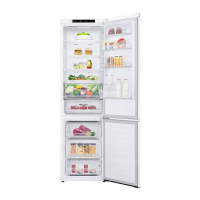
The LG refrigerator and freezer is designed for storing food and beverages, with separate compartments for refrigeration and freezing. It features various internal components such as fridge shelves, folding shelves, bottle racks, fresh vegetable drawers, vegetable drawers, movable egg trays, and a freezer drawer. Some models include a water dispenser and an icemaker. The appliance also incorporates smart functions, including LG ThinQ application connectivity and Smart Diagnosis, to enhance user experience and facilitate troubleshooting.
Important Technical Specifications
- Refrigerant: The appliance uses isobutane refrigerant (R600a), which is a combustible gas. The amount of refrigerant varies by model, with a maximum of 8g of R600a.
- Power Supply: The appliance requires a properly grounded power outlet. It is crucial to ensure the power cord is not damaged and that the outlet is not loose.
- Dimensions and Clearances: Specific dimensions (width, depth, height) are provided for various models (e.g., A: 705/700, B: 1720/1850, C: 740/700, D: 595/595, E: 665/665, F: 700/700, G: 1340/1340, H: 1200/1160). A minimum clearance of 50 mm from each adjacent wall is required for proper installation.
- Ambient Temperature: The appliance is designed to operate within a limited range of ambient temperatures, depending on the climate zone. Climate classes include SN (Extended Temperate) for +10 to +32 °C, N (Temperate) for +16 to +32 °C, ST (Subtropical) for +16 to +38 °C, and T (Tropical) for +16 to +43 / +10 to +43 °C.
- Wi-Fi Connectivity: The appliance supports 2.4 GHz Wi-Fi networks (IEEE 802.11b:17.82 dBm, IEEE 802.11g:17.72 dBm, IEEE 802.11n:18.61 dBm).
- Freezing Capacity: The Express Freeze function can set the freezer to its maximum freezing capacity, which generally takes up to 24 hours and automatically switches off. For maximum freezing capacity, Express Freeze must be switched on for seven hours before fresh produce is placed in the freezer compartment.
Usage Features
- Temperature Control: The appliance allows users to set the temperature for both the fridge and freezer compartments. The default temperature setting may vary depending on the appliance.
- Fridge: 3 °C (adjustable from 1 °C to 7 °C)
- Freezer: -18 °C (adjustable from -15 °C to -23 °C)
- Express Freeze: This function rapidly freezes a large amount of ice or frozen foods. It can be activated via the control panel and automatically terminates after a specific period (maximum 24 hours).
- Express Cool: This function quickly cools a large amount of foods. It can be activated via the control panel and automatically terminates after a specific period (maximum 7 hours).
- Eco Friendly Mode: This mode helps reduce energy consumption by optimizing the freezer's operation. It can be activated via the control panel.
- Lock Function: This feature locks the buttons on the control panel to prevent unintended changes. It can be activated by pressing and holding the Lock button for 3 seconds.
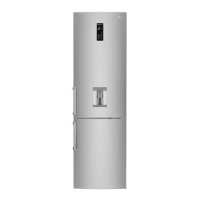
- Water Dispenser: Available on some models, this feature provides cold water by pressing a lever. The water dispenser tank needs to be manually filled.
- Icemaker: Available on some models, this feature allows users to manually produce and store ice. Ice trays can be filled with water and placed in the freezer.
- Folding Shelf: This feature allows users to adjust the shelf to create more space for taller items.
- Door Open Alarm: An alarm sounds if the fridge door is left open for more than 30 seconds.
- LG ThinQ Application: This application allows users to communicate with the appliance using a smartphone. It enables remote control of various settings and provides Smart Diagnosis features.
- Smart Diagnosis: This function helps diagnose problems with the appliance. Users can use the LG ThinQ application or audible diagnosis to transmit troubleshooting data to LG Electronics customer information centre.
Maintenance Features
- Cleaning:
- General Cleaning: Disconnect the power cord before cleaning. Use a clean sponge or soft cloth with a mild detergent in warm water. Avoid abrasive or harsh cleaners.
- Door Gaskets: Regularly wipe the door gaskets with a wet soft towel.
- Shelves and Drawers: Remove and clean shelves and drawers with water and detergent.
- Water Dispenser: Clean the dispenser tray and water outlet frequently.
- Defrosting: The appliance uses a self-defrosting system. Do not use mechanical devices or other means to accelerate the defrosting process.
- Disposal: When discarding the appliance, remove the door gasket and shelves/baskets to prevent children from being trapped inside. Dispose of packaging materials (plastic bags and styrofoam) away from children.
- Troubleshooting: The manual provides a comprehensive troubleshooting guide for common issues such as power interruptions, poor refrigeration/freezing, condensation, frost, water leakage, noises, and Wi-Fi connectivity problems.
- Service: For complex issues, contact an LG Electronics customer information centre. Only qualified service personnel should repair or modify the appliance.

 Need help?
 General

 To Next Page