EasyManua.ls Logo

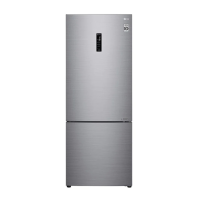
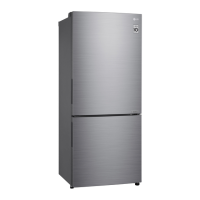
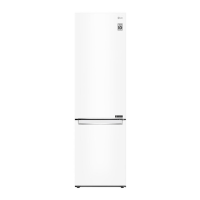
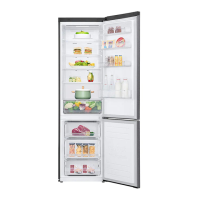
LG GBB71PZDMN - User Manual

LG GBB71PZDMN
36 pages
Print Icon
To Next Page IconTo Next Page
Loading...
OWNER'S MANUAL
FRIDGE & FREEZER
Before beginning installation, read these instructions
carefully. This will simplify installation and ensure that the
product is installed correctly and safely. Leave these
instructions near the product after installation for future
reference.
ENGLISH
MFL71400001
Rev.06_022822
www.lg.com
Copyright © 2019-2022 LG Electronics Inc. All Rights Reserved.

Questions and Answers

  • Y
    Yvette DavisAug 9, 2025
    What to do if my LG GBB71PZDMN is not cooling properly?
    • R
      Roy RasmussenAug 9, 2025
      If your LG Freezer isn't cooling well, there might be a few reasons. First, make sure the temperature isn't set too warm; try setting it to a colder setting. Ensure the freezer isn't in direct sunlight or near heat sources like ovens. Also, avoid putting hot food directly into the freezer; let it cool down first. Don't overfill the freezer; leave some space between items. Check that the doors are fully closed and that nothing is blocking them. Finally, make sure there's enough space around the freezer for proper ventilation.
  • C
    Christopher JosephAug 16, 2025
    Why is my LG GBB71PZDMN Freezer not cold enough?
    • J
      Jose WatsonAug 16, 2025
      Poor refrigeration or freezing in your LG Freezer can occur if the temperature is set too warm. To resolve this, set the temperature to 'Medium'. Also, ensure the freezer isn't in direct sunlight or near heat sources. Move it away from ovens or heaters if necessary. Avoid placing hot food directly into the freezer; cool it down first. Make sure you leave enough space between food items inside the freezer. Ensure the doors are completely closed and nothing is obstructing them. Lastly, confirm there's enough space around the appliance for proper ventilation.
  • C
    Charles TorresAug 22, 2025
    How to get rid of bad smell in my LG GBB71PZDMN?
    • R
      Rebecca AllenAug 22, 2025
      A bad smell in your LG Freezer might be caused by the temperature being set too warm; adjust it to 'Medium'. Strong-smelling foods should be stored in sealed containers. Check for spoiled vegetables or fruit in the drawer, and throw away any rotten items. Clean the vegetable drawer, and avoid storing vegetables in it for extended periods.
  • C
    charles71Aug 27, 2025
    What to do if the door of my LG GBB71PZDMN won't close?
    • T
      Trevor SalasAug 27, 2025
      If your LG Freezer door isn't closing tightly, adjust the front feet to raise the front side slightly, ensuring the appliance isn't leaning forward. Check that the shelves are properly assembled and refit them if necessary. Avoid slamming the door; close it gently without excessive force.
  • E
    erinatkinsonSep 2, 2025
    Why is the light not working in my LG GBB71PZDMN?
    • R
      Rachel BlackwellSep 2, 2025
      It is hard for customers to replace the inside lamp in the LG Freezer as they are not serviceable. If the inside lamp does not turn on, please contact the LG Electronics customer information centre.

Summary

Safety Instructions

Warning

Details critical safety precautions to prevent serious injury or death from appliance use.

Caution

Outlines precautions to prevent minor injury or product damage during appliance use.

Technical Safety

Covers safe usage by children, persons with reduced capabilities, and general appliance safety.

Installation

Dimensions and Clearances

Provides specific measurements and required space around the appliance for proper installation.

Levelling the Appliance

Provides instructions on how to adjust the levelling legs to ensure the appliance is stable and doors close properly.

Moving the Appliance for Relocation

Operation

Energy Saving Tips

Offers tips and best practices to optimize energy consumption and reduce electricity bills.

Storing Foods Effectively

Guides on optimal methods for storing food to maintain freshness and prevent spoilage.

Maximum Freezing Capacity

Explains the 'Express Freeze' function for rapid freezing and its usage guidelines.

Product Features

Control Panel

Control Panel and Functions

Provides an overview of the control panel's layout and the functions of each button.

Water Dispenser

Using the Dispenser

Guides on how to dispense water using the appliance's lever mechanism.

Icemaker

Using the Fresh Converter

Details the Fresh Converter feature for controlling temperature in the chill compartment.

Smart Functions

ThinQ App Overview

Introduces the LG ThinQ app, its features, diagnosis, and settings for smartphone control.

Advanced Diagnosis and Troubleshooting

Explains using Smart Diagnosis and LG ThinQ for diagnosing and resolving appliance issues.

Using Audible Diagnosis to Diagnose Issues

Provides instructions for using the audible diagnosis method to troubleshoot appliance issues.

Maintenance

Troubleshooting

Before Calling for Service

Offers initial troubleshooting steps to resolve common appliance issues before contacting service.

Customer Care and Service

Provides contact information and guidance for customer support, service centers, and warranty information.

LG GBB71PZDMN Specifications

General IconGeneral
Door hingeRight
Product colorSilver
Number of doors2 door(s)
Built-in displayYes
Shelves materialGlass
Appliance placementFreestanding
Number of compressors1
IcemakerNo
Noise level36 dB
Climate classSN-T
Total net capacity341 L
Total gross capacity374 L
Minimum operating temperature10 °C
Lamp typeLED
Cooling systemDynamic (fan-assisted)
Fridge net capacity234 L
Fridge gross capacity247 L
Fridge number of shelves/baskets2
Star rating4*
Freezer positionBottom-placed
Freezing capacity8 kg/24h
Freezer net capacity107 L
Freezer gross capacity127 L
Freezer number of shelves/baskets3
Storage time during power failure9 h
Connected load- W
Energy efficiency scaleA to G
Annual energy consumption273 kWh
Package depth745 mm
Package width634 mm
Package height1965 mm
Package weight74000 g
Warranty period10 year(s)
Weight and Dimensions IconWeight and Dimensions
Depth682 mm
Width595 mm
Height1860 mm
Weight70000 g

Related product manuals