17
SET UP
01
02
03
04
05
06
07
08
Installing the USIM and batteryUSIM and battery and battery
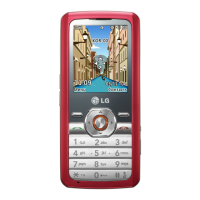
6 Charging your phone
Pull open the cover of the charger socket
on the side of your GM205. Insert the
charger and plug into a mains electricity
socket. Your GM205 will need to be
charged until a message reading Fully
Charged appears on screen.
WARNING: Do not charge the phone when
it is on soft furnishings. The phone should be
charged in a well ventilated area.
5 Replace the battery cover
Insert the bottom of the battery cover
and push down and slide until it clicks
into place.


 To Next Page