Need help?
Do you have a question about the LG GP08 and is the answer not in the manual?
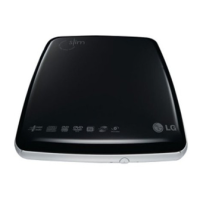
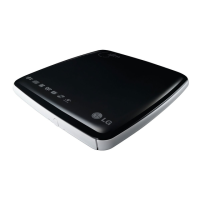
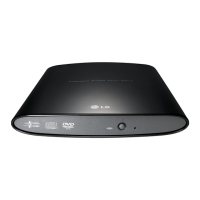
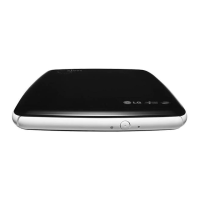
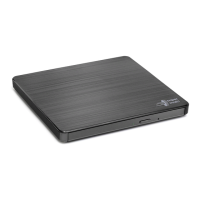
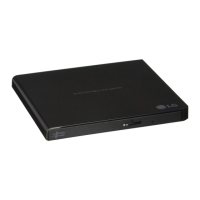
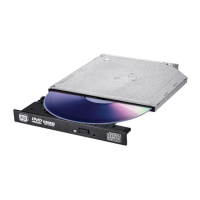
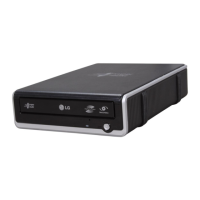
This document describes the LG Portable Super Multi Drive (GP08), an external optical disc drive designed for use with personal computers.
The LG Portable Super Multi Drive is a versatile external optical disc drive that combines CD-R/RW, DVD-R/RW, DVD+R/RW, DVD+R DL, DVD-R DL, and DVD-RAM drive functions into a single unit. It features a Universal Serial Bus (USB) 2.0 interface for high-speed data transfer, allowing for easy connection to a personal computer. The drive supports plug-and-play functionality with Windows operating systems, enabling simple installation and removal. A key feature is its ability to be powered directly from the PC's USB port, eliminating the need for an external AC adapter in most cases. It also incorporates Buffer Under Run error protection technology to ensure reliable disc writing. The drive includes an emergency eject support mechanism.
Supported Discs:
Dimensions (WxHxD): 153 x 24 x 163 mm Weight: Approximately 350 g Interface: USB 2.0
Read/Write Speed:
Data Transfer Rate:
Operating Environment:
Storage Environment:
System Requirements (Computer):
Connecting to a Computer: The drive connects to the computer via a USB 2.0 (Y type) cable. One end connects to the drive, and the other end connects to two USB ports on the computer. This dual-port connection is crucial as the drive may draw its power from the PC's USB power. If the PC's USB power output is insufficient for full performance, the Y-cable design allows for drawing power from two USB ports. After connection, the computer should detect the drive, and the supplied software CD can then be used to install necessary software.
Front Panel Controls:
Rear Panel Controls:
Removing the USB Converter Cable (For Windows): The drive supports safe removal (plug and play, not hot-swap) on Windows. To safely disconnect:
Disc Compatibility: The drive is designed to work with specific brands of media for optimal performance. Recommended brands for various disc types include LG, Mitsubishi Kagaku Media, Verbatim, That's, TDK, Ritek, HP, Maxell, Victor, JVC, and Ricoh. Compatibility issues may arise with media from other manufacturers due to quality variations.
Software Installation and Updates: Users are advised to install the appropriate CD Recording Authoring Software before using the unit. It is recommended to uninstall any previous CD burning software to prevent compatibility issues. After installing the new application software, users may reinstall previous software, noting any errors. Keeping the drive's software updated is crucial for resolving potential problems. LG provides an online F/W update program (available at www.lgservice.com) to automatically check for and install the latest firmware.
Electrostatic Discharge (ESD) Precautions: When handling the device, it is important to take precautions against electrostatic discharge. Using anti-static products such as wrist straps, heel straps, or mats can protect both the user and the device from electrostatic damage.
Power Management: The drive does not have an ON/OFF switch. It powers up automatically as soon as it is connected to the PC's USB power. The power supply cord (USB cable) serves as the main disconnect device. The power outlet (USB port) should be easily accessible.
Safety Warnings:
Regulatory Compliance: The product complies with EMC Directive 2004/108/EC and Low Voltage Directive 2006/95/EC. It is a Class 1 Laser Product and a Class B digital apparatus, complying with Canadian ICES-003 and FCC Part 15 regulations for Class B digital devices. Any changes or modifications not expressly approved by the party responsible for compliance could void the user's authority to operate the equipment.

 To Next Page
 General