ENGLISH
Connecting and Using
the Speaker
a
Charge the speaker before using
it by opening the rear cover and
connecting the speaker to the
charging adapter.
b
Connect the speaker to the PC
via a USB cable
A
Connect the speaker to the PC via
a USB C-type cable.
B
Press the Power button on the
speaker to turn it on.
C
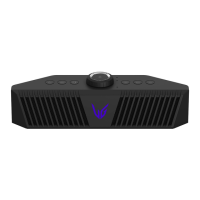
Press the Function button on
the speaker repeatedly until the
Function LED turns white.
If you are using a voice chat
through integrated microphone or
headset, press the Microphone
button.
c
Connect the speaker to the Game
Console via an optical cable
A
Connect the speaker to the Game
Console via an optical cable.
B
Press the Power button on the
speaker to turn it on.
C
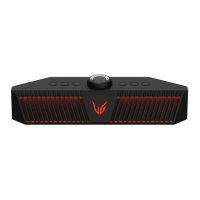
Press the Function button on
the speaker repeatedly until the
Function LED turns red.
d
Connect the speaker to a
smartphone via Bluetooth
A
Press the Power button on the
speaker to turn it on.
B
Press the Function button on
the speaker repeatedly until the
Function LED ashes blue.
C
Press the Settings button
on the smartphone and select
Bluetooth
. Turn on the
Bluetooth function.
(Off > On )



 To Next Page