EasyManua.ls Logo

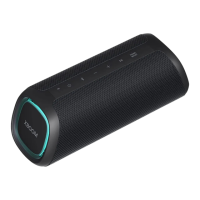
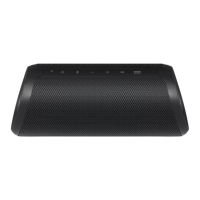
LG XBOOM GO PL2 - User Manual

LG XBOOM GO PL2
29 pages
Print Icon
To Next Page IconTo Next Page
Loading...
MFL71701928
OWNER’S MANUAL
Portable Bluetooth
Speaker
2009_Rev02
www.lg.com
Copyright © 2020 LG Electronics Inc. All Rights Reserved.
Please read this manual carefully before operating your set and retain it for future
reference.
MODELS
PL2/PL2W/PL2B/PL2M/PL2P/PL2C/PL2S

Questions and Answers

LG XBOOM GO PL2 Specifications

General IconGeneral
Impedance4 Ω
RMS rated power5 W
Number of speakers-
Audio output channels1.0 channels
Wi-FiNo
BluetoothYes
Bluetooth version5.0
Connectivity technologyWired & Wireless
Product typeMono portable speaker
Product colorBlue
International Protection (IP) codeIPX5
Recommended usageUniversal
Audio formats supportedAAC, SBC
Battery typeBuilt-in battery
Battery voltage3.7 V
Battery capacity3900 mAh
Power source typeBattery, USB
Battery life (max)10 h
Battery recharge time4 h
Power consumption (standby)0.5 W
Quantity per pack1 pc(s)
Weight and Dimensions IconWeight and Dimensions
Depth126 mm
Width82 mm
Height80 mm
Weight350 g

Summary

Safety Information and Precautions

Electrical Shock Hazard Warnings

Cautions regarding risk of electric shock and non-serviceable parts.

General Safety Warnings

Warnings against exposing the product to rain or moisture and improper installation.

Power Cord and Usage Cautions

Power Cord Safety Guidelines

Ensuring the power plug is accessible and avoiding cord damage.

Charging and Status Checks

Charging the Speaker via AC Adapter

Instructions for charging the speaker's built-in battery using an AC adapter.

Basic Controls and Bluetooth Status

Simple Operation Guide

Handsfree Functionality

Managing Phone Calls via Speaker

How to receive, end, and manage phone calls using the speaker's built-in microphone.

Voice Command Activation

Using Voice Assistants with the Speaker

Using the speaker's microphone to activate voice assistants like Siri or Google Assistant.

Bluetooth Wireless Technology

Pairing Your Unit with Bluetooth Devices

Instructions for pairing the speaker with Bluetooth-enabled devices for wireless audio.

Bluetooth Device Connection Details

Controlling Connected Bluetooth Devices

Multi Phone Pairing

Dual Mode Connection

Connecting Two Speakers for Stereo Sound

How to connect two speakers for stereo sound and enhanced audio experience.

Dual Mode Connection Notes

Other Operations and Settings

Speaker Resetting Procedure

Steps to perform a factory reset using the RESET button in case of malfunctions.

Troubleshooting Guide

Resolving Common Speaker Problems

Guide to diagnose and resolve common issues like no power or sound distortion.

Related product manuals