34
Special Features
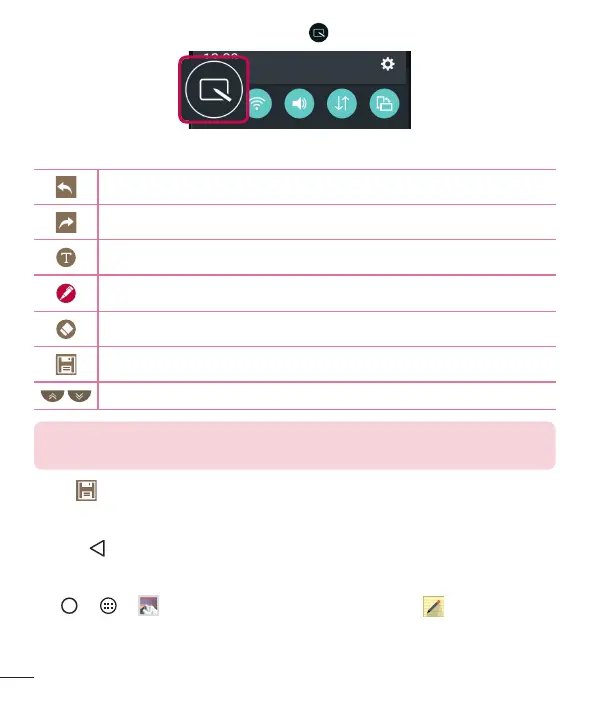
1 TapanddragtheStatusBardownandtap .
2 Createamemousingthefollowingoptions:
Taptoundothemostrecentaction.
Taptoredothemostrecentlydeletedaction.
Taptoinserttextintoyourmemo.
Taptoselectthepentypeandcolor.
Taptousetheerasertoerasethepenmarksonthememo.
Taptosavethememoyou'vecreated.
Taptohideordisplaythetoolbar.
NOTE: Please use a fingertip while using the QuickMemo+ feature. Do not
use your fingernail.
3 Tap tosavethecurrentmemototheQuickMemo+ orGallery.
Discard QuickMemos
• Tap .
View the Saved Memo
Tap > > andselecttheQuickMemo+albumortap andselectthe
desiredmemo.



 To Next Page