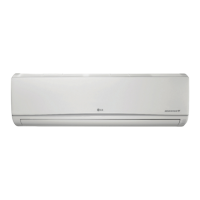
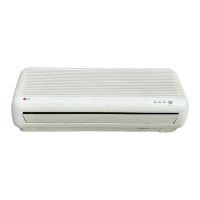
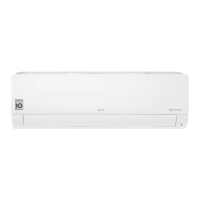
This document is the owner's manual for an LG wall-mounted air conditioner, model MFL69781202 Rev.09_052521. It provides comprehensive instructions for safe operation, installation, maintenance, and troubleshooting.
Function Description
The LG air conditioner is designed to cool and/or heat indoor spaces, depending on the model. It offers various operating modes to suit different preferences and environmental conditions, including:
- Cooling Mode: Reduces indoor air temperature.
- Heating Mode: Increases indoor air temperature (for cooling & heating models).
- Dehumidification Mode: Removes excess moisture from the air, preventing mildew.
- Fan Mode: Circulates indoor air without changing the temperature.
- Auto Operation (AI) Mode: Automatically sets fan speed and temperature based on room conditions.
- Auto Changeover Mode: Automatically switches between cooling and heating to maintain a set temperature (for cooling & heating models).
- Jet Mode: Quickly cools or warms the room.
- Sleep Function (Optional): Automatically turns off the air conditioner for comfortable sleep.
- Simple Timer Function (Optional): Automatically turns off the air conditioner.
- On/Off Timer: Sets the air conditioner to turn on/off automatically at desired times.
- Energy Display Function (Optional): Displays instantaneous and cumulative power consumption.
- Light Off Function (Optional): Adjusts the brightness of the indoor unit display.
- Comfort Air Function (Optional): Adjusts the air flow direction to avoid blowing directly onto occupants.
- Energy Saving Function (Optional): Minimizes power consumption during cooling by optimizing temperature settings.
- Energy Control Function (Optional): Decreases power input by 20%, 40%, or 60% compared to rated power input.
- Ionizer (Optional): Generates ions to improve indoor air quality by reducing surface bacteria and harmful substances.
- Silent Function: Reduces noise from outdoor units.
- Ion Care Function: Generates ion clusters to moisturize skin.
- Jet Dry Function: Maximizes dehumidification performance.
- Low Heating Function: Maintains a minimum room temperature to prevent freezing (for heating models).
- Mosquito Away Function: Fans away mosquitoes by generating a high-frequency wave.
- Auto Clean Function: Removes moisture inside the indoor unit in cooling and dehumidification modes.
- Comfort Sleep Function: Automatically operates the air conditioner for a comfortable sleeping environment.
- Smart Diagnosis: Helps diagnose problems with the appliance via the LG ThinQ application.
Important Technical Specifications
The manual specifies the use of R32 refrigerant and provides safety guidelines related to its handling and storage. It also includes wireless LAN module specifications for models LCW-003 and LCW-007, detailing their frequency range (2412 MHz - 2472 MHz) and maximum output power for IEEE 802.11b, 802.11g, and 802.11n standards.
Usage Features
The air conditioner can be operated using a wireless remote control, which features a display screen for settings and indicators. In cases where the remote control is unavailable, an ON/OFF button on the indoor unit allows for emergency operation.
Key usage features include:
- Setting Current Time: Essential for timer functions.
- °C/°F Conversion (Optional): Allows switching between Celsius and Fahrenheit temperature units.
- Adjusting Temperature: Via the remote control in cooling, heating, or auto changeover modes.
- Adjusting Fan Speed: Multiple fan speed settings including High, Medium-High, Medium, Medium-Low, Low, and Natural Wind.
- Adjusting Air Flow Direction: Vertically and horizontally, with an auto-swing option.
- Auto Restart: Restores previous settings after a power failure.
- LG ThinQ Application: Enables communication with the appliance via a smartphone for convenient smart features, including remote control and Smart Diagnosis. The application supports 2.4 GHz Wi-Fi networks.
- Audible Diagnosis: An alternative Smart Diagnosis method using smartphone microphone to detect buzzer beeps from the indoor unit.
Maintenance Features
Regular maintenance is crucial for optimal performance and longevity. The manual provides a detailed maintenance schedule:
- Air Filter: Clean with a vacuum or hand wash every 2 weeks.
- Triple Filter (Optional): Clean with a vacuum or brush every 3 months.
- Micro Dust Filter (Optional): Clean with a vacuum or brush once a month.
- Allergy Filter (Optional): Clean with a vacuum or brush every 6 months.
- Ionizer (Optional): Remove dust with a dry cotton bud every 6 months.
- Indoor Unit Surface: Clean regularly with a soft, dry cloth.
- Condensate Drain Pan: Professional cleaning once a year.
- Condensate Drain Pipe: Professional cleaning every 4 months.
- Remote Control Batteries: Replace once a year.
- Heat Exchanger Coils and Panel Vents: Professional cleaning once a year.
- Fan: Professional cleaning once a year.
- Outdoor Unit Condensate Drain Pan: Professional cleaning once a year.
- Fan Assembly: Professional verification of tightness once a year.
- Electric Components: Clean with air once a year.
Important Maintenance Notes:
- Do not use water hotter than 40 °C for cleaning filters to prevent deformation or discoloration.
- Avoid volatile substances for cleaning filters as they may damage the surface.
- Micro dust, Triple, and Allergy filters should not be washed with water.
- Always disconnect power and wait for the fan to stop before cleaning or performing maintenance.
- For extended periods of non-use, dry the air conditioner in Fan mode for 3-4 hours to prevent moisture-related damage and odors.
- When cleaning at height, use a sturdy stool or ladder.
- Never use strong cleaning agents or solvents; use a smooth cloth.

 Need help?
 General

 To Next Page