EasyManua.ls Logo

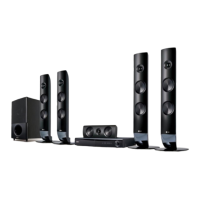
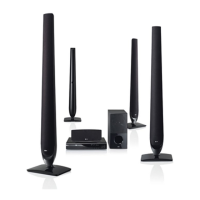
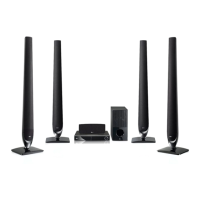
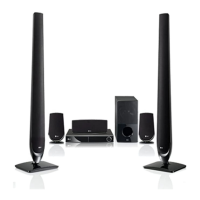
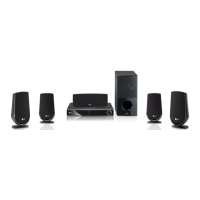
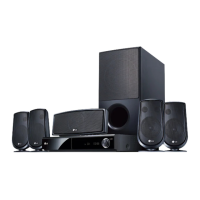
LG HT806TH - User Manual

LG HT806TH
44 pages
Print Icon
To Next Page IconTo Next Page
Loading...
P/NO : MFL67164790
HT806TH (HT806TH, SH86TH-S/ C, SH95TA-W)
Please read this manual carefully before operating
your set and retain it for future reference.
OWNER’S MANUAL
DVD Home Theater
System
FOR THE WARRANTY TERMS & CONDITIONS,
PLEASE REFER TO BACK COVER OF THIS MANUAL.
HT806TH-D0_BGBRLL_ENG_4790.indd 1 2011-03-09 �� 10:25:43

Table of Contents

Questions and Answers

  • A
    agarciaAug 11, 2025
    Why is my LG Home Theater System remote not working?
    • J
      Jacob ShafferAug 11, 2025
      If your LG Home Theater System remote control isn’t working, make sure to point it directly at the unit from a distance within 23 feet (7m). Remove any obstacles between the remote and the unit. If it still doesn’t work, replace the batteries with new ones.
  • D
    Denise ScottAug 17, 2025
    Why is there no sound on my LG Home Theater System?
    • T
      Tyler FowlerAug 17, 2025
      If you experience little or no sound from your LG Home Theater System, first select the correct input mode on the unit. Ensure the audio cables are correctly connected to the terminals. If the problem persists, try replacing the audio cable with a new one.
  • J
    Jason GregoryAug 22, 2025
    What to do if there is no picture on my LG HT806TH?
    • M
      Mr. David VazquezAug 22, 2025
      If you're not getting a picture on your LG Home Theater System, first, select the appropriate video input mode on your TV to display the unit's picture. Also, ensure the video cables are securely connected to both the TV and the unit.
  • L
    Lindsey BauerAug 28, 2025
    What to do if a DVD/CD will not play on LG HT806TH?
    • A
      Amy MillerAug 28, 2025
      If a DVD/CD won't play on your LG Home Theater System, first ensure that you have inserted a disc. Check that the disc is playable by verifying the disc type, color system, and regional code. Make sure the disc is placed with the label or printed side facing upwards. If a password is required, enter it or change the rating level.
  • C
    carolynsmithSep 3, 2025
    How to stop humming noise on LG Home Theater System while playing DVD?
    • C
      Carrie StephensSep 3, 2025
      If you hear a humming noise while playing a DVD or CD on your LG Home Theater System, clean the disc using a soft cloth with outward strokes. Also, try moving the unit and audio components further away from your TV.

LG HT806TH Specifications

General IconGeneral
TypeHome Theater System
BrandLG
ModelHT806TH
Audio Channels5.1
BluetoothYes
USB PlaybackYes
DTSYes
Dolby DigitalYes
Playable Disc TypesDVD, CD
Playable File FormatsMP3, WMA, JPEG
HDMI Output1
Audio InputYes
Disc PlayerYes
USB Port1
Optical Digital InputYes
Karaoke FunctionYes
ConnectivityBluetooth, HDMI, USB
Speaker TypeSatellite
Subwoofer TypeActive subwoofer

Related product manuals