EasyManua.ls Logo

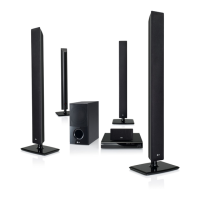
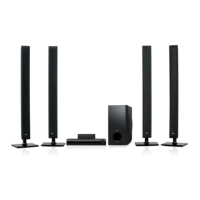
LG HT826SF - User Manual

LG HT826SF
24 pages
Print Icon
To Next Page IconTo Next Page
Loading...
DVD RECEIVER
OWNER’S MANUAL
Before connecting, operating or adjusting this product,
please read this instruction booklet carefully and completely.
P/No. : MFL62514302 (03)
Model : HT924SF
HT826SF
HT855PF
HT856PF
Full HD up-scaling (1080p)
(Go to page )8
Portable In
(Go to page 18)
Home theater Speaker ez Set-up
(Go to page )19
USB Direct Recording
(Go to page 20~21)

Questions and Answers

  • J
    Justin HernandezAug 8, 2025
    Why is my LG HT826SF remote control not working?
    • M
      Miguel AndersonAug 8, 2025
      If your LG Receiver remote control isn’t working, ensure that you're pointing it directly at the unit and are within 23 feet (7m) of it. Remove any obstacles between the remote and the receiver. If it still doesn't work, replace the batteries with new ones.
  • M
    Megan HarrisAug 12, 2025
    How to fix no picture on LG HT826SF?
    • J
      Joe MontgomeryAug 13, 2025
      If you're getting no picture on your LG Receiver, first, make sure your TV is set to the correct video input mode to receive the DVD signal. If that doesn't work, check that the video cables are securely connected to both the TV and the DVD Receiver.
  • K
    Katherine HumphreyAug 17, 2025
    What to do if there is little or no sound on LG HT826SF?
    • D
      david75Aug 17, 2025
      If your LG Receiver isn't producing sound, ensure the equipment connected via the audio cable is set to receive the DVD signal output. Check that the audio cables are securely connected to both the speakers and the receiver. If the problem persists, the audio cables may be damaged, and you should replace them.
  • A
    Anna HunterAug 21, 2025
    How to troubleshoot LG HT826SF with no power?
    • B
      Billy HurleyAug 21, 2025
      If your LG Receiver isn't powering on, the power cord is likely disconnected. Ensure the power cord is securely plugged into the wall outlet.
  • B
    Brandon NelsonAug 26, 2025
    Why radio stations can’t be tuned in on LG HT826SF Receiver?
    • J
      Jeremiah HoustonAug 26, 2025
      If radio stations can’t be tuned in on your LG Receiver, check the antenna connection and adjust its position. If the signal strength is weak, attach an external aerial. If you're tuning by scanning preset channels, you may need to preset some radio stations.
  • C
    Caleb WilliamsAug 29, 2025
    Why is my LG HT826SF making a humming noise?
    • T
      Timothy RamseyAug 29, 2025
      If your LG Receiver is humming while playing a DVD or CD, clean the disc using a soft cloth with outward strokes. Also, the DVD receiver may be too close to the TV, causing feedback. Try moving the DVD receiver and audio components further away from your TV.
  • S
    suttonadamSep 3, 2025
    What to do if a DVD/CD will not play on LG HT826SF Receiver?
    • M
      Melissa CombsSep 3, 2025
      If a DVD/CD will not play on your LG Receiver, first, ensure that a disc is inserted correctly with the label or printed side facing upwards. Make sure it is a playable disc (check the disc type, colour system and regional code). If the menu is open on the screen, press SETUP to close it. If there is a parental lock, enter your password or change the rating level.

LG HT826SF Specifications

General IconGeneral
Channels5.1
BluetoothNo
USB PlaybackYes
DVD playerYes
Audio Formats SupportedDolby Digital, DTS
Video FormatsDivX
OutputsHDMI

Related product manuals