EasyManua.ls Logo

LG HT855Pf - User Manual

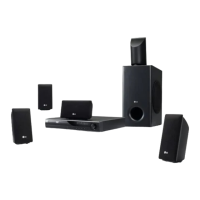
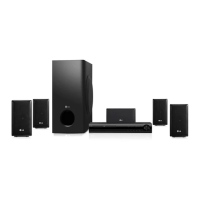
LG HT855Pf
24 pages
Print Icon
To Next Page IconTo Next Page
Loading...
DVD RECEIVER
OWNER’S MANUAL
Before connecting, operating or adjusting this product,
please read this instruction booklet carefully and completely.
P/No. : MFL62514302 (03)
Model : HT924SF
HT826SF
HT855PF
HT856PF
Full HD up-scaling (1080p)
(Go to page )8
Portable In
(Go to page 18)
Home theater Speaker ez Set-up
(Go to page )19
USB Direct Recording
(Go to page 20~21)

Questions and Answers

Summary

Safety and Precautions

General Safety Warnings

Covers risks of electric shock, fire, moisture, and installation hazards.

Specific Safety Notes

Includes laser system safety, power cord handling, and HDTV compatibility.

Disc Format Requirements

Instructions for disc format compatibility with LG players.

Copyright and Legal Information

Copyright Notices

Information regarding copyrights and licensed technology used in the product.

What is SIMPLINK?

SIMPLINK Features

Controllable functions by LG TV's remote control: Play, Pause, Scan, Skip, Stop, Power Off, etc.

Introduction and Product Information

Introduction to the Manual

Purpose of the manual and advice on retaining it for future reference.

Symbol and Disc Handling Guidance

Explanation of symbols used and instructions for handling, storing, and cleaning discs.

Unit Maintenance and Disposal

Unit Maintenance and Cleaning

Guidelines for cleaning the unit's exterior and internal maintenance recommendations.

Appliance Disposal

Environmental guidelines for disposing of old electrical and electronic products.

Playable Media Formats

Supported Disc Types

Details on DVD, CD, DivX, MP3, WMA, and JPEG disc compatibility.

Disc Playback Terminology

Definitions of terms like DVD±R/RW, VCD, MPEG, PBC, Title, Chapter, Scene, and Track.

Main Unit and Remote Control

Main Unit Controls Overview

Description of buttons on the main unit: Power, Disc Drawer, Play/Pause, Stop, Tuning, Function, Volume, etc.

Remote Control Functions Explained

Detailed explanation of remote control buttons and special functions like TV control.

Installation and Connectivity

Connecting the DVD Receiver

Instructions for connecting the unit to a TV using various cables (Audio, Video, Component, HDMI).

Video Output Resolution

Guide to setting the video output resolution for component and HDMI connections.

Audio and Speaker Setup

HDMI Connection Notes

Important notes and troubleshooting for HDMI connections, including HDCP compatibility.

External Audio Source Input

Instructions for enjoying audio from external sources using the AUX input.

Speaker Connection and Placement

Step-by-step guide to connecting speakers and advice on placement and safety.

Initial Setup and Display Settings

Initial Language and Menu Setup

Setting the initial language for OSD, menus, and navigating the Setup menu.

Display Configuration Options

Configuring TV Aspect Ratio and Display Mode for optimal picture viewing.

Audio and Parental Controls

Audio Settings and 5.1 Speaker Setup

Configuration of audio settings like DRC, Vocal, HD AV Sync, and detailed 5.1 speaker setup.

Parental Control and Disc Lock

Setting up parental controls, rating, password, and area code for disc playback.

Troubleshooting and Disc Information

Troubleshooting Common Issues

Lists common problems like no power, no picture, no sound, and their potential causes.

Disc Information Display

How to view information like title, chapter, time, audio, and subtitle settings during playback.

General Operations and Controls

Button Operations and Playback Features

Details on button functions and specific playback features like Frame-by-Frame, Random Play, and Fast Forward/Reverse.

Setup and Correction Tips

Tips for resolving connection issues, password entry, and remote control problems.

Parental Control and DivX VOD

Managing Parental Controls and Passwords

How to set rating, password, area code for parental controls and steps to clear forgotten passwords.

DivX VOD Service Guide

Information on obtaining a registration code for DivX VOD and renting/purchasing videos.

Sound Modes and Other Operations

Pre-programmed Sound Fields

Explanation of various sound modes like BASE EQ, AUTO EQ, POP/CLASSIC, GAME EQ, NIGHT MODE, CINEMA MODE.

Sleep Timer, Dimmer, and Vocal Fader

How to use the sleep timer, dimmer, and Vocal Fader function for karaoke.

Advanced Disc Playback Features

Menu Navigation and Playback Control

How to navigate DVD menus, skip chapters, pause, and play Frame-by-Frame.

Playback Speed, Subtitles, and Memory

Controlling playback speed, selecting subtitle languages, and using last scene memory.

File Playback Requirements and Management

DivX and MP3;WMA File Specifications

Technical requirements for DivX, MP3, and WMA files, including compatibility and formats.

Program Creation and File Information Display

How to create custom programs for audio discs and display ID3 TAG information.

Photo and External Media Playback

Photo File Slideshow Operations

Instructions for viewing photos as a slideshow, skipping, rotating, and pausing.

Connecting Portable Players and External Devices

How to connect portable players or external devices via PORT.IN or AUX connectors.

Radio and Home Theater Setup

Radio Tuning and Station Management

Steps for tuning, saving, deleting radio stations, and improving reception.

Home Theater Speaker Connection

How to connect the unit via OPTICAL IN for TV sound and switch to AUX OPT mode.

USB Device Operations

Playing Media from USB Devices

Instructions for connecting a USB device, selecting files, and playing media.

USB Device Requirements and Cautions

Details on compatible USB devices, requirements, and important precautions for use.

Recording Music to USB

Guide to recording music files from discs or other sources to a USB device.

USB Recording Features and Precautions

USB Recording Modes

Explanation of 'All tracks recording' and 'Program list recording' for USB.

Recording Precautions and File Storage

Important notes during recording, file storage formats, and error messages.

Reference Information

Language and Area Codes

Lists of language codes for menus/subtitles and area codes for DVD rating standards.

Technical Specifications

General, audio, and speaker specifications including power, dimensions, weight, and tuning ranges.

Summary

Safety and Precautions

General Safety Warnings

Covers risks of electric shock, fire, moisture, and installation hazards.

Specific Safety Notes

Includes laser system safety, power cord handling, and HDTV compatibility.

Disc Format Requirements

Instructions for disc format compatibility with LG players.

Copyright and Legal Information

Copyright Notices

Information regarding copyrights and licensed technology used in the product.

What is SIMPLINK?

SIMPLINK Features

Controllable functions by LG TV's remote control: Play, Pause, Scan, Skip, Stop, Power Off, etc.

Introduction and Product Information

Introduction to the Manual

Purpose of the manual and advice on retaining it for future reference.

Symbol and Disc Handling Guidance

Explanation of symbols used and instructions for handling, storing, and cleaning discs.

Unit Maintenance and Disposal

Unit Maintenance and Cleaning

Guidelines for cleaning the unit's exterior and internal maintenance recommendations.

Appliance Disposal

Environmental guidelines for disposing of old electrical and electronic products.

Playable Media Formats

Supported Disc Types

Details on DVD, CD, DivX, MP3, WMA, and JPEG disc compatibility.

Disc Playback Terminology

Definitions of terms like DVD±R/RW, VCD, MPEG, PBC, Title, Chapter, Scene, and Track.

Main Unit and Remote Control

Main Unit Controls Overview

Description of buttons on the main unit: Power, Disc Drawer, Play/Pause, Stop, Tuning, Function, Volume, etc.

Remote Control Functions Explained

Detailed explanation of remote control buttons and special functions like TV control.

Installation and Connectivity

Connecting the DVD Receiver

Instructions for connecting the unit to a TV using various cables (Audio, Video, Component, HDMI).

Video Output Resolution

Guide to setting the video output resolution for component and HDMI connections.

Audio and Speaker Setup

HDMI Connection Notes

Important notes and troubleshooting for HDMI connections, including HDCP compatibility.

External Audio Source Input

Instructions for enjoying audio from external sources using the AUX input.

Speaker Connection and Placement

Step-by-step guide to connecting speakers and advice on placement and safety.

Initial Setup and Display Settings

Initial Language and Menu Setup

Setting the initial language for OSD, menus, and navigating the Setup menu.

Display Configuration Options

Configuring TV Aspect Ratio and Display Mode for optimal picture viewing.

Audio and Parental Controls

Audio Settings and 5.1 Speaker Setup

Configuration of audio settings like DRC, Vocal, HD AV Sync, and detailed 5.1 speaker setup.

Parental Control and Disc Lock

Setting up parental controls, rating, password, and area code for disc playback.

Troubleshooting and Disc Information

Troubleshooting Common Issues

Lists common problems like no power, no picture, no sound, and their potential causes.

Disc Information Display

How to view information like title, chapter, time, audio, and subtitle settings during playback.

General Operations and Controls

Button Operations and Playback Features

Details on button functions and specific playback features like Frame-by-Frame, Random Play, and Fast Forward/Reverse.

Setup and Correction Tips

Tips for resolving connection issues, password entry, and remote control problems.

Parental Control and DivX VOD

Managing Parental Controls and Passwords

How to set rating, password, area code for parental controls and steps to clear forgotten passwords.

DivX VOD Service Guide

Information on obtaining a registration code for DivX VOD and renting/purchasing videos.

Sound Modes and Other Operations

Pre-programmed Sound Fields

Explanation of various sound modes like BASE EQ, AUTO EQ, POP/CLASSIC, GAME EQ, NIGHT MODE, CINEMA MODE.

Sleep Timer, Dimmer, and Vocal Fader

How to use the sleep timer, dimmer, and Vocal Fader function for karaoke.

Advanced Disc Playback Features

Menu Navigation and Playback Control

How to navigate DVD menus, skip chapters, pause, and play Frame-by-Frame.

Playback Speed, Subtitles, and Memory

Controlling playback speed, selecting subtitle languages, and using last scene memory.

File Playback Requirements and Management

DivX and MP3;WMA File Specifications

Technical requirements for DivX, MP3, and WMA files, including compatibility and formats.

Program Creation and File Information Display

How to create custom programs for audio discs and display ID3 TAG information.

Photo and External Media Playback

Photo File Slideshow Operations

Instructions for viewing photos as a slideshow, skipping, rotating, and pausing.

Connecting Portable Players and External Devices

How to connect portable players or external devices via PORT.IN or AUX connectors.

Radio and Home Theater Setup

Radio Tuning and Station Management

Steps for tuning, saving, deleting radio stations, and improving reception.

Home Theater Speaker Connection

How to connect the unit via OPTICAL IN for TV sound and switch to AUX OPT mode.

USB Device Operations

Playing Media from USB Devices

Instructions for connecting a USB device, selecting files, and playing media.

USB Device Requirements and Cautions

Details on compatible USB devices, requirements, and important precautions for use.

Recording Music to USB

Guide to recording music files from discs or other sources to a USB device.

USB Recording Features and Precautions

USB Recording Modes

Explanation of 'All tracks recording' and 'Program list recording' for USB.

Recording Precautions and File Storage

Important notes during recording, file storage formats, and error messages.

Reference Information

Language and Area Codes

Lists of language codes for menus/subtitles and area codes for DVD rating standards.

Technical Specifications

General, audio, and speaker specifications including power, dimensions, weight, and tuning ranges.

LG HT855Pf Specifications

General IconGeneral
Audio Channels5.1
Total Power Output1000W
HDMI Inputs3
HDMI Outputs1
BluetoothNo
USB PlaybackYes
DTSYes
Dolby DigitalYes
TypeHome Theater System
Total Output Power1000W
DVD PlayerYes
USB Port1
Supported FormatsMP3, WMA, JPEG, DivX

Related product manuals