EasyManua.ls Logo

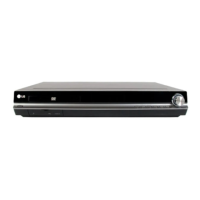
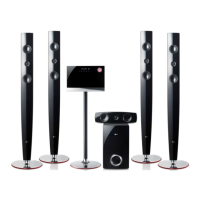
LG HT965TZ-AM - User Manual

LG HT965TZ-AM
53 pages
Print Icon
To Next Page IconTo Next Page
Loading...
OWNER’S MANUAL
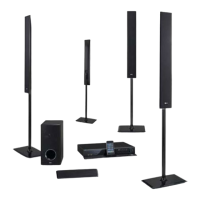
DVD Receiver System
MODEL
HT965TZ (HT965TZ, SH95TZ-S/ C/ W)
P/NO : MFL65899748
ENGLISH
PORTUGUÊS
FRANÇAIS
ةيبرعلا
Please read this manual carefully before operating
your set and retain it for future reference.
HT965TZ-AM_BJORMLK_ENG_9748.indd1 1 2010-06-03 ¿ÀÈÄ 6:24:11

Table of Contents

Questions and Answers

  • R
    reidcaitlinAug 13, 2025
    Why is my LG HT965TZ-AM remote control not working?
    • A
      Anthony JacksonAug 13, 2025
      If the remote control is not working for your LG Receiver, try the following: * Make sure you are pointing the remote directly at the unit. * Ensure you are within 23 feet (7m) of the unit. * Check for any obstacles between the remote and the unit and remove them. * Replace the batteries in the remote control with new ones.
  • C
    Calvin GarciaAug 17, 2025
    What to do if there is little or no sound from my LG Receiver?
    • M
      Michael ClarkAug 17, 2025
      If you're getting little or no sound from your LG Receiver, consider these potential causes: 1. The equipment connected via the audio cable is not set to receive DVD signal output. Select the correct input mode of the unit. 2. The audio cables are not connected to the speakers or unit securely. Connect the audio cables into the connection terminals correctly. 3. The audio cables are damaged. Replace them with a new audio cable.
  • B
    Bonnie HendricksAug 20, 2025
    How to fix no power on my LG HT965TZ-AM Receiver?
    • T
      Tara MillerAug 20, 2025
      If your LG Receiver isn't powering on, the most likely cause is that the power cord isn't properly connected. Ensure the power cord is securely plugged into the wall outlet.
  • A
    agrossAug 25, 2025
    What to do if there is no picture on my LG Receiver?
    • M
      Melissa HollandAug 25, 2025
      If you're experiencing a lack of picture on your LG Receiver, there are a couple of things to check: * Ensure your TV is set to the correct video input mode to receive the signal from the receiver. * Verify that the video cables are securely connected to both the TV and the receiver.
  • S
    Stacy HudsonAug 28, 2025
    Why won't my LG HT965TZ-AM play a DVD/CD?
    • D
      Dennis DanielAug 28, 2025
      If your LG Receiver isn't playing a DVD/CD, here are a few things to check: * Make sure a disc is inserted. * Verify that the disc is playable by the unit (check the disc type, colour system and regional code). * Ensure the disc is inserted correctly, with the label or printed side facing upwards. * Check if a parental lock is enabled, preventing playback. If so, enter your password or change the rating level.
  • T
    Tracy BoydSep 1, 2025
    How to improve poor DVD picture quality on LG HT965TZ-AM?
    • T
      Teresa HopkinsSep 1, 2025
      If the DVD picture quality is poor on your LG Receiver, it might be due to a dirty disc. Clean the disc using a soft cloth with outward strokes.
  • M
    Mary ShepherdSep 4, 2025
    Why is my LG Receiver making a humming noise?
    • T
      Tonya Williams MDSep 4, 2025
      If you hear a humming noise while playing a DVD or CD on your LG Receiver, it could be due to a dirty disc. Clean the disc using a soft cloth with outward strokes. Alternatively, the unit might be too close to the TV, causing feedback. In that case, move the unit and audio components further away from your TV.
  • C
    Christina McclureSep 8, 2025
    Why can’t my LG Receiver tune in radio stations properly?
    • L
      Laura BrownSep 8, 2025
      Radio stations may not tune in properly on your LG Receiver for a couple of reasons. First, check the antenna connection and adjust its position. Second, the signal strength of the radio station may be too weak, try tuning to the station manually.

Summary

Owners Manual

Product Overview

Introduction to the LG DVD Receiver System and its model.

Safety Information

General Safety Precautions

Essential safety guidelines for operating the unit, including electric shock, fire, and moisture hazards.

Specific Safety Instructions

Precautions for laser system use, power cord safety, and ventilation requirements.

Battery Handling and Copyrights

Safe battery removal, copyright protection notices, and TV compatibility.

Product Preparation

Unique Features and Accessories

Overview of the system's unique features and a list of supplied accessories.

Preparation Features Details

Details on Portable In, USB Direct Recording, Full HD up-scaling, and Home Theater Speaker ez Setup.

Introduction to Discs and Codes

Disc compatibility, file formats, symbols, and regional code information.

File Compatibility Requirements

Specific requirements for MP3, WMA, DivX, and photo file formats.

Remote Control Overview

Guide to remote control buttons and their functions.

Front Panel Layout

Identification and function of the unit's front panel controls and ports.

Rear Panel Layout

Identification and function of the unit's rear panel connections and ports.

System Installation

Speaker Assembly and Mounting

Steps for assembling speaker stands and mounting speakers to a wall.

Connecting Speakers to Unit

How to connect speaker wires to the unit and speakers, including color coding.

Speaker Positioning

Recommended placement of speakers for optimal surround sound experience.

Component Video Connection to TV

Connecting the unit to a TV using component video cables for audio and video.

HDMI Out Connection to TV

Connecting the unit to a TV or monitor using an HDMI cable for digital audio and video.

Video Connection to TV

Connecting the unit to a TV using a standard video cable.

Video Output Resolution Settings

How to adjust the output resolution for HDMI and Component Video.

Optional Equipment Connections

Connecting external devices via HDMI, AUX, and PORT. IN for expanded functionality.

USB and Antenna Connections

Connecting USB devices and antennas for radio reception.

Optical Audio and Speaker Setup

Connecting optical audio devices and setting up the home theater speaker system.

System Operation

Setup and Language Settings

Adjusting setup settings, including initial language configuration.

Display and Language Options

Configuring TV aspect, display mode, and language settings for discs.

Audio and Speaker Setup

Setting up the 5.1 speaker system, including volume and distance.

Vocal and Lock Settings

Adjusting vocal effects, HD AV Sync, Semi Karaoke, and parental lock settings.

Playback Operations

Basic operations for playing discs, USB devices, and iPods.

Advanced Playback Features

Features like 1.5x speed playback, resume, screen saver, and marked playback.

Photo and DivX Playback

Viewing photo files and changing subtitle settings for DivX playback.

Timer, Dimmer, and Sound Settings

Using sleep timer, dimmer, mute, last scene memory, and vocal fader.

Radio Operations

Tuning, presetting, and managing radio stations for FM/AM reception.

Sound Adjustment and EQ

Setting surround modes, EQ, loudness, and other sound effects.

Recording to USB and iPod Playback

Recording audio to USB and playing media files from an iPod.

Bluetooth Wireless Technology

Instructions for pairing and listening to music via Bluetooth.

Maintenance and Troubleshooting

Disc and Unit Handling

Proper handling, storing, and cleaning of discs and the unit's exterior.

Troubleshooting Common Issues

Solutions for common problems like no power, no picture, audio issues, and remote control malfunctions.

Appendix and Specifications

Language and Area Codes

Lists of language and area codes for initial system setup and disc playback.

Trademarks, Licenses, and Specs

Information on product trademarks, licenses, energy saving, and technical specifications.

LG HT965TZ-AM Specifications

General IconGeneral
TypeHome Theater System
Power Output1000W
Channels5.1
USB PlaybackYes
Dolby DigitalYes
DTSYes
DVD playerYes
HDMIYes
Audio FormatsDolby Digital, DTS
Video FormatsDivX
ConnectivityHDMI, USB

Related product manuals