17
On Screen Display(OSD) Selection and Adjustment
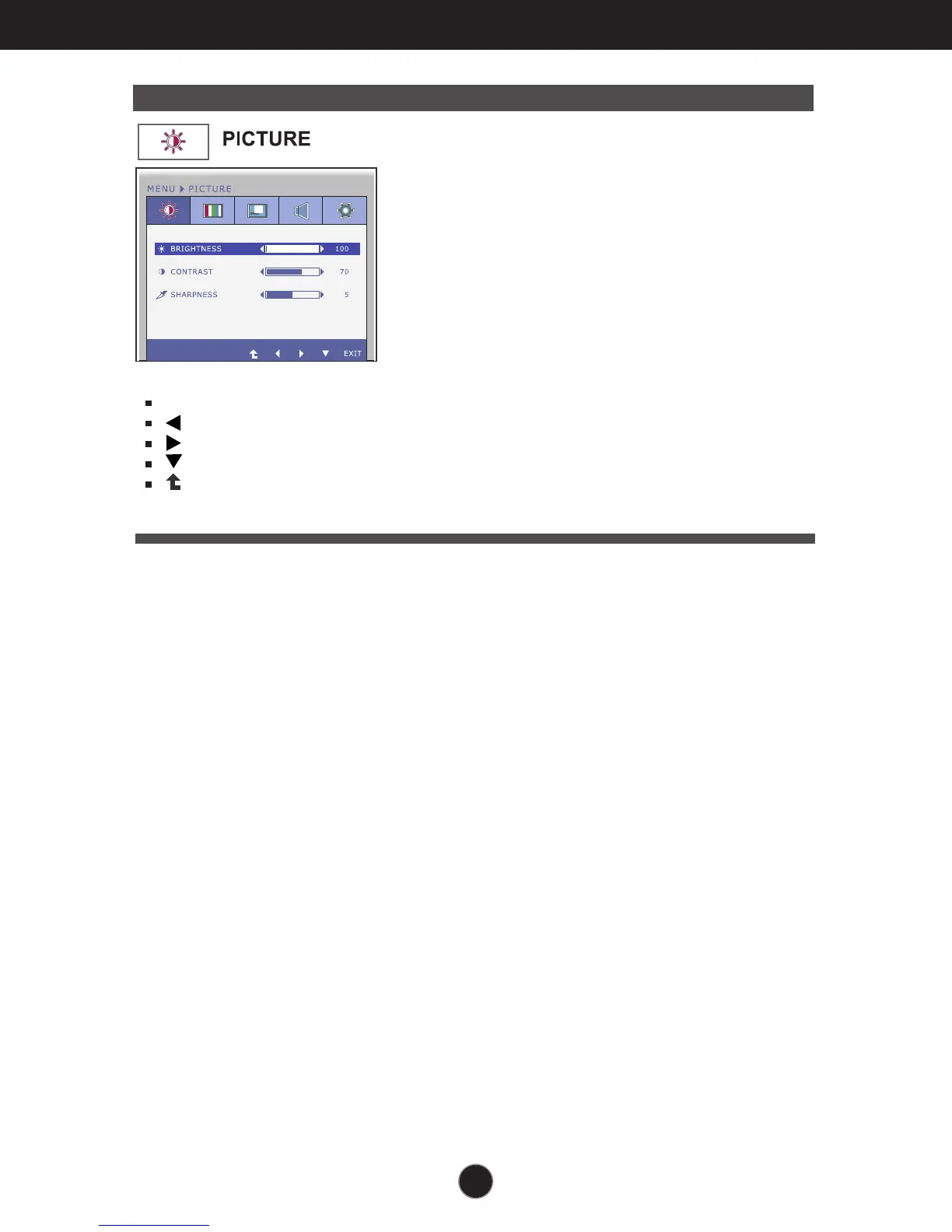
Main menu Sub menu Description
EXIT : Exit
: Decrease
: Increase
: Select another sub-menu
: Restart to select sub-menu
BRIGHTNESS
CONTRAST
SHARPNESS
To adjust the brightness of the screen.
To adjust the contrast of the screen.
To adjust the clearness of the screen.



 To Next Page