EasyManua.ls Logo

LG J10DX - User Manual

LG J10DX
31 pages
Print Icon
To Next Page IconTo Next Page
Loading...
Before connecting, operating or adjusting this product,
please read this instruction booklet carefully and
completely.
Internet address ; http://ua.lge.com
Customer Information Center LG ; (380-44) 490-7777,
8-800-303-0000
J10D-X_JA8ULLK_ENG_1055
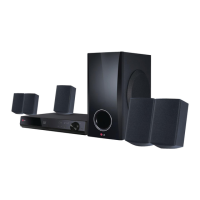
2.1CH Home Theater System
OWNER’S MANUAL
MODEL: J10DX
SPEAKERS: J10D-SF/J10D-SA
USB

Questions and Answers

  • K
    Kristi BaileyAug 16, 2025
    Why is my LG J10DX Home Theater System remote control not working properly?
    • N
      nmitchellAug 16, 2025
      The remote control might not be working because it is not pointed at the remote sensor of the unit, is too far from the unit (operate within 7 m), there is an obstacle in the path, or the batteries are exhausted. Try pointing the remote at the sensor, moving closer, removing any obstacles, or replacing the batteries.
  • D
    Deanna JeffersonAug 19, 2025
    What to do if my LG J10DX is plugged in, but the power will not turn on or off?
    • A
      andrewgrayAug 19, 2025
      Press and hold the POWER button for at least five seconds to force the unit to power off, then turn it back on. If that doesn't work, unplug the power cord, wait at least five seconds, and then plug it in again.
  • W
    Willie DavisAug 22, 2025
    What to do if there is no picture on my LG Home Theater System?
    • J
      Jennifer McclureAug 22, 2025
      If there is no picture, ensure that the TV is set to receive signal output by selecting the appropriate video input mode. Also, check that the video cable is securely connected and that the connected TV is turned on.
  • Z
    zbatesAug 26, 2025
    Why is there no sound or poor sound quality from my LG Home Theater System?
    • K
      Keith ChandlerAug 26, 2025
      If you cannot hear any sound or the sound quality is poor, check if the volume is minimized and adjust it accordingly. Also, ensure that headphones are disconnected and the MUTE button is switched off.
  • T
    Tony TaylorAug 28, 2025
    What to do if my LG Home Theater System is not operating normally?
    • S
      Susan NunezAug 28, 2025
      Unplug the power cord, wait at least five seconds, and then plug it in again.
  • E
    Ethan LewisAug 31, 2025
    How to fix poor playback picture on LG Home Theater System?
    • M
      malikhayesAug 31, 2025
      If the playback picture is poor, the disc may be dirty. Clean the disc.
  • R
    Richard LynchSep 3, 2025
    How to improve radio reception on LG J10DX Home Theater System?
    • E
      erica30Sep 3, 2025
      If the radio reception is poor, the signal might be too weak. Adjust the antenna or connect an external antenna for better reception.
  • J
    Jeffrey JordanSep 6, 2025
    How to fix LG J10DX B (PLAY), X, . and > buttons when they do not operate?
    • S
      Steven CaldwellSep 6, 2025
      If the B (PLAY), X, . and > buttons do not operate, the unit may be in MOBILE mode. To release the MOBILE mode, press the mode button (TUNER, DISC, USB) you want, or press HOME.
  • J
    john65Sep 9, 2025
    Why is there no power on my LG J10DX Home Theater System?
    • J
      James GonzalezSep 9, 2025
      If there is no power, the power cord may be disconnected. Plug the power cord into the wall outlet securely.
  • K
    Kathryn LucasSep 12, 2025
    Why is the display window dim on my LG Home Theater System?
    • D
      David PatrickSep 12, 2025
      If the display window is dim and the light on the touch pad and the active subwoofer are turned off, the dimmer function may be activated. Switch off DIMMER.

LG J10DX Specifications

General IconGeneral
BrandLG
ModelJ10DX
CategoryHome Theater System
TypeDVD Home Theater System
Number of Channels5.1
Total Output Power1000W
DVD PlayerYes
Remote ControlYes
Wireless SubwooferNo
BluetoothYes
HDMI Input1
USB PortYes
Optical InputYes
Playable MediaDVD, CD, MP3, JPEG
ConnectivityBluetooth, HDMI, USB, Optical
Sound ModesCinema, Music, Game

Related product manuals