Custom-designed Features 13
quick share
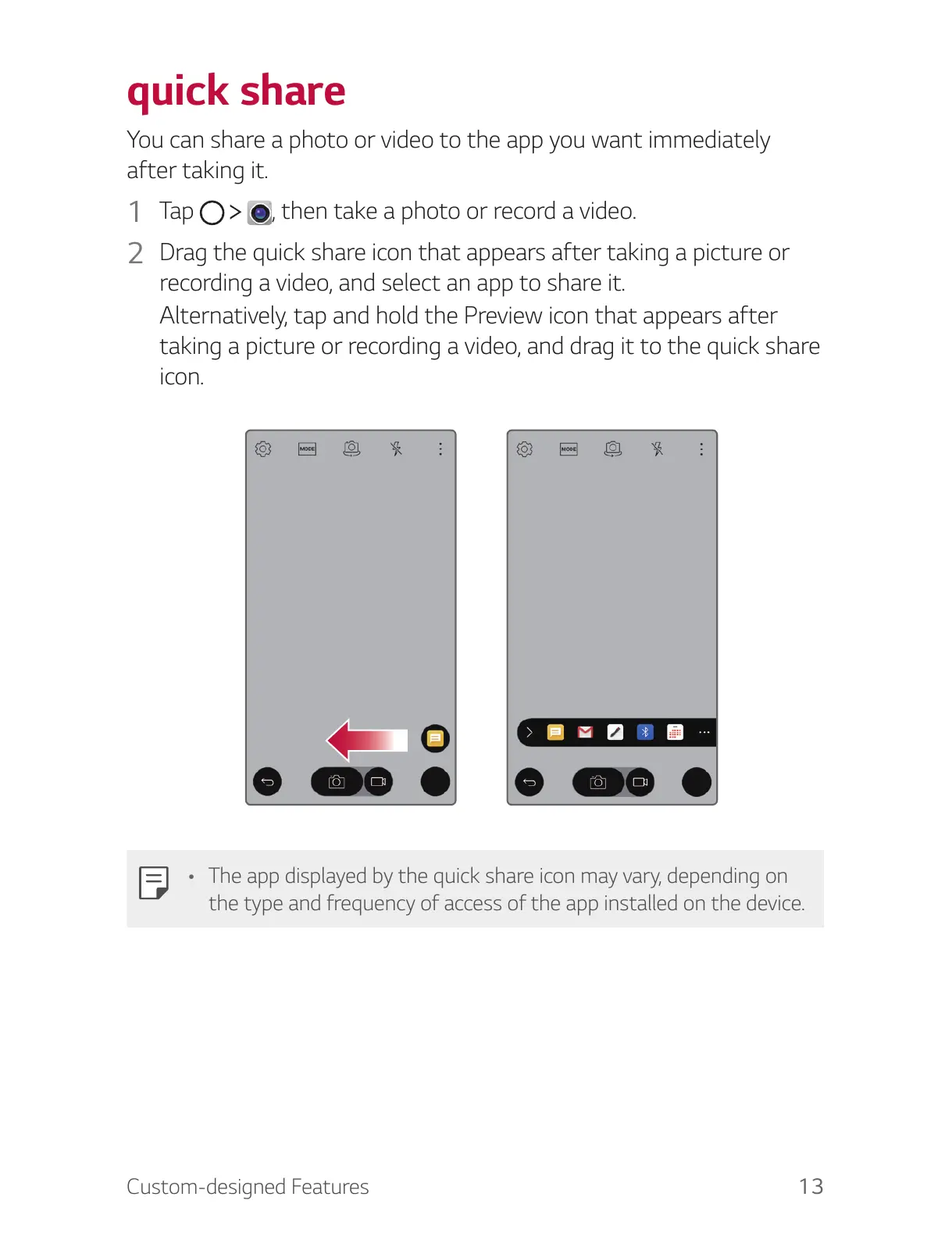
You can share a photo or video to the app you want immediately
after taking it.
1
T a p , then take a photo or record a video.
2
Drag the quick share icon that appears after taking a picture or
recording a video, and select an app to share it.
Alternatively, tap and hold the Preview icon that appears after
taking a picture or recording a video, and drag it to the quick share
icon.
• The app displayed by the quick share icon may vary, depending on
the type and frequency of access of the app installed on the device.



 To Next Page