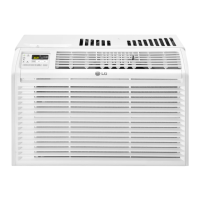
This document is an owner's manual for a Multi Air Conditioner manufactured by LG, with the tagline "Life's Good." It provides comprehensive instructions for installation, operation, maintenance, and troubleshooting of various indoor unit types, including Wall Mounted Type and Art Cool Mirror Type. The manual is available in English, Español, and Português.
Function Description:
The LG Multi Air Conditioner is designed to provide cooling, heating (for heat pump models), dehumidification, and air circulation for indoor spaces. It features a range of operational modes and settings to optimize comfort and air quality. Specific models covered include L3UC242FA2, L4UC302FA2, L4UC602FA2, L5UC362FA2, L6UC502FA2, L8UC100BFA2, L8UC100BFE3, L8UC150BFA1, L8UC150BFE1, L4UH602FA2, L8UC100BFA3, L8UH100BFA2, LMNC092D4A0, LMNC092DERO, LMNH(C)122D(G)4A(L)0, LMNH(C)122DERO, LMNH(C)182D(G)5A(L)0, LMNH(C)182D8RO, LMNH(C)242D(G)5A(L)0, and LMNH(C)242D8RO.
Important Technical Specifications:
While specific technical specifications like power consumption or BTU ratings are not detailed in this excerpt, the manual implies various operational ranges and features:
- Temperature Settings:
- Cooling: 18°C-30°C
- Heating: 16°C-30°C
- Healthy Dehumidification: Setting temperature not displayed, automatically optimized.
- Forced Operation (Cooling Model): 22°C
- Forced Operation (Heat Pump Model): 21°C-24°C depending on room temperature.
- Fan Speeds: Four steps: low, medium, high, and CHAOS.
- Timer: Programmable in one-hour increments for 1 to 7 hours in Sleep Mode.
- Batteries: Requires 2 AAA (1.5volt) batteries for the wireless remote controller.
Usage Features:
The air conditioner offers a variety of user-friendly features controlled primarily via a wireless remote controller:
- Start/Stop Button: Turns the unit on or off.
- Operation Mode Selection: Allows selection between Cooling, Auto Operation, Healthy Dehumidification, and Heating modes.
- Room Temperature Setting: Buttons to adjust the desired room temperature within specified ranges.
- Indoor Fan Speed Selector: Cycles through low, medium, high, and CHAOS fan speeds.
- JET COOL Button: Initiates rapid cooling (super high fan speed, 18°C for 30 minutes) or rapid heating (super high fan speed, 30°C for 60 minutes, for heat pump models).
- CHAOS SWING Button: Controls the up/down louver movement, creating a natural breeze effect by automatically changing fan speed.
- ON/OFF TIMER Buttons: Sets the time for the unit to start or stop operation.
- TIME SETTING Buttons: Adjusts the current time on the remote controller.
- TIMER SET/CANCEL Button: Confirms or cancels timer operations.
- SLEEP MODE AUTO Button: Activates sleep mode, which adjusts fan speed and temperature for comfortable sleep. In cooling/dehumidification, temperature rises 1°C twice over 30 minutes (2°C in 1 hour).
- AIR CIRCULATION Button: Circulates room air without cooling or heating, with adjustable fan speed.
- ROOM TEMPERATURE CHECKING Button: Displays the current room temperature.
- RESET Button: Used for resetting time and other settings.
- 2nd F Button: Activates functions printed in blue on the remote controller buttons.
- LCD LUMINOSITY (Optional): Controls the brightness of the display on the indoor unit (Art Cool Mirror Type).
- AUTO CLEAN Button: Activates the auto clean function to remove moisture from the indoor unit.
- Horizontal Airflow Direction Control Button (Optional): Sets the desired horizontal airflow direction.
- PLASMA (Optional): Starts or stops the plasma-purification function.
Display Indicators:
- Wall Mounted Type: LED indicators for On/Off, Sleep mode, Timer, Defrost mode, Outdoor unit operation, and PLASMA.
- Art Cool Mirror Type: LCD indicators for On/Off, Sleep Mode, Timer, Defrost mode, Outdoor unit operation, Desired temperature indicator (Cooling, Dehumidification, Heating, AI, Po, Lo), and PLASMA.
Forced Operation:
In case the remote control is unavailable, the unit can be operated by pressing the ON/OFF button on the indoor unit. This initiates operation in a default mode (Cooling or Healthy Dehumidification/Heating depending on room temperature) with high fan speed and specific setting temperatures.
Test Operation:
A test operation mode runs the unit in cooling at high fan speed for 18 minutes, primarily for diagnostic purposes.
Auto Restart Function:
After a power failure, this function automatically restores the previous operating conditions when power is regained. This feature can be enabled or disabled by pressing the ON/OFF button for 6 seconds.
Maintenance Features:
The manual emphasizes regular maintenance for optimal performance and longevity.
- General Cleaning: Indoor unit should be cleaned with a soft, dry cloth. Harsh detergents, solvents, or water hotter than 40°C should be avoided.
- Air Filters: Located behind the front panel/grill, these should be checked and cleaned every two weeks or more often. Cleaning involves using a vacuum cleaner or warm soapy water, drying in shade, and reinstalling.
- Plasma Filters (Optional): Located behind the air filter, these should be checked and cleaned every three months or more often. Cleaning involves using a vacuum cleaner or water, drying in shade, and reinstalling.
- Deodorizer Filters: Located behind the air filter, these should be removed and exposed to direct sunlight for two hours, then reinserted.
- Outdoor Unit: Heat exchanger coils and panel vents should be checked regularly for dirt or soot and professionally steam cleaned if clogged.
Safety Precautions:
The manual includes extensive safety warnings and cautions, categorized into Installation and Operation, using symbols for "WARNING" (possibility of death or serious injury) and "CAUTION" (possibility of injury or damage). Key safety points include:
- Proper grounding and use of dedicated circuits/breakers.
- Contacting authorized service personnel for electrical work, installation, and repairs.
- Not modifying power cables or installing/removing units independently.
- Caution during unpacking due to sharp edges.
- Ensuring stable installation area and proper drain hose installation.
- Avoiding prolonged exposure to direct airflow.
- Not touching electrical parts with wet hands.
- Not storing flammable gases near the product.
- Disconnecting power during cleaning or maintenance.
- Safe handling and disposal of remote control batteries.
Troubleshooting:
A troubleshooting guide helps users diagnose common issues such as the air conditioner not starting (blown fuse, power failure, high voltage) or not cooling properly (restricted airflow, dirty air filter, hot room, cold air escaping, incorrect temperature settings, heating sources). It advises contacting service immediately for abnormal smells, loud noises, damaged power cords, error codes, water leaks, or switch/breaker failures. Routine checkups and cleaning are recommended for user maintenance.

 Need help?
 General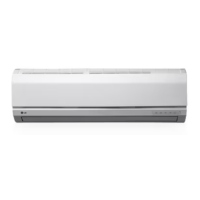

 To Next Page