EasyManua.ls Logo

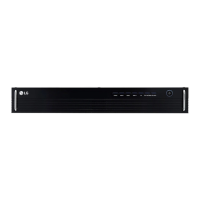
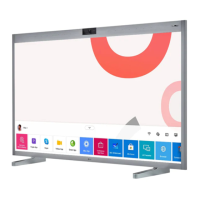
LG LAT140GT81S - User Manual

LG LAT140GT81S
21 pages
Print Icon
To Next Page IconTo Next Page
Loading...
OWNER’S MANUAL
LG Digital Signage
(LED SIGNAGE, CONTROLLER)
Please read this manual carefully before operating your set and retain it for future
reference.
www.lg.com
Copyright © 2020 LG Electronics Inc. All Rights Reserved.
LAT140GT81
LAT140GT81S
ACC-14LATB1
ACC-14LATB2
LCLG140U

Other manuals for LG LAT140GT81S

Questions and Answers

  • K
    kennethwilliamsAug 9, 2025
    What to do if no image is displayed on LG Digital Signage?
    • J
      Jessica CaldwellAug 9, 2025
      First, ensure the power cord is correctly plugged into the power outlet. If problems persist, it might be due to incorrect cable connections. In such cases, contact a system integrator or the service center for assistance with cable connection changes.
  • P
    podonnellAug 25, 2025
    How to fix abnormal screen image on LG LAT140GT81S Digital Signage?
    • L
      longmistyAug 26, 2025
      First, check the power cord to ensure it is properly connected to the power outlet. If the issue continues, the problem might stem from improper cable connections. Contact a system integrator or the service center to get help with changing the cable connection.

LG LAT140GT81S Specifications

General IconGeneral
Viewing Angle178° (H) / 178° (V)
Operating Temperature0°C to 40°C
Color Gamut72% NTSC
Operation Hours24/7
OrientationLandscape / Portrait
Storage Temperature-20°C to 60°C
Resolution1920 x 1080
Contrast Ratio1, 200:1
ConnectivityHDMI, USB, RS-232C
InputHDMI, USB
External ControlRS-232C
Response Time8 ms (G to G)
Bezel Width14.9 mm (T/L/R), 49.9 mm (B)

Related product manuals