EasyManua.ls Logo

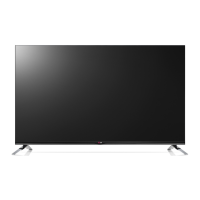
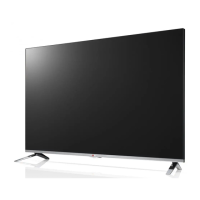
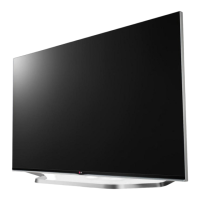
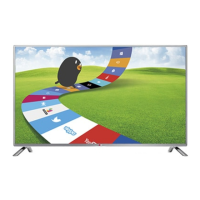
LG LB67 Series - User Manual

LG LB67 Series
208 pages
Print Icon
To Next Page IconTo Next Page
Loading...
www.lg.com
LB63** LB68** LB72** LB87**
LB65** LB69** LB73**
LB67** LB70** LB86**
LED TV
*
Please read this manual carefully before operating your
set and retain it for future reference.
* LG LED TVs are LCD TVs
with LED backlighting.
OWNER’S MANUAL
Click! User Guide
P/NO : MFL68027021(1502-REV02)
Printed in Korea
*MFL68027021*

Questions and Answers

  • J
    Jonathan CunninghamSep 12, 2025
    Why does my LG LB67 say 'No Signal' when connecting to PC via HDMI/DVI?
    • R
      rfitzpatrickSep 12, 2025
      If your LG LED TV displays 'No Signal' or 'Invalid Format' when connected to a PC via HDMI/DVI, try turning the TV off and then on again using the remote control. If that doesn't work, reconnect the HDMI cable. As a final step, restart your PC while the TV is powered on.
  • S
    Stephen BuckleyAug 25, 2025
    What to do if my LG LB67 has no image and sound?
    • N
      nicholasschwartzAug 25, 2025
      If your LG LED TV shows no image and produces no sound, first verify that the TV is powered on. Next, ensure the power cord is securely connected to a working wall outlet. You can test the outlet by plugging in another device to see if it works.
  • L
    Lauren GardnerAug 25, 2025
    Why does my LG LED TV keep turning off?
    • A
      Anna RodriguezAug 26, 2025
      If your LG LED TV turns off suddenly, here are a few things to check: * The power supply might be interrupted. Check the power control settings. * Ensure that the Automatic Standby, Sleep Timer, or Timer Power Off functions are not activated in the Timers settings. * If the TV is on but not receiving a signal, it will automatically turn off after 15 minutes of inactivity.
  • D
    Darryl JonesSep 23, 2025
    Why does my LG LB67 LED TV make noise?
    • D
      Darlene ChenSep 23, 2025
      A change in ambient humidity or temperature may result in an unusual noise when your LG LED TV turns on or off. This is normal, and there is no problem with your product.
  • P
    Paula GloverSep 12, 2025
    What to do if my LG LB67 image is black and white or has poor color?
    • G
      george69Sep 12, 2025
      If the image on your LG LED TV is displaying in black and white or the color quality is poor, adjust the color setting in the PICTURE menu. Also, ensure that there is sufficient distance between the TV and other electronic products. You may also want to try switching to other channels, as there may be a problem with the broadcast.
  • A
    Alicia FordSep 17, 2025
    How to fix LG LCD TV remote control not working?
    • B
      Bruce ClarkSep 17, 2025
      If you're unable to control your LG LCD TV with the remote, start by checking the remote control sensor on the TV. Make sure there are no obstacles blocking the path between the remote and the TV. Also, verify that the batteries in the remote are working and properly installed.
  • A
    Angel TurnerSep 5, 2025
    What to do if my LG LED TV turns off suddenly?
    • B
      Brenda BaileySep 5, 2025
      If your LG LED TV turns off suddenly, check the power control settings. The power supply may be interrupted. Also, verify if the Sleep Timer or Timer Power Off feature is activated in the Timers settings. Note that the TV will turn off automatically after 15 minutes of inactivity if there is no signal.
  • R
    Robert GardnerSep 5, 2025
    What to do if my LG LCD TV turns off suddenly?
    • W
      Wanda MarksSep 6, 2025
      If your LG LCD TV turns off unexpectedly, it could be due to a few reasons. First, the power supply might be interrupted, so check the power control settings. Second, the Automatic Standby, Sleep Timer, or Timer Power Off functions may be activated in the Timers settings. Finally, if the TV doesn't receive a signal for 15 minutes, it will automatically turn off.
  • S
    Sarah MillerSep 18, 2025
    How to fix 'No signal' or ‘Invalid Format’ on LG LB67 when connecting to PC (HDMI/DVI)?
    • D
      Donna MartinSep 18, 2025
      If you see a ‘No signal’ or ‘Invalid Format’ message on your LG LED TV when connecting to a PC via HDMI/DVI, try turning the TV off and then on again using the remote control. Reconnect the HDMI cable. If the issue persists, restart your PC while the TV is on.
  • D
    Daniel KellyAug 30, 2025
    What to do if my LG LB67 LED TV says no signal?
    • D
      deanna70Aug 30, 2025
      If your LG LED TV displays 'No Signal', ensure the signal cable is correctly connected between the TV and any connected devices. Also, verify the selected input source by pressing the INPUT button on your remote.

Summary

Licenses and Software Information

Product Licenses

Details on supported licenses for the product.

Open Source Software Notice Information

Information and source code availability for open source licenses used.

External Control Device Setup

Information on setting up external control devices for the TV.

Safety Instructions

General Safety Precautions

Important warnings for safe TV placement, handling, and electrical safety.

3 D Viewing Safety Precautions

Guidelines for safe 3D content viewing, including health warnings and age restrictions.

Installation and Setup Procedures

Initial Setup and Assembly

Steps for unboxing, accessory checks, and basic TV setup.

TV Parts and Basic Operation

Description of TV parts, buttons, joystick usage, and safe lifting/moving.

Stand and Wall Mounting

Instructions for attaching the stand, table mounting, and wall mounting options.

Cable Management and Camera Setup

Instructions for tidying cables and using the built-in camera.

Making Connections

Connecting Various Devices Overview

Guide to connecting external devices like players, PCs, and game consoles.

Antenna, Satellite, and HDMI Connections

Instructions for connecting antennas, satellite dishes, and using HDMI for audio/video.

DVI, Component, and Composite Connections

Guide to connecting devices using DVI-HDMI, Component, and Composite cables.

Mobile, Audio, USB, and Other Connections

Details on MHL, audio outputs, USB devices, CI modules, headphones, and Scart.

Remote Control Operation

Standard Remote Control Guide

Introduction to the remote, battery replacement, and general usage guidelines.

Standard Remote Button Functions

Explanation of key buttons like TV/RAD, INPUT, SETTINGS, GUIDE, and FAV.

Remote Navigation and Control Buttons

Details on navigation, OK, BACK, EXIT, AD, REC/*, and colored buttons.

Magic Remote Functions

Magic Remote Introduction and Pairing

Overview, setup, battery care, and initial pairing for the Magic Remote.

Magic Remote Operations and Features

Guide to using buttons, pointer, voice recognition, and other advanced features.

User Guide Access

Accessing the On-Screen User Guide

How to find detailed TV information via the remote control's User Guide feature.

Maintenance and Care

TV Cleaning Instructions

Procedures for cleaning the TV screen, frame, and power cord safely.

Troubleshooting Common Issues

TV Problems and Solutions

Guide to resolving issues like remote failure, no image/sound, and power interruptions.

Product Specifications

Wireless Module Specifications

Technical details for the TV's wireless LAN and Bluetooth modules.

Model Specifications and Dimensions

Detailed specifications including dimensions, weight, and power for various TV models.

LG LB67 Series Specifications

General IconGeneral
BrandLG
ModelLB67 Series
CategoryLED TV
LanguageEnglish

Related product manuals