EasyManua.ls Logo

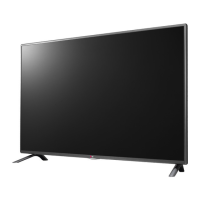
LG LB67-Z - User Manual

LG LB67-Z
62 pages
Print Icon
To Next Page IconTo Next Page
Loading...
Drawn Approved
Signature
Danbi.Park Jongok.kim
MMM/DD/YYYY
Feb/17/2014 Feb/17/2014
LB67-Z LG MFL68027018
EK LB670V (1402-REV00)
:LGEAK :LGEKR :LGERS
:LGEAZ :LGEMA :LGESY
:LGEEG :LGEMX :LGETH
:LGEIL :LGEND :LGEVN
:LGEIN :LGERA :LGEWR
:LGEAS
Printed in Indonesia
Printed in Russia
Printed in Poland
Signature
Change Contents
ECO Number
N
O
T
E
“This part contains Eco-hazardous substances (Pb, Cd, Hg, Cr6+, PBB, PBDE, etc.) within LG standard level,
Details should be followed Eco-SCM management standard[LG(56)-A-2524].
Especially, Part should be followed and controlled the following specification.
(1) Eco-hazardous substances test report should be submitted when Part certification test and First Mass Production.
(2) Especially, Don’t use or contain lead(Pb) and cadmium(Cd) in ink.
Printed in China
Printed in China
Printed in Thailand
Printed in Vietnam
Rev. Number
60
148 mm x 210 mm (A5)
1 Color (Black)
1 Color (Black)
Uncoated, wood-free paper 60 g/
Saddle stitching
ENG-UK (1)
3. Origin Notification
4. Changes
Printed in Mexico
Printed in Egypt
Printed in India
Printed in Algeria
3. Stock (Paper)
: • Cover
Printed in Mexico
Printed in Poland
Printed in Kazakhstan
Printed in Brazil
:5. Language
:6. Number of pages
:Model name
:2nd, 3rd Suffix
:Brand name
:Product name
:1. Trim size (Format)
2. Printing colors
: • Cover
: • Inside
Printed in Korea
: • Inside
:4. Bindery
(Revision number)
2. Printing Specification
Checked
Feb/17/2014
Mira.Woo
:Part number
1. Model Description
Printing specification
1
10
9
8
7
6
5
4
3
2

Questions and Answers

  • K
    Kayla JuarezSep 12, 2025
    Why does my LG LED TV show 'No Signal' on the screen?
    • J
      Jake CarsonSep 12, 2025
      If “No Signal” appears on your LG LED TV screen, first check if the signal cable is properly connected between the TV and other devices. Then, verify the selected input source by pressing the INPUT button on your remote.
  • J
    Joshua CarterAug 25, 2025
    What to do if my LG LB67-Z has no image and sound?
    • J
      Julie RuizAug 25, 2025
      If your LG LED TV shows no image and produces no sound, first verify that the TV is powered on. Next, ensure the power cord is securely connected to a working wall outlet. You can test the outlet by plugging in another device to see if it works.
  • N
    Nancy WongAug 25, 2025
    Why does my LG LB67-Z LED TV keep turning off?
    • D
      david67Aug 26, 2025
      If your LG LED TV turns off suddenly, here are a few things to check: * The power supply might be interrupted. Check the power control settings. * Ensure that the Automatic Standby, Sleep Timer, or Timer Power Off functions are not activated in the Timers settings. * If the TV is on but not receiving a signal, it will automatically turn off after 15 minutes of inactivity.
  • B
    Breanna Miller MDSep 23, 2025
    Why does my LG LB67-Z LED TV make noise?
    • C
      connorharrisSep 23, 2025
      A change in ambient humidity or temperature may result in an unusual noise when your LG LED TV turns on or off. This is normal, and there is no problem with your product.
  • D
    Dr. Denise JohnsonSep 12, 2025
    Why does my LG LB67-Z say 'No Signal' when connecting to PC via HDMI/DVI?
    • J
      John ParrishSep 12, 2025
      If your LG LED TV displays 'No Signal' or 'Invalid Format' when connected to a PC via HDMI/DVI, try turning the TV off and then on again using the remote control. If that doesn't work, reconnect the HDMI cable. As a final step, restart your PC while the TV is powered on.
  • J
    Jacob KellerSep 17, 2025
    How to fix LG LCD TV remote control not working?
    • N
      nathan90Sep 17, 2025
      If you're unable to control your LG LCD TV with the remote, start by checking the remote control sensor on the TV. Make sure there are no obstacles blocking the path between the remote and the TV. Also, verify that the batteries in the remote are working and properly installed.
  • L
    ljordanSep 5, 2025
    What to do if my LG LB67-Z turns off suddenly?
    • A
      Amanda PeckSep 5, 2025
      If your LG LED TV turns off suddenly, check the power control settings. The power supply may be interrupted. Also, verify if the Sleep Timer or Timer Power Off feature is activated in the Timers settings. Note that the TV will turn off automatically after 15 minutes of inactivity if there is no signal.
  • A
    Arthur TurnerSep 6, 2025
    What to do if my LG LCD TV turns off suddenly?
    • K
      Kimberly VaughanSep 6, 2025
      If your LG LCD TV turns off unexpectedly, it could be due to a few reasons. First, the power supply might be interrupted, so check the power control settings. Second, the Automatic Standby, Sleep Timer, or Timer Power Off functions may be activated in the Timers settings. Finally, if the TV doesn't receive a signal for 15 minutes, it will automatically turn off.
  • C
    Christopher CaldwellSep 18, 2025
    How to fix 'No signal' or ‘Invalid Format’ on LG LB67-Z when connecting to PC (HDMI/DVI)?
    • M
      Mr. Jonathan SmithSep 18, 2025
      If you see a ‘No signal’ or ‘Invalid Format’ message on your LG LED TV when connecting to a PC via HDMI/DVI, try turning the TV off and then on again using the remote control. Reconnect the HDMI cable. If the issue persists, restart your PC while the TV is on.
  • M
    Michael TrujilloAug 30, 2025
    What to do if my LG LB67-Z says no signal?
    • P
      Pamela JohnsonAug 30, 2025
      If your LG LED TV displays 'No Signal', ensure the signal cable is correctly connected between the TV and any connected devices. Also, verify the selected input source by pressing the INPUT button on your remote.

LG LB67-Z Specifications

General IconGeneral
Display TypeLED
Resolution3840 x 2160 (4K UHD)
Smart TVYes
HDRYes (HDR10, HLG)
Operating SystemwebOS
BluetoothYes
Screen Size65 inches
Wi-FiYes

Related product manuals