EasyManua.ls Logo

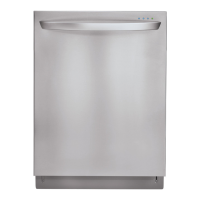
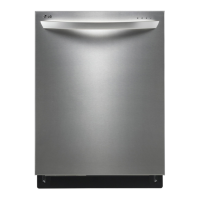
LG LDF9932 - User Manual

LG LDF9932
52 pages
Print Icon
To Next Page IconTo Next Page
Loading...
Model/Modelo
LDF9932ST
English
Español
DISHWASHER
USER’S GUIDE
Please retain this owner’s manual for
future reference.
Read and follow all safety rules and
instructions before using this product.
GUIA DE USUARIO
Guarde este manual de usuario para
referencia futura. Lea y siga todas
las reglas e instrucciones de seguridad
antes de utilizar este producto.
LAVAPLATOS
To contact LG Electronics:
1-800-243-0000 (US)
Or visit us on the Web at: us.lge.com
Para comunicarse con LG Electronics:
1-800-243-0000
O visítenos en la Web en: us.lge.com
MFL30149792-ENG3.qxd 2009.2.11 9:40 AM ˘`1 ‰¯¿ł–•¡˙¨‰”

Table of Contents

Other manuals for LG LDF9932

Questions and Answers

  • W
    William GarrettSep 12, 2025
    What to check if the door of my LG LDF9932 doesn't close tightly?
    • M
      Michelle MurphySep 12, 2025
      If the door of your LG Dishwasher doesn't close tightly: * Ensure the door is closed tightly. * Check the door switch in the latch handle.
  • T
    timothy13Sep 12, 2025
    What should I do if my LG LDF9932 displays a MOTOR ERROR?
    • J
      John StevensonSep 12, 2025
      If your LG Dishwasher shows a MOTOR ERROR, it might be due to: * The impeller of the washing pump being locked. Replace the cause of restriction. * The rotor of the washing motor being locked. Replace the cause of restriction. * The blade being locked. Replace the cause of restriction.
  • T
    Terry KempSep 9, 2025
    What does THERMAL ERROR mean on my LG LDF9932 Dishwasher and how to fix it?
    • B
      brendaelliottSep 9, 2025
      A THERMAL ERROR on your LG Dishwasher can be caused by: * The inlet water temperature being very high (over 194). Check the temperature and adjust the inlet water temperature to 120. * A faulty thermistor. Check the electric resistance of the thermistor (11~14k at 77). * If the above steps don't resolve the issue, replace the PCB.
  • L
    Lori DudleySep 8, 2025
    What causes an EXCESS ERROR on an LG Dishwasher?
    • D
      Dr. Tom Vargas IIISep 8, 2025
      An EXCESS ERROR on your LG Dishwasher could indicate: * The inlet valve is troubled. Replace the inlet valve. * The controller is troubled. Repair or replace the controller.
  • M
    Mary AndersonSep 7, 2025
    How do I troubleshoot a HEATER ERROR on my LG Dishwasher?
    • H
      hsandovalSep 7, 2025
      If your LG Dishwasher is displaying a HEATER ERROR, consider the following: * The circuit of the heater may be troubled. Repair the circuit of the heater. * The thermistor may be troubled. Replace the thermistor. * The heater may be shorted. Replace the heater. * The relay circuit may be troubled. Repair the relay circuit.
  • A
    Adam MartinezAug 23, 2025
    What to do if my LG LDF9932 Dishwasher does not start?
    • D
      Darrell CampbellAug 23, 2025
      If your LG dishwasher does not operate, make sure the door is completely closed and latched. Ensure that the power supply or power cord is properly connected. Check the fuse or circuit breaker, and replace the fuse or reset the circuit breaker if necessary.
  • P
    Patricia PearsonSep 5, 2025
    How to fix the INLET ERROR on my LG Dishwasher?
    • E
      Elizabeth WilliamsSep 5, 2025
      If your LG Dishwasher displays an INLET ERROR, it could be due to several reasons: * The water supply tap might be closed. Take action to open the water supply. * The water supply could be shut off. Take action to turn on the water supply. * The inlet hose might be kinked. Take action to straighten the hose. * The water pressure might be very low (below 10 psi). Take action to improve the water supply. * The filter of the inlet valve might be clogged by impure water. Clean the filter of the inlet valve.
  • S
    sgreenSep 4, 2025
    How to clean yellow film inside my LG LDF9932 Dishwasher?
    • D
      David LoganSep 4, 2025
      To address a yellow or brown film on the inside surfaces of your LG Dishwasher, eliminate the stain by using a stain removal product.
  • R
    Richard WilliamsSep 3, 2025
    Why aren’t dishes drying in my LG LDF9932 Dishwasher?
    • K
      Kristie ScottSep 3, 2025
      If dishes in your LG Dishwasher aren’t drying, check the rinse agent dispenser and refill it if it is empty.
  • M
    Mark GonzalezSep 2, 2025
    Why is there cloudiness on glassware after washing in my LG Dishwasher?
    • S
      Stefanie Johnson MDSep 2, 2025
      If you notice cloudiness on glassware after using your LG Dishwasher, it may be due to a combination of excessive detergent and soft water. Try using less detergent and add a rinse aid to minimize the problem.

Summary

Dishwasher Safety Instructions

Basic Safety Precautions

Basic precautions to reduce risks of fire, electric shock, or injury.

Electrical Safety

Safety guidelines related to the electrical connection and use of the dishwasher.

Before Using the Dishwasher

Key steps and guidelines to follow before operating the dishwasher.

Dishwasher Parts and Features

Control Panel Explanation

Explanation of the cycles, options, and buttons on the dishwasher's control panel.

Dishwasher Operating Instructions

Selecting a Wash Cycle

A detailed chart and descriptions of available wash cycles and their parameters.

Dishwasher Care and Cleaning

Dishwasher Troubleshooting

Before Calling for Service

A guide to common dishwasher problems and their potential solutions.

LG LDF9932 Specifications

General IconGeneral
BrandLG
ModelLDF9932
CategoryDishwasher
LanguageEnglish

Related product manuals