EasyManua.ls Logo

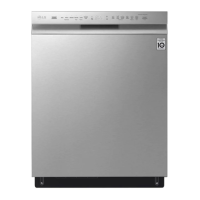
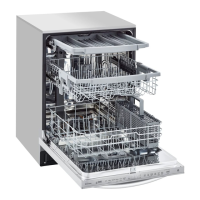
LG LDF5545ST - User Manual

LG LDF5545ST
116 pages
Print Icon
To Next Page IconTo Next Page
Loading...
ESPAÑOLENGLISH
OWNER'S MANUAL
DISHWASHER
Read this owner's manual thoroughly before operating the appliance
and keep it handy for reference at all times.
LDF554#** LDB454***
MFL69261705
Rev.23_042919
www.lg.com
Copyright © 2016 - 2019 LG Electronics Inc. All Rights Reserved.

Table of Contents

Other manuals for LG LDF5545ST

Questions and Answers

  • S
    smithcharlesJul 25, 2025
    What to do if my LG LDF5545ST displays a DRAIN ERROR?
    • I
      Ian JohnsonJul 25, 2025
      If your LG Dishwasher displays a DRAIN ERROR, it indicates that the water level isn't reaching the normal level. Here's what you can check: * Ensure the filter assembly isn't blocked by cleaning it. * Check the drain hose for kinks or blockages and remove them. * Inspect the inner hole of the drain case; if blocked, repair or replace the drain motor. * Clean the air gap if it's clogged. * Remove the knock-out plug from the garbage disposal if it hasn't been already. * If the washing motor is locked or defective, replace the pump casing assembly. * Verify the wiring connection and reconnect if necessary. * Clean the drain motor if the impeller is stuck. * If the controller is faulty, consider replacing it.
  • J
    Jessica WallAug 5, 2025
    How to fix an INLET ERROR on my LG LDF5545ST Dishwasher?
    • J
      Jacob WilliamsAug 5, 2025
      If your LG Dishwasher is showing an INLET ERROR, it means the dishwasher isn't reaching the normal water level. Here are some things to check: * Make sure the water supply tap is fully open. * Inspect the inlet hose for any kinks and repair if needed. * If the water pressure is too low (below 10 psi) or too high (above 120 psi), you may need to call a plumber. * Clean the filter of the inlet valve if it's clogged. * Check the electric resistance of the inlet valve (it should be 23~27?). * Check and reconnect the wiring if necessary. * Replace the air breaker if the impeller is stuck. * Check the electric resistance of the hall sensor. * Consider replacing the controller if it's faulty.
  • X
    xspencerAug 14, 2025
    Why does my LG LDF5545ST show a LEAKAGE ERROR?
    • L
      Lori RuizAug 14, 2025
      If your LG Dishwasher displays a LEAKAGE ERROR, indicating an internal leakage condition, here are a few things to investigate: * Check if the door gasket has come loose or fallen off, and replace the door liner assembly if necessary. * If the float assembly is stuck, replace the floater assembly. * If the controller is the source of the issue, consider replacing it.

Summary

Product Features

QuadWash System

Multi-motion lower spray arm for powerful and complete cleaning coverage.

Inverter Direct Drive Motor

LG's motor technology for advanced functionality, quiet operation, and durability.

EasyRack Plus

Adjustable tines and rack height for flexible loading of various dishes.

Hybrid Drying System

Efficient drying without a heating element for superior energy efficiency.

SmartThinQ

LG smartphone app for appliance control, self-diagnosis, and troubleshooting.

Safety Instructions

Important Safety Instructions

Crucial safety messages and warnings to reduce risks of injury or damage.

Product Overview

Exterior Parts

Identification of external components of the dishwasher.

Interior Parts

Identification of internal components of the dishwasher.

Installation

Installation Parts and Tools

Lists parts not provided and tools needed for installation.

Preparing Water and Electrical Connections

Steps for connecting the water supply and electrical power.

Sliding Dishwasher into Cabinet Opening

Instructions on how to safely slide the dishwasher into its installed position.

Connecting Water Supply Line and Power

Detailed steps for connecting the water supply and electrical power.

Leveling Dishwasher

How to ensure the dishwasher is level for proper operation and to prevent leaks.

Final Installation Check

Steps to verify the dishwasher is installed correctly and operating properly.

Operation

Using the Appliance

General guidance on how to use the dishwasher.

Control Panel

Explanation of the buttons, display, and indicators on the control panel.

Cycles

Descriptions of the various wash cycles available for the dishwasher.

Options

Explanation of additional options that can be selected with wash cycles.

Loading the Dishwasher

Instructions and tips for properly loading dishes into the dishwasher.

Adding Cleaning Agents

Instructions on how to add detergent and rinse aid to the dispenser.

Smart Functions

SmartThinQ Application

How to use the LG smartphone app to control and monitor the dishwasher.

Smart Diagnosis Function

How to use the Smart Diagnosis feature for troubleshooting.

Maintenance

Cleaning the Exterior

Instructions for cleaning the outside surfaces of the dishwasher.

Cleaning the Interior

How to clean the inside of the dishwasher and remove odors or spots.

Cleaning the Filters

Step-by-step guide on how to clean the dishwasher filters.

Cleaning the Spray Arms

Instructions for cleaning the lower and upper spray arms for optimal water spray.

Troubleshooting

FAQs: Frequently Asked Questions

Answers to common questions regarding dishwasher operation and performance.

Before Calling for Service

A guide to common problems, causes, and solutions before contacting service.

Limited Warranty

For USA

Details of the limited warranty specifically for purchasers in the USA.

Procedure for Resolving Disputes

Explains the arbitration process for resolving warranty disputes.

LG LDF5545ST Specifications

General IconGeneral
Stylebuilt-in dishwashers
Colorstainless steel
Load Capacity15
Number of Cycles9
Cycle Selectionsauto, heavy, delicate, normal, turbo, download cycle, machine clean, rinse, express
Options/Settingsdual zone, half load, energy saver, high temp, extra dry, delay start, control lock, night dry
Drying Typecondenser drying
Noise level48 decibels adjusted
Control Typetouchpad
Delay Startyes
Child Lockyes
Load Sensoryes
Number of Racks2
Cycle Signalyes
Water Filterno
Water Softenerno
Food Disposerno
Sanitize Settingsyes
Smart Homeno
Annual Energy Consumption258 kilowatt hours
Water Consumption Per Cycle2.8 gallons
Voltage120 volts
Current15 amperes
Weight and Dimensions IconWeight and Dimensions
Depth24 5/8 inches
Height33 5/8 inches
Width23 3/4 inches
Net Weight75 pounds

Related product manuals