EasyManua.ls Logo

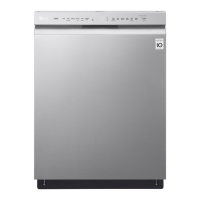
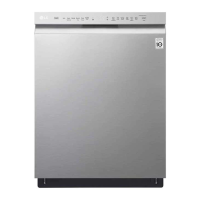
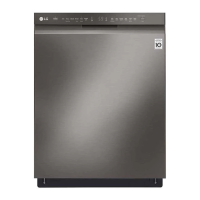
LG LDF5545 Series - User Manual

LG LDF5545 Series
116 pages
Print Icon
To Next Page IconTo Next Page
Loading...
ENGLISH ESPAÑOL
OWNER'S MANUAL
DISHWASHER
Read this owner's manual thoroughly before operating the appliance
and keep it handy for reference at all times.
LSDF9963** LDT8786**
LDP7786** LDP5676**
LDT5665** LDF5545**
MFL69261705
Rev.01_052016
www.lg.com

Table of Contents

Other manuals for LG LDF5545 Series

Questions and Answers

  • B
    Beth AbbottAug 5, 2025
    What to do if the LG LDF5545 Dishwasher shows a DRAIN ERROR?
    • K
      Kevin AndersonAug 5, 2025
      If your LG Dishwasher displays a DRAIN ERROR, it could be due to several reasons. First, check and clean the filter assembly. Also, inspect the drain hose for any kinks or blockages and remove them. The inner hole of the drain case might be blocked, so repair or replace the drain motor. Other potential causes include a clogged air gap (clean the air gap), a knockout plug of the garbage disposal not removed (remove the knock out plug), a locked or defective washing motor (replace the pump casing assembly), wiring issues (check and reconnect the wire), a stuck drain motor impeller (clean the drain motor), or a damaged controller (replace the controller).
  • B
    Brian CrawfordAug 10, 2025
    What to do if the LG LDF5545 displays a DRAIN ERROR?
    • A
      Anthony HendersonAug 10, 2025
      If your LG Dishwasher displays a DRAIN ERROR, you can try the following: First, clean the filter assembly. Next, remove any kinks or blockages in the drain. You may also need to clean the air gap or the drain motor. Ensure the wire is properly connected. Additionally, remove the knock out plug. If these steps don't resolve the issue, the drain motor or pump casing assembly might need repair or replacement, or the controller might need replacing.
  • B
    Barbara ClayAug 14, 2025
    What to do if the LG Dishwasher displays a LEAKAGE ERROR?
    • A
      Abigail LawsonAug 14, 2025
      If your LG Dishwasher is showing a LEAKAGE ERROR, there are several potential causes. The door gasket may have come loose or fallen off, requiring replacement of the door liner assembly. The float assembly might be stuck, necessitating replacement of the floater assembly. Other possible issues include a damaged controller (replace the controller), an improperly connected seal assembly to the sump (reassemble the seal on the sump), the unit not being leveled properly (make it level), or using the wrong detergent (use dishwasher detergent).
  • F
    fisherwilliamAug 18, 2025
    How to fix an INLET ERROR on an LG LDF5545?
    • D
      danielle31Aug 18, 2025
      If your LG Dishwasher displays an INLET ERROR, it could be due to several reasons. Ensure the water supply tap is open. Check the wiring connection and reconnect if necessary. Inspect the inlet hose for kinks and repair if needed. Low (below 10 psi) or high (above 120 psi) water pressure can also cause this, so call a plumber for service. Clean the filter of the inlet valve if it's clogged. Check the electric resistance of the inlet valve (23~27?). Also, check and reconnect the wire. If the impeller of the air breaker is stuck, replace the air breaker. Check the electric resistance of the hall sensor. In case of damaged controller replace the controller.
  • E
    edward02Aug 23, 2025
    What to do if the LG LDF5545 Dishwasher displays an INLET ERROR?
    • C
      Cheryl CherryAug 23, 2025
      If your LG Dishwasher displays an INLET ERROR, try the following: Begin by opening the water supply tap. Check and reconnect the wire. Inspect and, if necessary, repair the inlet hose. Clean the filter of the inlet valve and verify the electric resistance of the inlet valve (23~27?). Also, check the electric resistance of the hall sensor. You may need to replace the air breaker or the controller. If the problem persists, call a plumber for service.
  • D
    Deanna HoffmanAug 27, 2025
    Why does my LG LDF5545 show a BUBBLE ERROR?
    • S
      Scott CarpenterAug 27, 2025
      A BUBBLE ERROR on your LG Dishwasher typically indicates oversudsing, which is caused by using improper detergent. Make sure to only use detergents designed for dishwashers. Another cause could be failure to level the dishwasher, so ensure it is properly leveled.
  • B
    bperezAug 31, 2025
    How to fix a BUBBLE ERROR on my LG LDF5545 Dishwasher?
    • F
      fleeAug 31, 2025
      If your LG Dishwasher displays a BUBBLE ERROR, make sure that you only use detergents which are designed for use in dishwashers. Also, ensure that the dishwasher is level and properly installed.

Summary

Product Features and Overview

Key Technologies and Components

Details on advanced cleaning technologies, rack systems, and external/internal parts.

Smart Connectivity Features

Information on the Smart ThinQ app, product registration, and smart functions.

Safety Instructions

General Safety Precautions

Crucial safety precautions for appliance installation, operation, and maintenance.

Grounding, Tip Over, and Cautions

Instructions on proper grounding, tip-over risks, and installation/operation cautions.

Installation Guide

Preparation and Connections

Lists required parts/tools, site prep, and electrical/water connections.

Dishwasher Setup and Final Checks

Procedures for setup, leveling, securing, drain/power connections, and final check.

Operating the Dishwasher

Before First Use and Controls

Instructions for initial use, loading, quick start, and control panel functions.

Wash Cycles and Options

Descriptions of available wash cycles and operational options.

Loading the Dishwasher

Guidelines for loading racks, silverware, and specific items for optimal cleaning.

Maintenance and Cleaning

Routine Cleaning Procedures

Instructions for cleaning the exterior, interior, filters, and spray arms.

Seasonal Care and Drain Clogs

Guidelines for seasonal maintenance, storage, and clearing drain air gaps.

Troubleshooting and Error Codes

Frequently Asked Questions

Answers to common questions about performance, drying, and general operation.

Operational Problems and Error Codes

Troubleshooting common issues, error codes, and solutions before calling service.

Warranty Information

Warranty Details and Service

Overview of warranty periods, scope of coverage, and how to obtain service.

Exclusions and Limitations

List of conditions not covered by the limited warranty and important disclaimers.

LG LDF5545 Series Specifications

General IconGeneral
Energy Star RatingYes
Number of Racks2
Cutlery BasketYes
LoDecibel™ OperationYes
Energy Star QualifiedYes
Third RackNo
Stainless Steel InteriorYes
Control TypeElectronic
Delay StartYes
Width23 3/4"
SeriesLDF5545 Series

Related product manuals