
 Need help?
Do you have a question about the LG LDS5540ST and is the answer not in the manual?
General safety guidelines to reduce risk of fire, electric shock, or injury when using the appliance.
Instructions to prevent electrical shock hazards during installation and operation.
Description of the buttons and display on the dishwasher control panel.
Step-by-step guide for basic operation of the dishwasher.
Instructions and tips for correctly placing dishes and cookware in the lower rack.
Tips for optimal placement of cutlery in the silverware basket for best cleaning.
Instructions for filling and using the detergent dispenser for optimal wash results.
Guide on filling and adjusting the rinse aid dispenser for better drying.
A guide to diagnosing and resolving common dishwasher problems before contacting support.
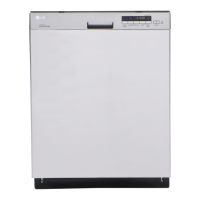
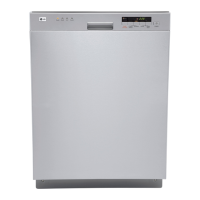
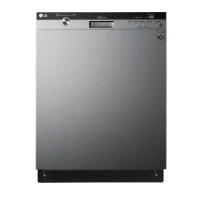
This document is an owner's manual for an LG Dishwasher, specifically models LDS5540ST/WW/BB and LDS5560ST/WW/BB. It provides comprehensive instructions for operation, care, and troubleshooting, ensuring users can effectively utilize and maintain their appliance.
The LG Dishwasher is designed to efficiently clean and dry dishes, offering various wash cycles and options to suit different soil levels and item types. It incorporates advanced technologies to enhance cleaning performance, energy efficiency, and user convenience. The core function is to automate the dishwashing process, reducing manual effort and ensuring hygienic cleaning.
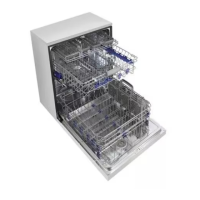
The dishwasher features a large capacity design, accommodating oversized items up to 14 inches high in the lower rack when the upper rack is raised. It offers flexible loading options with adjustable tines in both the upper and lower racks to fit various dish sizes and shapes. The lower rack is ideal for dinner plates, soup bowls, dishes, pots, pans, lids, and grill trays, with plates positioned vertically and facing the center. Pots, pans, and large bowls should be turned face down. The upper rack is designed for smaller or delicate items like small plates, cups, saucers, glasses, and dishwasher-safe plastic items, which should be positioned upside down. Fold-down cup racks provide support for extra cups or long-stemmed glasses. The silverware basket can be separated into three individual baskets for use in either rack, featuring separators to prevent scratching and tarnishing. Some models also include a cutlery rack for flatware and cooking utensils, with adjustable side trays to accommodate different sizes of items.
The dishwasher offers a range of cycles to match different cleaning needs:
Users can select additional options to customize their wash:
The dishwasher requires automatic dishwasher detergent, with the amount depending on the cycle, load size, and soil level. A prewash compartment is available for additional detergent if desired. Liquid rinse aid is strongly recommended to enhance drying performance, especially with the hybrid drying system that does not use a heating element. The rinse aid dispenser has an indicator to show when refilling is needed and an adjustable lever to control the amount dispensed, typically set to level 3.
This system effectively dries dishes without a heating element, relying on retained heat from the wash and rinse cycles to create humidity. A fan then pulls moist air into a condensing duct in the door, where it cools and condenses into liquid, which is drained. This design contributes to energy efficiency.
The water spray alternates between the upper and lower racks, directing full motor power to one rack at a time for concentrated cleaning.
For optimal wash results, the dishwasher includes a built-in soft food grinder and a self-cleaning filter. The grinder breaks down soft food and residue into small particles that are then caught by the filter and washed down the drain. The self-cleaning filter continuously cleans the wash water as it circulates, separating residue.
The control panel features a digital display showing the estimated cycle time and remaining operating time. Indicators for rinse aid level and child lock are also present. The Power button turns the dishwasher on and off. The dishwasher automatically powers off after a cycle or if no cycle is selected within four minutes. A chime sounds at the end of a cycle, and the display shows "END" before shutting off for safety and energy conservation.
The dishwasher is equipped with a Smart Diagnosis™ system that can transmit data to a smartphone via the LG Smart Laundry & DW Application or to the LG call center. This feature assists in troubleshooting problems by providing diagnostic information. To activate, turn on the dishwasher, select a cycle, and then follow the instructions to transmit data by holding a smartphone near the speaker on the control panel while pressing specific buttons (Extra Rinse and Delay Start for LDS5540, or Sanitary for LDS5560). The display will show a countdown during transmission.
 General
| Style | built-in dishwashers |
|---|---|
| Color | stainless steel |
| Noise level | 48 decibels |
| Control Type | led display with touchscreen controls |
| Delay Start | yes |
| Child Lock | yes |
| Number of Racks | 2 |
| Cycle Signal | no |
| Water Filter | yes |
| Food Disposer | yes |
| Sanitize Settings | yes |
| Annual Energy Consumption | 279 kilowatt hours |
| Voltage | 120 volts |
| Current | 15 amperes |
 Weight and Dimensions
| Depth | 24.63 inches |
|---|




 To Next Page