25
· Checking the AC adapter
If the power-on indicator does not turn on, check the power cord of the AC adapter for correct continuity
and installation.
If the computer does not charge during operation, go to “Checking operational charging.”
To check the AC adapter, do the following :
1. Unplug the AC adapter cable from the computer.
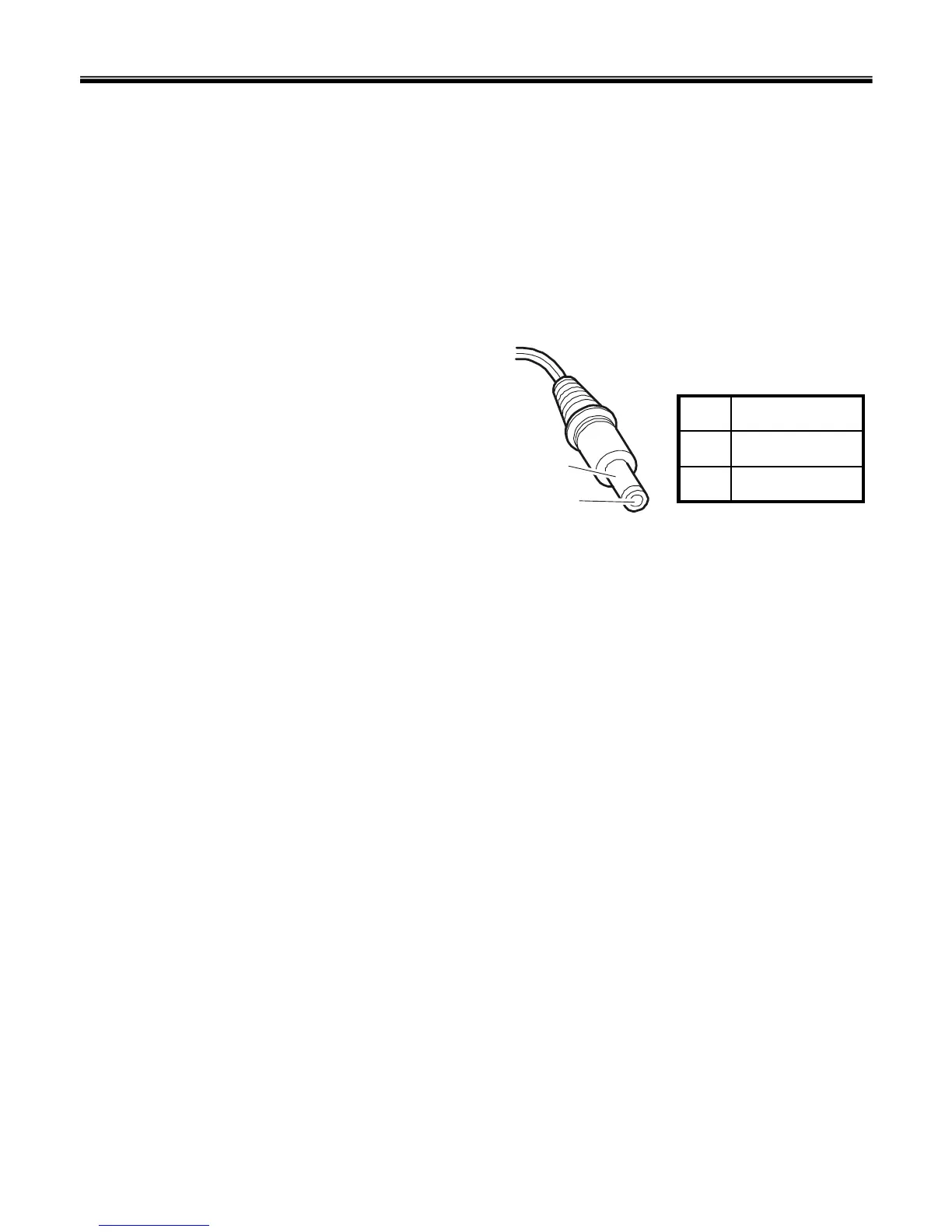
2. Measure the output voltage at the plug of the
AC adapter cable. See the following figure:
3. If the measured output voltage is incorrect, remove
the power cord from the AC adapter and then re-
connect it in about ten seconds.
4. Measure the output voltage at the plug of the AC adapter cable.
5. If the measured output voltage is incorrect, replace the AC adapter.
2
1
Ground2
+18.0 ~ +19.21
Voltage (V dc)Pin
Ch4. Symptom-to-part index



 To Next Page