49
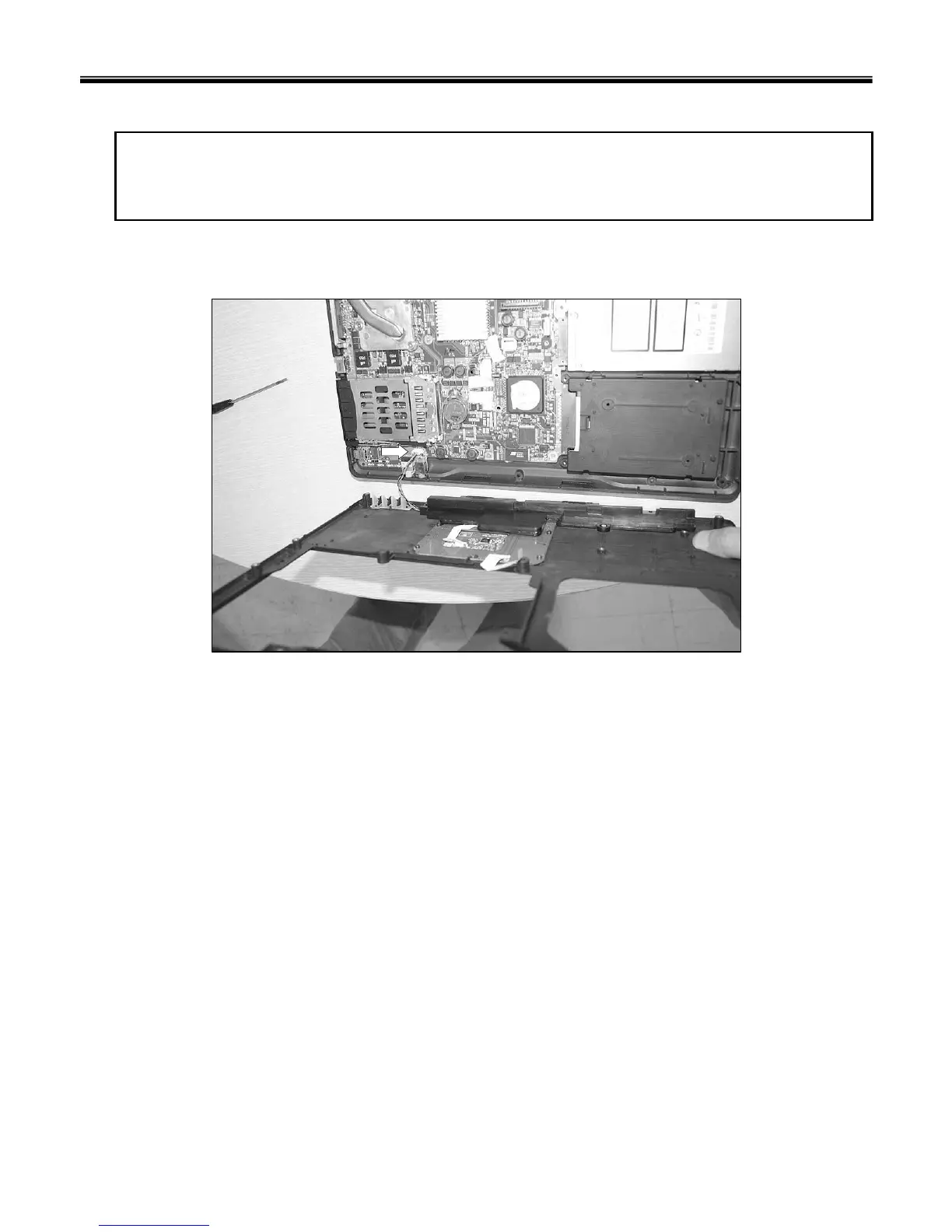
1. Disconnect Speaker Connector, then remove Key Deck.
Remove the following parts in order before replacing this part.
1. Battery Pack(1010) 2. Hard Disk Drive(1020) 3. Wireless LAN Card(1030) 4. Keyboard(1040)
5. Retainer(1050) 6. Keyboard Plate(1060) 7. Display Module(1070)
■ 1080 Key Deck
Ch5. Removing and replacing a part



 To Next Page