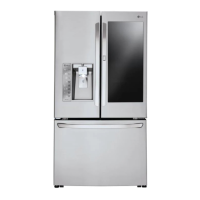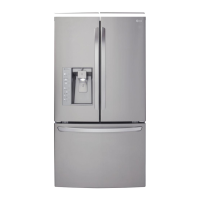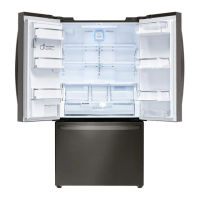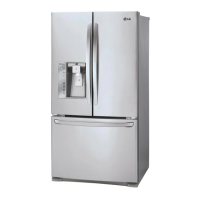
EasyManua.ls Logo

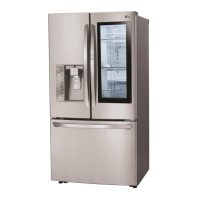
LG LFXC24796S - User Manual

LG LFXC24796S
69 pages
Print Icon
To Next Page IconTo Next Page
Loading...
OWNER’S MANUAL
FRENCH DOOR
REFRIGERATOR
Please read this owner's manual thoroughly before
operating and keep it handy for reference at all times.
LFXS30796*
LFXC24796*
www.lg.com
ENGLISH FRANÇAIS ESPAÑOL

Table of Contents

Questions and Answers

  • B
    Brian MullinsAug 18, 2025
    Why is my LG LFXC24796S and Freezer section not cooling?
    • C
      carrieadkinsAug 18, 2025
      Several factors could be at play. First, ensure the refrigerator control isn't set to OFF. If it is, turn it ON. Next, the refrigerator might be in the defrost cycle; wait 30 minutes after completion to see if the temperature normalizes. If the refrigerator was recently installed or relocated (especially if stored or moved on its side), allow up to 24 hours for it to reach the desired temperature, ensuring it stands upright for 24 hours before connecting to power if it was moved on its side.
  • R
    Richard KnoxAug 20, 2025
    What to do if my LG Refrigerator or Freezer section is too warm?
    • J
      Joshua WardAug 20, 2025
      Several factors can cause your LG refrigerator or freezer to be too warm. If recently installed, it may take up to 24 hours to reach the correct temperature. Check for blocked air vents and rearrange items to allow proper airflow. Reduce how often and how long you open the doors. Ensure the unit isn't in a hot location (above 110F). Allow hot foods to cool before placing them inside. Make sure the doors are closing correctly and that the temperature control is properly set; adjust it one increment at a time and wait for the temperature to stabilize. Finally, if the defrost cycle recently completed, wait 30 minutes to see if the temperature returns to normal.
  • S
    salasbrettAug 23, 2025
    Why is food freezing in my LG LFXC24796S Refrigerator compartment?
    • E
      emorrisAug 23, 2025
      Food may be freezing in your LG refrigerator compartment because food with high water content is placed near an air vent; rearrange these items away from the vents. The refrigerator temperature control may be set incorrectly; adjust it one increment at a time and wait for the temperature to stabilize. Also, the refrigerator should not be operated in temperatures below 55°F (13°C).
  • J
    Jennifer SchwartzAug 26, 2025
    What to do if my LG LFXC24796S is not dispensing water?
    • S
      Samuel Oneal DDSAug 26, 2025
      If your LG refrigerator isn't dispensing water, several things could be the cause. If it's a new installation or the water line was recently connected, dispense 2.5 gallons of water (flush for about 5 minutes) to remove trapped air and contaminants. Check if the dispenser panel is locked; press and hold the Lock button for three seconds to unlock it. Ensure the dispenser is set for water dispensing by pressing the Water button. Make sure the refrigerator or freezer doors are fully closed. If the water filter was recently removed or replaced, dispense 2.5 gallons of water to flush the system.
  • K
    Kyle WebbAug 27, 2025
    Why is my LG Refrigerator not dispensing ice?
    • M
      Michael TaylorAug 27, 2025
      If your LG refrigerator is not dispensing ice, make sure all doors are completely closed. Also, infrequent use can cause ice cubes to clump together; break them up. The delivery chute might be clogged with frost or ice fragments; remove the ice bin and clear the chute with a plastic utensil. Check if the dispenser display is locked; press and hold the Lock button for three seconds to unlock it. Finally, the ice bin might be empty; it can take up to 24 hours for the icemaker to begin making ice.
  • S
    Sara AllenAug 29, 2025
    Why does frost form on frozen food in my LG Refrigerator?
    • A
      amanda38Aug 30, 2025
      Frost or ice crystals forming on frozen food in your LG refrigerator can be due to opening the door frequently or for long periods. To reduce this, try to lessen how often and how long you open the door. Also, ensure the door is closing properly.
  • H
    hancockdanielleSep 1, 2025
    Why is my LG LFXC24796S Refrigerator or Freezer section too cold?
    • M
      Michael BoydSep 1, 2025
      If your LG Refrigerator or Freezer section is too cold, it may be due to incorrect temperature control settings. Adjust the control one increment at a time and wait for the temperature to stabilize.
  • A
    Adam WatsonSep 3, 2025
    Why is my LG LFXC24796S dispensing warm water?
    • C
      Carolyn StewartSep 4, 2025
      If your LG refrigerator is dispensing warm water, it could be because the refrigerator was recently installed; allow 24 hours for the water storage tank to cool. If the water dispenser has been used recently, the storage tank may be exhausted; the storage capacity is approximately 20 to 30 oz, depending on your model. If the dispenser hasn't been used for several hours, discard the first 10 oz. Finally, ensure the refrigerator is connected to a cold water pipe, not a hot one.
  • M
    mistymurphySep 5, 2025
    Why is my LG LFXC24796S icemaker making too much ice?
    • J
      Jesus WashingtonSep 5, 2025
      If your LG refrigerator's icemaker is making too much ice, the icemaker shutoff (feeler arm) might be obstructed. Empty the ice bin and make sure the shutoff arm moves freely.
  • J
    Jennifer ColonSep 8, 2025
    Why is my LG LFXC24796S running so much?
    • J
      jonathan81Sep 8, 2025
      There are several reasons why your LG Refrigerator's cooling system might be running more than expected. Modern refrigerators are more efficient but require more operating time. If you recently plugged in the refrigerator or restored power, it can take up to 24 hours to cool completely. Frequent door openings or adding a large amount of food/hot food can also cause this. Try to minimize door openings, keep food organized, and let hot food cool before refrigerating. Ensure the doors are closing completely. Also, a hot installation location or a clogged condenser can cause the compressor to run longer. Clean the condenser cover and vents with a vacuum cleaner.

Summary

PRODUCT FEATURES

IMPORTANT SAFETY INSTRUCTIONS

Power

Safety precautions related to plugging and unplugging the refrigerator.

Installation

Safety precautions for installing the refrigerator near an electrical outlet.

Use

Safety precautions to prevent injury or damage during refrigerator use.

INSTALLATION

Installation Overview

Provides a step-by-step overview of the installation process.

Specifications

Removing;Assembling the Doors and Drawers

Removing the Left Refrigerator Door

Removing the Right Refrigerator Door

Assembling the Right Refrigerator Door

Assembling the Left Refrigerator Door

Removing the Freezer Drawers

Assembling the Freezer Drawers

Connecting the Water Line

Before You Begin

Instructions before starting water line connection.

Water Pressure

Details on required water pressure for the refrigerator.

Water Line Installation Instructions

Leveling and Door Alignment

Leveling

Instructions for leveling the refrigerator.

Door Alignment

Instructions for aligning the refrigerator doors.

HOW TO USE

Control Panel

Control Panel Features

Description of the buttons and indicators on the control panel.

Control Panel Features (continued)

Connect

Connect

Connecting the refrigerator to a Wi-Fi network via the LG Smart Refrigerator app.

Smart Grid

Information on the Smart Grid function and its operation.

Smart Features

Setting Up the Smart App and Connecting the Refrigerator

Step-by-step guide to setting up the smart app and connecting the refrigerator.

LG Smart Refrigerator App - Whats Included

Smart Diagnosis

App feature for diagnosing and troubleshooting refrigerator problems.

Smart Features (continued)

Override Smart Grid Mode

How to ignore Demand Response signals from the utility company.

Smart Grid Application Features

Features related to Smart Grid application, including energy monitoring.

In-Door Ice Bin

Detaching the In-Door Ice Bin

Step-by-step guide to removing the in-door ice bin.

Assembling the In-Door Ice Bin

Step-by-step guide to installing the in-door ice bin.

Automatic Icemaker

WARNING

Personal injury hazard warning for the automatic ice making mechanism.

Turning the Automatic Icemaker On or Off

Instructions on how to turn the automatic icemaker on or off.

Automatic Icemaker (continued)

Ice and Water Dispenser

Using the Dispenser

How to dispense cold water and ice.

Storing Food

Food Storage Tips

Storing Frozen Food (continued)

Humidity Controlled Crisper and GlideNServe

Detaching and Assembling the Storage Bins

GlideNServe and Crisper

How to remove and install the crisper and Glide'N'Serve bins.

To Remove GlideNAccess

How to remove the Glide'N'Access™ shelf.

Door Bins

InstaView Function

Door-in-Door Case

How to open and remove the Door-in-Door case.

Adjusting the Refrigerator Shelves

MAINTENANCE

Cleaning

General instructions for cleaning the refrigerator interior and exterior.

General Cleaning Tips

Tips for effective and safe cleaning of the refrigerator.

Replacing the Fresh Air Filter

Replacing the Water Filter

Before Replacing the Water Filter

Steps to take before replacing the water filter, including shelf removal.

Application Guidelines; Water Supply Parameters

CAUTION

Precautions regarding water leakage and filter replacement.

SAFETY INFORMATION

General safety information prior to installation and use.

SMART DIAGNOSIS

Using Smart Diagnosis

Step-by-step guide for using the Smart Diagnosis feature.

TROUBLESHOOTING

Refrigerator and Freezer section are not cooling.

Troubleshooting steps for when the refrigerator and freezer sections are not cooling.

Cooling System runs too much.

Troubleshooting steps for when the cooling system runs excessively.

Refrigerator or Freezer section is too warm.

Interior moisture buildup.

Food is freezing in the refrigerator compartment.

Refrigerator or Freezer section is too cold.

Icemaker is not making enough ice.

Dispensing water slowly.

Not dispensing ice.

Not dispensing water.

Ice has bad taste or odor.

Water has bad taste or odor.

Doors will not close correctly or pop open.

Doors are difficult to open.

Refrigerator wobbles or seems unstable.

WARRANTY (USA)

THIS LIMITED WARRANTY DOES NOT COVER:

WARRANTY (Canada)

WARRANTY PERIOD

Details warranty duration for Canadian models by component.

LG LFXC24796S Specifications

General IconGeneral
Typefreestanding
Stylefrench door
Colorstainless steel
Total Capacity23.5 cubic feet
Refrigerator Capacity15.6 cubic feet
Freezer Capacity7.9 cubic feet
Humidity Controlled Crispersyes
Defrost Systemmanual
Quick Freezeno
Number of Refrigerator Door Binsyes
Temperature Controlelectronic
Interior Lightled
Dispenserice and water
Ice Makeryes
Water Filteryes
Air Filteryes
Door Alarmyes
Smart Hometrue, amazon alexa, google assistant
Annual Energy Consumption716 kilowatt hours
Voltage120 volts
Current20 amperes
Weight and Dimensions IconWeight and Dimensions
Depth30 7/8 inches
Height70 1/4 inches
Width35 3/4 inches
Net Weight332.9 pounds

Related product manuals