Need help?
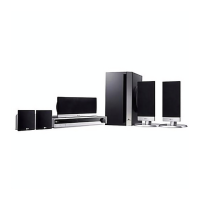
Do you have a question about the LG LH-W750TA and is the answer not in the manual?
Covers warnings related to electric shock, laser, moisture, and proper usage.
Explains the meaning of hazard and instruction symbols used in the manual.
Lists supported disc types and important notes regarding disc playback.
Defines terms like Title, Chapter, Group, Scene and explains VCD versions.
Provides guidelines for safely handling, storing, and cleaning the unit and its surfaces.
Details on how to handle discs to prevent damage and proper storage methods.
Explains the meaning of on-screen symbols and disc-specific icons.
Specifies the effective distance and angle for remote control operation.
Instructions for replacing batteries in the remote control.
Describes various ways to connect the receiver to a television set.
Details on connecting for progressive scan video output.
Details on connecting external devices like VCRs and digital players.
Instructions for connecting FM and AM antennas for radio reception.
Guides on connecting, assembling, and setting up the wireless speaker system and its components.
Details on connecting speaker cables and recommended distances for wireless speakers.
Recommends optimal placement of speakers for the best surround sound experience.
Explains terms like DTS, Dolby Digital, Pro Logic, Movie, Music, Matrix, Bypass.
How to select different sound modes for DVD, VCD, and CD playback.
How to view and interpret playback status and settings on the TV screen.
Steps for setting language, OSD, disc options, TV aspect, and display modes.
Basic steps for operating the unit and navigating menus.
Instructions for enabling progressive scan for enhanced video quality.
Details on 5.1 speaker setup, Dynamic Range Control (DRC), and Vocal modes.
Guides for setting parental ratings, passwords, and country codes.
Explains PBC settings for VCDs and DivX registration.
Overview of playing DVD and Video CD discs, including basic setup.
How to move between titles, groups, chapters, and tracks on discs.
Explains functions like Slow Motion, Still Picture, Search, and Repeat playback.
Details on Repeat A-B, Time Search, Marker Search, and Zoom features.
Covers DVD menus, title/disc options, audio/subtitle changes, and DVD Audio disc features.
Instructions for playing audio CDs and MP3/WMA files from discs.
How to search, set repeat modes, and understand MP3/WMA file compatibility.
Methods for pausing playback and moving between tracks on audio discs.
Steps for viewing JPEG image files from discs and navigating folders.
Notes on JPEG compatibility, slide shows, still pictures, and rotating images.
How to store favorite tracks, set repeat modes, and erase tracks or lists.
Instructions for playing DivX files and details on compatibility, codecs, and audio formats.
Setting speaker distance, testing speaker signals, and selecting speakers for adjustment.
Adjusting the volume level for individual speakers.
Covers last condition memory, screen saver function, and TV system selection (PAL/NTSC).
How to operate the TV using the receiver's remote and setting remote control codes.
Steps for storing favorite radio stations and tuning into them.
Covers manual tuning, clearing stations, and improving reception.
Setting the sleep timer, adjusting display brightness, and muting audio.
Selecting audio/video input sources and using the headphone jack.
Explains the XTS and XTS pro sound modes for enhanced audio playback.
A list of language codes for setting disc audio, subtitle, and menu languages.
A list of country codes used for DVD playback region settings.
Common problems related to power, video output, and audio problems with solutions.
Solutions for playback errors, hum/noise, and connection issues.
Troubleshooting steps for radio reception and remote control malfunctions.
Addresses problems with the front panel display and other minor issues.
Technical details for general operation, disc playback, and video output.
Technical details for radio tuner, audio amplifier, and wireless transmitter components.
Technical details for the front, center, subwoofer, and wireless speakers.
 General
| Brand | LG |
|---|---|
| Model | LH-W750TA |
| Category | Dvd receiver |
| Language | English |


 To Next Page