To Next Page
J
Jacob BraunAug 5, 2025
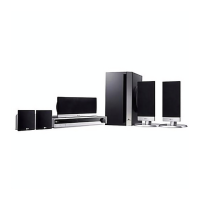
How to fix no power on my LG LHS-96SBW?
- Jjohn45Aug 5, 2025
Ensure the power cord is securely plugged into the wall outlet. A disconnected power cord is a common reason for the unit not powering on.

How to fix no power on my LG LHS-96SBW?
Ensure the power cord is securely plugged into the wall outlet. A disconnected power cord is a common reason for the unit not powering on.
What to do if LG Dvd receiver remote control does not work?
If your LG Dvd receiver remote control isn't working, try these steps: * Point the remote directly at the remote sensor on the DVD/CD Receiver. * Make sure you're within 23 ft (7 m) of the receiver. * Remove any obstacles between the remote and the receiver. * Replace the remote batteries with new ones.
Why is there no sound from my LG Dvd receiver?
If you are experiencing no sound or very low sound from your LG Dvd receiver, check the following: 1. Ensure that the equipment connected with the audio cable is set to receive DVD audio signal output. 2. Verify the audio cables are securely connected. 3. Confirm that the equipment connected with the audio cable is powered on. 4. If the issue persists, the audio connecting cable may be damaged and need replacement.
What to do if my LG Dvd receiver does not start playback?
If your LG Dvd receiver isn't starting playback, here are a few things to check: * Make sure a playable disc is inserted correctly (label side up) and placed within the guide. * If a menu is on the TV screen, press the SETUP button to turn it off. * If the Rating level is set, cancel the Rating function or change the rating level. * Ensure the disc is clean.
Why is there no picture from my LG LHS-96SBW Dvd receiver?
If you're not getting any picture on your TV from the LG Dvd receiver, here are a few things to check: * Make sure your TV is set to the correct video input mode to receive the DVD signal. * Verify the video cable is securely connected to both the receiver and the TV. * Ensure that the TV is turned on.
How to stop loud hum or noise coming from LG LHS-96SBW Dvd receiver?
If you're hearing a loud hum or noise from your LG Dvd receiver, consider these potential causes and solutions: * Clean the disc, as a dirty disc can cause noise. * Ensure the speakers and components are securely connected. * Move the DVD/CD Receiver away from the TV to reduce interference.
How to turn on the front panel display on LG Dvd receiver?
To restore the front panel display on your LG Dvd receiver, press DIMMER on the Remote Control.
Read, keep, heed, and follow all safety and operating instructions provided.
Covers precautions related to water, ventilation, heat, electrical connections, cords, and servicing.
Warnings and cautions regarding opening the unit, moisture, and electrical hazards.
Precautions for handling the laser system and avoiding exposure to laser radiation.
FCC warnings and information regarding radio frequency energy and interference.
Details the various input and output jacks and connectors on the rear panel for system setup.
Guides on connecting the receiver to a TV using S-Video, standard Video, or Component Video cables.
Instructions for connecting speakers and notes on achieving optimal surround sound.
Steps for connecting to an HDMI-compatible TV and setting resolution for optimal video and audio output.
Steps for setting up the 5.1 channel surround decoder, including speaker selection, volume, and distance.
Setting up parental controls for blocking rated DVDs and managing passwords.
Guide to diagnosing and resolving common problems like no power, no picture, or no sound.
 General
| Brand | LG |
|---|---|
| Model | LHS-96SBW |
| Category | Dvd receiver |
| Language | English |