EasyManua.ls Logo

LG LM-K7960 - User Manual

LG LM-K7960
36 pages
Print Icon
To Next Page IconTo Next Page
Loading...
Please read this manual carefully before operating your set.
Retain it for future reference.
Designs and specifications are subject to change without
notice for improvement.
The working life of this product is 7 years since the date of
purchase.
MOSCOW_LM-K7960/K6960/K6961_ENG_MFL39518830
R
CD - R/RW
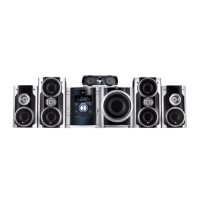
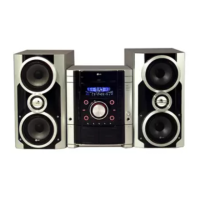
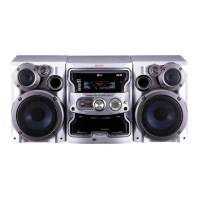
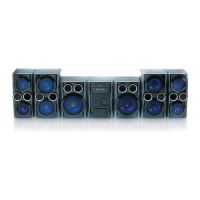
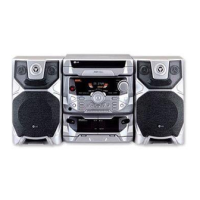
KARAOKE MINI HOME THEATER
OWNER’S MANUAL
MODEL : LM-K7960Q
LM-K7960
LMS-K7960V, LMS-K7960C
LMS-K7960S, LMS-K7960W
LM-K6960Q
LM-K6960
LMS-K6960V, LMS-K6960C, LMS-K6960S
LM-KW6960Q
LM-KW6960
LMS-KW6960V, LMS-KW6960C, LMS-KW6960S
USB
Question and Answer IconNeed help?

Do you have a question about the LG LM-K7960 and is the answer not in the manual?

Summary

Karaoke Mini Home Theater Owners Manual

Safety Precautions

Electrical Shock and Fire Hazards

Warnings about electrical shock, fire risks, and proper ventilation.

Laser System Safety

Precautions related to the product's laser system and radiation exposure.

Before Use

Front and Rear Panel Overview

Component Identification

Detailed diagram and list of all buttons, connectors, and indicators on the unit's front and rear panels.

Remote Control Functions

Button Layout and Description

Detailed explanation of each button and its function on the remote control.

Connecting to a TV

Video and Audio Connections to TV

Guides for connecting via Video, S-Video, Component, SCART, and Progressive Scan outputs.

Connecting USB and Wireless Microphone

USB Device Connection

Steps for connecting and removing USB storage devices and compatible formats.

Wireless Microphone Channel Setup

Guide to setting the wireless microphone channel to prevent interference.

Speaker System Connections

LM-K7960 Q Model Speaker Setup

Diagram showing how to connect front, center, rear, and subwoofer speakers for this model.

LM-K6960 Q Model Speaker Setup

Instructions for connecting speakers, including optional subwoofer for the LM-K6960Q model.

LM-KW6960 Q Model Speaker Setup

Guide for connecting speakers, including optional subwoofer for the LM-KW6960Q model.

Before Operation: Audio and Sound Settings

Before Operation: Clock, Microphone, and Timer

Setting the Clock and Microphone Usage

Instructions for setting the clock, using wired and wireless microphones, and adjusting echo.

Timer Function

Setting and Managing the Timer

Step-by-step guide to setting, checking, and canceling the timer function.

Audio and Sound Modes

Initial Settings and Display Options

Using the Setup Menu

General guide to navigating and using the setup menu for various adjustments.

Language and Display Settings

How to set languages for menus and change display options like aspect ratio and progressive scan.

Audio and Speaker Setup

5.1 Speaker Configuration

Detailed guide to setting up speaker size, volume, distance, and testing.

Parental Control and Area Code

Setting Parental Controls and Password

Guide to setting content ratings, security codes, and managing access.

Operation with DVD

Playing a DVD and Menu Navigation

Instructions for playing DVDs, navigating menus, and selecting discs.

Audio CD and MP3;WMA Playback

Playing Audio CDs and MP3;WMA Files

Instructions for playing Audio CDs and discs with MP3/WMA files.

JPEG Disc Playback

DivX Disc Playback

Radio Operation

Tape Operation

Karaoke Operation

Basic Karaoke Playback

Steps for setting up and performing basic karaoke.

Karaoke Menu and Song Selection

Karaoke Song Search

Troubleshooting Guide

Common Unit and Playback Issues

Solutions for problems like no power, no sound, no picture, and playback errors.

LG LM-K7960 Specifications

General IconGeneral
BrandLG
ModelLM-K7960
CategoryKaraoke System
LanguageEnglish

Related product manuals