EasyManua.ls Logo

LG LM-U360 - User Manual

LG LM-U360
20 pages
Print Icon
To Next Page IconTo Next Page
Loading...
Please read this manual carefully before operating your set.
Retain it for future reference.
Designs and specifications are subject to change without
notice for improvement.
ALMATY_LM-U1560/U1060/U560/U365/U360_ENG_MFL35767806
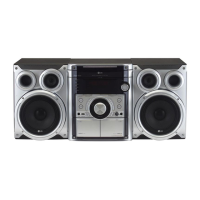
MINI HI-FI System
OWNER’S MANUAL
MODEL : LM-U1560
(LM-U1560A/D/X, LMS-U1560W, LMS-U1560)
LM-U1060
(LM-U1060A/D/X, LMS-U1060)
LM-U560
(LM-U560A/D/X, LMS-U560)
LM-U365
(LM-U365A/D/X, LMS-U365)
LM-U360
(LM-U360A/D/X, LMS-U360)
CD-R/RW
CD - R/RW
USB

Other manuals for LG LM-U360

Questions and Answers

Summary

Safety Precautions

Power Cord Safety

Cautions regarding the power cord and its usage to prevent electric shock or fire.

Appliance Disposal

Instructions for disposing of the old appliance according to European Directive 2002/96/EC.

Power Save Mode

How to activate the unit's economic power save mode by pressing and holding the POWER button.

Before Use

Handling and Cleaning the Unit

Guidelines for handling, cleaning the unit cabinet, and preventing surface marks.

Disc Handling and Care

Instructions for handling, storing, and cleaning discs to ensure playback quality.

Remote Control Operation

Information on remote control operation range, battery installation, and mixing batteries.

Tape Recording Prevention

Tips for preventing accidental erasure of tape recordings by removing cassette tabs.

Front Panel and Rear Panel Overview

LM-U1560 Model Controls

Identification of buttons, connectors, and ports on the LM-U1560 model.

LM-U1060 Model Controls

Identification of buttons, connectors, and ports on the LM-U1060 model.

LM-U560;U365;U360 Model Controls

Identification of buttons, connectors, and ports on the LM-U560/U365/U360 models.

Remote Control Functions

Button Operations

Detailed explanation of each button on the remote control and its function.

Connections Guide

Connecting to Antenna

Instructions for connecting FM/AM antennas for radio reception.

Connecting Auxiliary Equipment

How to connect external audio devices via the AUX input.

Speaker System Setup

Speaker System Connection

Guide to connecting speakers to the unit, matching terminals and cords for optimal sound.

Audio Adjustment Features

Setting the Clock

Step-by-step guide to setting the unit's clock using the front panel controls.

Volume Control

How to adjust the sound volume using the unit's knob or remote control.

Headphone Socket Usage

Information on connecting headphones, which automatically disconnects speakers.

Microphone Input

Instructions for connecting and using a microphone with volume adjustment.

Timer and Sleep Functions

Timer Function Setup

Setting the unit to automatically turn on/off at desired times for various functions.

Sound Enhancement Options

Equalizer Effect

How to select sound modes and adjust BASS, MIDDLE, TREBLE in USER EQ mode.

XTS Pro Sound Technology

Explanation of the XTS Pro feature for optimum sound quality, not usable with earphones.

Dimmer Function

How to dim the front panel LED lights and display brightness.

Display Mode Options

How to cycle through 6 different spectrum display modes.

Mute Functionality

How to temporarily silence the unit's audio output.

RDS Radio Features

About RDS System

Explanation of Radio Data System, transmitting station info, program type, and text.

RDS Tuning and Display

How the unit displays RDS information like call sign, PTY, RT, CT, and PS.

RDS Display Options

How to cycle through different RDS data displays: Frequency, PTY, RT, CT, PS.

Programme Type Search (PTY)

How to search for radio stations by program type using PTY codes.

Radio Operation

Presetting Radio Stations

Steps to store up to 50 FM and AM radio stations for quick access.

Listening to the Radio

How to tune in, listen to, and adjust volume for radio broadcasts.

Direct Preset Station Selection

Using number buttons on the remote to directly select stored radio stations.

Turning Off Radio Function

How to power off the unit or switch to another function.

Tape Operation

Basic Tape Playback

Instructions for inserting cassettes and playing them on the unit.

Auto Reverse and Stop Decks

Explanation of auto-stop and auto-reverse functions for tape playback.

Tape Rewind and Fast Forward

How to fast forward or rewind tapes to specific points.

Tape Dubbing

Instructions for copying audio from one tape to another.

Recording from Sources

Basic steps for recording audio from Radio, CD, or Auxiliary sources.

CD to Tape Synchro Recording

How to automatically record entire CDs or programmed tracks to tape.

CD Playback Features

Basic CD Playback

Steps to play audio CDs and MP3 CDs, including loading and starting playback.

Pausing and Resuming Playback

How to pause CD playback and then resume it.

Stopping CD Playback

How to stop the current CD playback.

Skipping and Searching Tracks

How to navigate between tracks and search for specific ones on a CD.

Disc Selection and Replacement

How to switch between discs and replace them during playback.

MP3 File Information Display

How to check ID3 TAG information for MP3 files during playback.

Advanced CD Playback

Random Track Playback

Playing tracks on the CD in a shuffled, random order.

Repeat Play Options

Options for repeating single tracks, folders, entire discs, or all discs.

MP3 Folder Navigation

Using remote buttons to select and navigate folders on MP3 CDs.

Program Play Sequence

Creating custom playback sequences by programming track order.

Program Content Management

How to check, clear, add, or modify programmed track contents.

USB Functionality

Basic USB Playback

Steps to connect a USB device and play music files.

Safe USB Removal

Procedures for safely removing a USB device to prevent data damage.

Moving Between Memory Cards

How to switch between different memory cards in a USB device.

Troubleshooting Guide

No Power Issues

Solutions for when the unit does not turn on, checking power cord connections.

No Sound Issues

Troubleshooting steps for lack of audio output, checking cables and source equipment.

Playback Start Problems

How to resolve issues with starting playback from discs or tapes.

Remote Control Malfunctions

Tips for when the remote control is unresponsive, checking sensor and batteries.

MP3 and WMA Compatibility

Information on MP3/WMA file formats, naming conventions, and disc compatibility.

Multi-Session Disc Handling

Explanation of how the unit recognizes and plays multi-session discs.

Product Specifications

General Specifications

Details on power supply, power consumption, net weight, and external dimensions.

Tuner Specifications

Technical data for FM and AM tuner sections, including frequency response and signal-to-noise ratio.

Tape Deck Specifications

Technical data for tape playback and recording, including tape speed and wow flutter.

Amplifier Specifications

Technical data for the amplifier section, including output power and total harmonic distortion.

Speaker System Specifications

Technical data for the speaker system, including impedance, frequency response, and rated power.

LG LM-U360 Specifications

General IconGeneral
TypeMini hi-fi system
Speaker Configuration2.0
BluetoothYes
CD PlayerYes
USB PlaybackYes
FM RadioYes
Playable FormatsMP3, WMA
Tuner BandsFM
USB Direct RecordingYes

Related product manuals