EasyManua.ls Logo

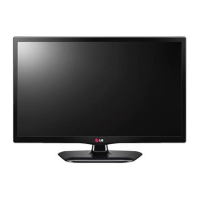
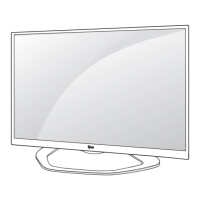
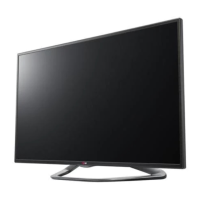
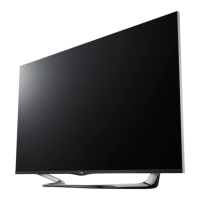
LG LN49 series - User Manual

LG LN49 series
62 pages
Print Icon
To Next Page IconTo Next Page
Loading...
*LG LED TVs are LCD TVs with LED backlighting.
Please read this manual carefully before operating
your set and retain it for future reference.
LN510*
LN511*
LN512*
LN513*
LN515*
LN49**
LB53**
LB52**
OWNER’S MANUAL
LED TV
*
P/NO : MFL67710803 (1407-REV09)
Printed in Korea
www.lg.com
*MFL67710803*

Questions and Answers

  • D
    daniel50Aug 18, 2025
    What to do if my LG TV has no image and sound?
    • A
      Amy Butler PhDAug 18, 2025
      If your LG TV isn't showing any picture and there's no sound, first ensure the TV is powered on. Next, verify that the power cord is properly connected to a working wall outlet. To check the outlet, plug in another device to see if it receives power.
  • E
    Eric FowlerAug 20, 2025
    Why does my LG TV turn off suddenly?
    • B
      bmorenoAug 20, 2025
      Your LG TV might be turning off suddenly due to a few reasons. The power supply could be interrupted, so check the power control settings. Also, the Sleep Timer or Off Time feature in the TIME settings might be activated. Finally, if the TV doesn't receive a signal for 15 minutes, it will turn off automatically.
  • S
    Shawn LaneAug 23, 2025
    Why does my LG LED TV turn off suddenly?
    • S
      simstiffanyAug 23, 2025
      If your LG LED TV turns off suddenly, there might be a few reasons. First, the power supply could be interrupted, so check the power control settings. Also, the Sleep Timer or Off Time feature in the TIME settings might be activated. Finally, the TV is designed to turn off automatically after 15 minutes of inactivity if there is no signal.
  • R
    Rebecca RamosAug 26, 2025
    Why does my LG LED TV turn off by itself?
    • A
      Anthony ShieldsAug 26, 2025
      If your LG LED TV suddenly turns off, it could be due to a few reasons. First, the power supply might be interrupted, so check the power control settings. Second, the Auto sleep feature in the Time settings might be activated. Finally, if there is no signal while the TV is on, it will turn off automatically after 15 minutes of inactivity.
  • D
    Debra YatesAug 28, 2025
    Why does my LG LN49 LED TV keep turning off by itself?
    • D
      Dustin JonesAug 28, 2025
      Your LG LED TV might be turning off suddenly due to a few reasons. Check the power control settings to ensure the power supply isn't being interrupted. Also, verify if the Auto sleep or Off time feature is enabled in the Time settings. If the TV is on but not receiving a signal, it will automatically turn off after 15 minutes of inactivity.
  • S
    srandolphAug 30, 2025
    Why LG LN49 remote control is not working?
    • J
      Joseph CookAug 31, 2025
      If you cannot control your LG LED TV with the remote, first check the remote control sensor on the TV and try again. Ensure there are no obstacles between the remote and the TV. Also, verify that the batteries are working and correctly installed ( to , to ).
  • L
    lmillerSep 2, 2025
    How to fix LG TV remote control not working?
    • R
      renee36Sep 2, 2025
      If your LG TV remote isn't working, start by checking the remote control sensor on the TV. Make sure there are no obstructions between the remote and the TV. Also, verify that the batteries in the remote are working and correctly installed.
  • A
    ann17Sep 4, 2025
    How to fix LG LN49 remote control not working?
    • M
      Melissa FordSep 5, 2025
      If you can't control your LG LED TV with the remote, start by checking the remote control sensor on the TV and try again. Make sure there are no obstacles blocking the path between the remote and the TV. Also, verify that the batteries in the remote are working and correctly installed.
  • K
    Katie CalderonSep 7, 2025
    How to fix an LG LN49 remote that's not working?
    • J
      Jessica WilliamsSep 7, 2025
      If you're unable to control your LG LED TV with the remote, start by checking the remote control sensor on the TV and try again. Make sure there are no obstructions between the remote and the TV. Also, verify that the batteries in the remote are working and correctly installed.
  • K
    klynnSep 9, 2025
    What to do if LG LN49 remote control not working?
    • C
      Christopher HerreraSep 9, 2025
      If you can't control your LG LED TV with the remote, start by checking the remote control sensor on the TV and try again. Ensure there are no obstructions between the remote and the TV. Also, verify that the batteries in the remote are working and correctly installed.

LG LN49 series Specifications

General IconGeneral
BrandLG
ModelLN49 series
CategoryLED TV
LanguageEnglish

Related product manuals