EasyManua.ls Logo

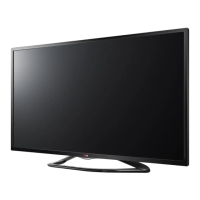
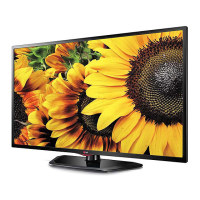
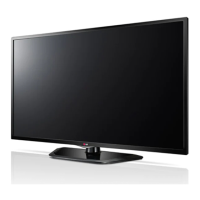
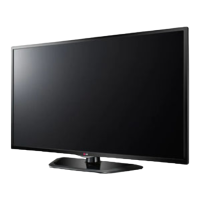
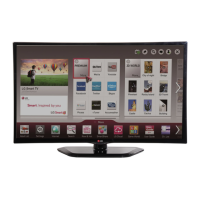
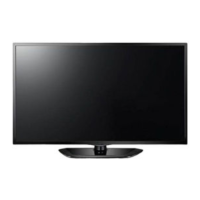
LG LN57 Series - User Manual

LG LN57 Series
60 pages
Print Icon
To Next Page IconTo Next Page
Loading...
www.lg.com
Please read this manual carefully before operating
your set and retain it for future reference.
LA62**
LA64**
LA66**
LA69**
LA74**
LN57**
OWNER’S MANUAL
LED TV
P/NO : MFL67706422 (1301-REV00)
Printed in Korea
* LG LED TV applies LCD screen with LED backlights.

Questions and Answers

  • E
    Eric AyersSep 4, 2025
    How to fix ‘No signal’ on LG TV when connecting to PC?
    • M
      Monica CruzSep 4, 2025
      If you're seeing a ‘No signal’ or ‘Invalid Format’ message on your LG TV when connecting to a PC via HDMI, try turning the TV off and then on again using the remote control. If that doesn't work, reconnect the HDMI cable. As a further step, restart your PC while the TV is powered on.
  • B
    barnesstephanieSep 18, 2025
    What to do if LG LN57 LED TV says no signal when connected to PC?
    • C
      Casey PattonSep 18, 2025
      If your LG LED TV displays ‘No signal’ or ‘Invalid Format’ when connected to a PC via HDMI or DVI, try turning the TV off and on using the remote control. If that doesn't work, reconnect the HDMI cable. As another solution, restart the PC while the TV is powered on.
  • L
    Linda BrownSep 16, 2025
    What to do if LG LN57 says ‘No signal’ from PC?
    • I
      iansalasSep 16, 2025
      If your LG LED TV displays ‘No signal’ or ‘Invalid Format’ when connected to a PC via HDMI DVI, try turning the TV off and then on again using the remote. If that doesn't work, reconnect the HDMI cable. As a final step, restart your PC while the TV is powered on.
  • M
    mary88Sep 14, 2025
    What to do if LG LN57 says ‘No signal’ when connected to PC?
    • H
      heathermorrowSep 14, 2025
      If your LG LED TV displays ‘No signal’ or ‘Invalid Format’ when connected to a PC via HDMI or DVI, try turning the TV off and then on again using the remote control. If that doesn't work, reconnect the HDMI cable. As a final step, restart your PC while the TV is powered on.
  • J
    James MarksSep 12, 2025
    What to do if my LG LN57 says 'No signal' when connected to PC?
    • B
      billysanchezSep 12, 2025
      If your LG LED TV displays 'No signal' or 'Invalid Format' when connected to a PC via HDMI or DVI, try the following: * Turn the TV off and then on again using the remote control. * Reconnect the HDMI cable. * Restart your PC while the TV is powered on.
  • A
    adriennecopelandSep 12, 2025
    What to do if my LG LED TV has no picture and sound?
    • H
      heather71Sep 12, 2025
      If your LG LED TV shows no image and produces no sound, first ensure that the TV is turned on. Next, check that the power cord is properly connected to a working wall outlet. To verify the outlet, connect another device to it and see if it works.
  • E
    Erik SmithSep 9, 2025
    How to fix LG LN57 LED TV remote control not working?
    • Y
      Yvonne ScottSep 9, 2025
      If you cannot control your LG LED TV with the remote control, please check these items: * Make sure there are no obstructions between the remote control and the TV's sensor. * Check that the batteries in the remote control are working and properly installed. * Check the remote control sensor on the TV and try again.
  • J
    Jeffrey HaynesSep 7, 2025
    Why does my LG LN57 turn off by itself?
    • G
      glongSep 7, 2025
      If your LG LED TV turns off suddenly, it could be due to a few reasons: * Check the power control settings to ensure the power supply isn't being interrupted. * Verify if the Auto sleep feature is enabled in the Time settings, as this might be causing the TV to turn off automatically. * If the TV is on but not receiving a signal, it will automatically turn off after 15 minutes of inactivity.
  • P
    Patricia MccartySep 5, 2025
    How to fix LG LN57 LED TV remote not working?
    • K
      Kelly SwansonSep 5, 2025
      If your LG LED TV remote isn't working, first, ensure there are no obstructions between the remote and the TV. Then, check the remote control sensor on the TV. Finally, verify that the batteries are correctly installed ( to , to ) and still have power.
  • M
    Michael LesterAug 21, 2025
    What to do if my LG TV has no picture and sound?
    • M
      Michael VargasAug 21, 2025
      If your LG TV shows no image and produces no sound, first ensure the TV is turned on. Then, check if the power cord is properly connected to a working wall outlet. You can verify the outlet by plugging in other devices to see if they work.

Summary

Safety Instructions

Viewing 3 D Imaging Safety

Safety precautions and recommendations for viewing 3D content, including warnings for specific conditions.

Installation and Assembly

Securing the TV to a Wall

Instructions for safely mounting the TV onto a wall using appropriate brackets.

Making Connections

HDMI and DVI to HDMI Connections

Instructions for connecting external devices using HDMI or DVI to HDMI interfaces.

Remote Control

Magic Remote Control Functions

Magic Remote Control Overview

Introduction to the LG Magic Remote Control and its basic operation.

Registering and Using the Magic Remote

Steps for pairing, operating, and precautions for the Magic Remote Control.

Maintenance and Troubleshooting

Troubleshooting Common TV Issues

Solutions for common problems like remote control issues, no display, or sudden turn-offs.

Specifications

External Control Device Setup

Communication Parameters and Command Reference

Parameters for communication and a reference list of commands for external control.

Command Reference for Basic Functions

Detailed commands for controlling power, aspect ratio, screen mute, and volume.

Command Reference for Picture and Sound Settings

Commands for adjusting tint, sharpness, color temperature, and energy saving.

Command Reference for Channel Tuning

Commands for tuning analogue and digital channels, including input source selection.

Command Reference for Input and Backlight Control

Commands for selecting input sources and controlling TV backlight.

Commands for 3 D Mode Control

Commands to change 3D mode, depth, viewpoint, and color correction settings.

LG LN57 Series Specifications

General IconGeneral
BrandLG
ModelLN57 Series
CategoryLED TV
LanguageEnglish

Related product manuals