EasyManua.ls Logo

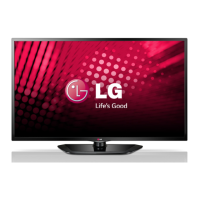
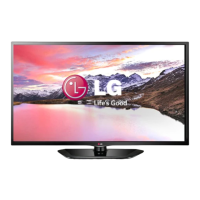
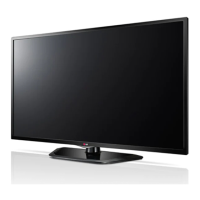
LG LN53 Series - User Manual

LG LN53 Series
40 pages
Print Icon
To Next Page IconTo Next Page
Loading...
www.lg.com
OWNER’S MANUAL
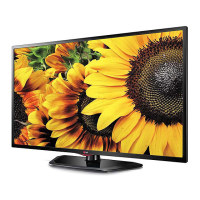
LED TV
*LG LED TV applies LCD screen with LED backlights.
Please read this manual carefully before operating your set and retain it
for future reference.
P/NO : MFL67688511(1304-REV01)
Printed in Korea
LA643*
LA61**
LN54**
LN53**

Questions and Answers

  • A
    Amanda PrattAug 6, 2025
    What to do if my LG LN53 LED TV turns off suddenly?
    • A
      April OlsenAug 6, 2025
      If your LG LED TV turns off suddenly, there might be a few reasons. First, examine the power control settings, as the power supply could be interrupted. Second, check if the Automatic Standby or Off Time feature is activated within the TIME settings. Finally, if the TV is on but not receiving a signal, it will automatically turn off after 15 minutes of inactivity.
  • J
    Jonathon DavisAug 10, 2025
    How to fix LG LED TV remote not working?
    • K
      Kelly RichardsonAug 10, 2025
      If your LG LED TV remote control isn't working, first, make sure there are no obstructions between the remote and the TV. Then, check the remote control sensor on the TV. Finally, verify that the batteries are working and correctly installed, paying attention to the + and - symbols.
  • J
    Joshua RussellAug 16, 2025
    Why is my LG LED TV remote not working?
    • D
      David CarrAug 16, 2025
      If you're unable to control your LG LED TV with the remote, first check the remote control sensor on the TV and try again. Make sure there are no obstructions between the remote and the TV. Also, ensure the batteries in the remote are working and correctly installed.
  • D
    Donald TorresAug 21, 2025
    Why does my LG LED TV turn off by itself?
    • I
      iwileyAug 21, 2025
      If your LG LED TV suddenly turns off, examine the power control settings to ensure the power supply isn't interrupted. Check if the Automatic Standby or Off Time feature is enabled within the TIME settings. Also, be aware that the TV will automatically shut down after 15 minutes of inactivity if there's no signal.
  • P
    Paul FloresAug 27, 2025
    What to do if LG LED TV says ‘No signal’ or ‘Invalid Format’ when connecting to PC (HDMI)?
    • B
      Brian SharpAug 27, 2025
      If your LG LED TV displays ‘No signal’ or ‘Invalid Format’ when connected to your PC via HDMI, try these steps: Turn the TV off and then on again using the remote control. Reconnect the HDMI cable. Restart your PC while the TV is powered on.
  • B
    blairpatrickAug 31, 2025
    What to do if LG LN53 LED TV says no signal on HDMI from PC?
    • S
      Stacey LeeAug 31, 2025
      If you're seeing a ‘No signal’ or ‘Invalid Format’ message when connecting your PC to your LG LED TV via HDMI, try turning the TV off and on using the remote control. If that doesn't work, try reconnecting the HDMI cable. As a final step, restart your PC while the TV is powered on.

Summary

Licenses and Notices

Open Source Software Notice

Information about obtaining source code under various open source licenses.

Safety Instructions

General Safety Precautions

Covers environmental hazards, electrical safety, and product handling.

3 D Viewing Safety and Considerations

Guidelines and warnings for watching 3D content, user health, and age.

3 D Glasses Usage Precautions

Cautions and recommendations for using LG 3D glasses.

Product Handling and Maintenance Safety

Safety advice on moving, cleaning, and internal parts.

Image Quality and Sound Notes

Notes on panel characteristics, image sticking, and generated sounds.

Installation and Preparation

Installation Procedure Steps

Steps for installing the TV, connecting devices, and network setup.

Unpacking and Contents Check

Guide to unpacking the TV and verifying all included accessories.

Included Accessories List

Details and illustrations of all included accessories with model compatibility.

Separate Purchase Items

Information on separately available items like 3D glasses and audio devices.

Parts and Buttons Overview

Identifies key parts and buttons on the TV for specific models.

Lifting and Moving the TV Safely

Advice and cautions for safely lifting and transporting the television.

Attaching the TV Stand

Step-by-step instructions for attaching the stand to different TV models.

Mounting on a Table and Security

Guide to table placement, ventilation, angle adjustment, and security systems.

Securing and Wall Mounting

Instructions for securing the TV to a table or wall using VESA standards.

Tidying Cables

Instructions for organizing and securing cables using cable management features.

Making Connections

Antenna and Satellite Dish Connection

Guide to connecting TV to antenna and satellite dish using RF cables.

HDMI and MHL Connection

Connecting external devices via HDMI and mobile phones via MHL.

Component and Composite Connection

Connecting external devices using component and composite cables.

Headphone and Audio Connection

Connecting headphones and external audio systems to the TV.

USB and CI Module Connection

Connecting USB devices and CI modules for media and digital services.

Euro Scart Connection

Connecting external devices using a Euro Scart cable for video and audio signals.

Remote Control

Remote Control Button Functions

Detailed explanation of buttons on the remote control and their functions.

Remote Control Functions (LN54;53**)

Description of remote control buttons specific to LN54/53** models.

Entertainment

Wired Network Connection

Instructions for connecting the TV to a wired network for internet access.

Network Setting

Steps to configure network settings for internet connectivity.

Using the User Guide

Navigating the User Guide

How to access and navigate the on-screen user guide for TV information.

Maintenance

Cleaning Your TV

Guidance on cleaning the TV screen, frame, cabinet, stand, and power cord.

Troubleshooting

Common Problems and Solutions

Troubleshooting common issues like remote control, display, and power problems.

External Control Device Setup

Information source for external control device setup.

Specifications

Model Specifications (LA643*, LA61**)

Technical specs for LA643* and LA61** series: dimensions, weight, power.

Model Specifications (LN54**)

Technical specs for LN54** series: dimensions, weight, power, and model variants.

Model Specifications (LN53**)

Technical specs for LN53** series: dimensions, weight, power, environment, and TV systems.

HDMI and Component Specs

Supported HDMI modes and component port information.

3 D Supported Modes

Playable 3D video formats and supported resolutions for various inputs.

Customer Information Centre

LG Service Contact Information

Contact details for LG customer service centers by country.

LG LN53 Series Specifications

General IconGeneral
BrandLG
ModelLN53 Series
CategoryLED TV
LanguageEnglish

Related product manuals