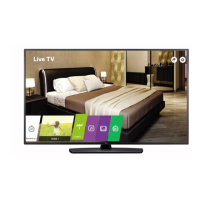
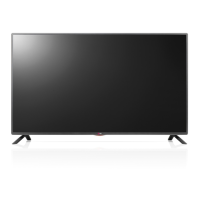
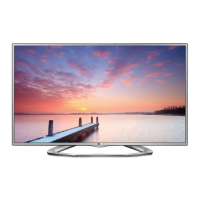
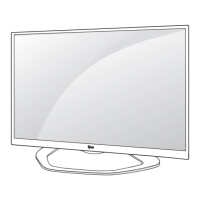
This document describes the LG LED TV, models LV762* and LV662*. The TV utilizes an LCD screen with LED backlights.
Function Description
The LG LED TV is designed for home entertainment, offering various input options for external devices and a range of display and audio settings. It can be controlled via a remote control or buttons on the TV itself. The TV supports digital and analogue television systems, including DVB-T, DVB-T2, DVB-C, DVB-S/S2, PAL/SECAM B/G, D/K, I, and SECAM L. It also supports various video and audio codecs for media playback.
Important Technical Specifications
- Models: LV762* (24LV762V-ZA, 28LV762V-ZA, 32LV762V-ZC, 43LV762V-ZC, 49LV762V-ZC, 55LV762V-ZC, 65UV76**) and LV662* (43LV662H-ZC, 49LV662H-ZC, 49/55UV66**, 32/43LU66**).
- Power Requirement: AC 100-240 V ~ 50/60 Hz.
- Dimensions and Weight (LV762V-ZA/ZC):
- 24LV762V-ZA: 556 mm (A), 343.1 mm (B), 53.1 mm (C), 3.5 kg (D)
- 28LV762V-ZA: 641.5 mm (A), 395.8 mm (B), 57.6 mm (C), 4.7 kg (D)
- 32LV762V-ZC: 739 mm (A), 441 mm (B), 84 mm (C), 4.85 kg (D)
- 43LV762V-ZC: 974 mm (A), 571 mm (B), 79.4 mm (C), 9.2 kg (D)
- 49LV762V-ZC: 1107 mm (A), 645 mm (B), 79.4 mm (C), 11.3 kg (D)
- 55LV762V-ZC: 1241 mm (A), 720 mm (B), 63.0 mm (C), 16.3 kg (D)
- Dimensions and Weight (LV662H-ZC):
- 43LV662H-ZC: 977 mm (A), 575 mm (B), 80.8 mm (C), 8.0 kg (D)
- 49LV662H-ZC: 1110 mm (A), 650 mm (B), 81.1 mm (C), 11.3 kg (D)
- CI Module (W x H x D): 100.0 mm x 55.0 mm x 5.0 mm.
- Operating Temperature: 0 °C to 40 °C.
- Operating Humidity: Less than 80%.
- Storage Temperature: -20 °C to 60 °C.
- Storage Humidity: Less than 85%.
- External Antenna Impedance: 75 Ω.
- Maximum Storable Programmes: 6,000 (DVB-S/S2, DVB-C), 2,000 (DVB-T/T2).
- Wireless Module (LGSBWAC72) Specifications:
- Wireless LAN (IEEE 802.11a/b/g/n/ac):
- Frequency Range: 2400 to 2483.5 MHz (Output Power: 14 dBm), 5150 to 5725 MHz (Output Power: 16.5 dBm), 5725 to 5850 MHz (Not for EU) (Output Power: 11.5 dBm).
- Bluetooth:
- Frequency Range: 2400 to 2483.5 MHz (Output Power: 8.5 dBm).
- HDMI/DVI-DTV Supported Modes: Supports various resolutions from 640x480 to 4096x2160 with different horizontal and vertical frequencies.
- HDMI/DVI-PC Supported Modes: Supports various resolutions from 640x350 to 1920x1080 with different horizontal and vertical frequencies. PC audio is not supported.
- RGB-PC Supported Modes (Only LV640):* Supports various resolutions from 720x400 to 1920x1080 with different horizontal and vertical frequencies.
- Photo Format Support: JPEG (.jpeg, .jpg, .jpe), PNG (.png), BMP (.bmp).
- Minimum resolution: 64 (W) x 64 (H) for all.
- Maximum resolution: JPEG (Normal Type: 15,360 (W) x 8,640 (H), Progressive Type: 1,920 (W) x 1,440 (H)), PNG (5,760 (W) x 5,760 (H)), BMP (1,920 (W) x 1,080 (H)).
- Audio Format Support: MP3, WAV, OGG, WMA, FLAC.
- Bit rates: MP3 (32-320 Kbps), WAV (8-96 kHz), OGG (64-320 Kbps), WMA (8-48 kHz), FLAC (8-96 kHz).
- Sample frequencies: MP3 (16-48 kHz), WAV (8-96 kHz), OGG (8-48 kHz), WMA (8-48 kHz), FLAC (8-96 kHz).
- Channels: Mono, Stereo (MP3, WAV, OGG, FLAC), up to 6 ch (WMA).
- Video Codec Support: VC-1, WMA Standard, Xvid, H.264/AVC, Motion Jpeg, MPEG-4, MPEG-1, MPEG-2, VP8, VP9, HEVC, RV30, RV40, Realaudio6(cook).
- Supported extensions include .asf, .wmv, .avi, .mp4, .m4v, .mov, .3gp, .3g2, .mkv, .ts, .trp, .tp, .mts, .mpg, .mpeg, .dat, .vob, .rm, .rmvb.
Usage Features
- Remote Control: The TV can be operated using the supplied remote control, which features buttons for power, volume, channel, input source, menu navigation, smart functions, and more. Batteries (1.5 V AAA) are required for the remote control.
- On-TV Buttons: Basic functions like power on/off, volume control, and program control can be accessed via buttons on the TV itself.
- Mounting Options:
- Table Mounting: The TV can be placed on a table, ensuring at least 10 cm of space from the wall for ventilation.
- Desk Attachment: For enhanced stability, the TV can be attached to a desk using screws (M5 x L, where L is table depth + 8-10 mm). This feature is not available for all models.
- Wall Mounting: An optional VESA standard wall mount bracket can be attached to the rear of the TV. It is recommended to use LG's wall mount bracket for ease of cable connectivity. Screws and wall mount brackets are not provided and should be purchased separately.
- Kensington Security System: A Kensington security system connector is located at the rear of the TV for securing the device to a table. This feature is not available for all models.
- Adjusting TV Angle: Some models allow swiveling the TV 20 degrees to the left or right to adjust the viewing angle. This feature is not available for all models.
- Connectivity:
- Antenna/Cable In: Connects to a wall antenna socket with an RF cable (75 Ω) for digital and analogue TV.
- HDMI In: Multiple HDMI ports are available for connecting external devices like DVD players, game consoles, and PCs. HDMI IN 1 can be used for PC mode.
- HDMI IN/ARC: Supports Audio Return Channel (ARC) for simplified audio connections.
- USB In: For connecting USB storage devices and webcams. USB 1 port is recommended for webcams.
- H/P Out: Headphone/earphone output (3 Pole 3.5 mm Stereo Jack).
- Clock: For connecting a clock device.
- Satellite In: For connecting to a satellite dish (only on satellite models).
- Optical Digital Audio Out: For connecting to external audio systems.
- PCMCIA Card Slot: For CI modules to view encrypted digital TV services.
- AV In: Composite video and audio input.
- Component In: Component video and audio input.
- HDMI-DVI In: For connecting DVI-enabled devices with an HDMI-DVI cable.
- LAN Port: For wired network connection to a Pro:Centric server via a modem or router.
- Picture Settings: Adjustments for aspect ratio, screen mute, contrast, brightness, color, tint, and sharpness are available.
- Audio Settings: Adjustments for volume, volume mute, and balance are available.
- Energy Saving: Features to reduce power consumption, including various power saving levels and an "Auto" mode with Intelligent Sensor.
- Auto Configuration: Automatically adjusts picture position and minimizes image shaking in RGB (PC) mode (only RGB support models).
- Remote Control Lock Mode: Locks front panel controls and remote control.
- Input Select: Selects the input source for the main picture.
- Control Back Light: Adjusts the backlight intensity.
- OSD Select: Toggles On Screen Display (OSD) on/off when controlling remotely.
- Deep Colour (HDMI ULTRA HD): Enhances picture clarity for compatible devices. Can be toggled on/off.
- Troubleshooting: The manual provides guidance for common issues such as remote control malfunction, no image/sound, sudden TV shutdown, and "No Signal" or "Invalid Format" messages when connecting to a PC.
- Software Download: For LV640* models, SuperSign Software & Manual can be downloaded from http://partner.lge.com. Open source software information is also available at http://opensource.lge.com.
Maintenance Features
- Cleaning: Unplug the TV before cleaning. Wipe with a soft, dry cloth. Avoid using excessive force, water, or chemicals (glass cleaner, air freshener, insecticide, lubricants, wax, abrasive, thinner, benzene, alcohol, etc.) as these can damage the product.
- Power Cord Care: Do not touch the power plug with wet hands. Ensure the power plug is completely dry and free of dust. Connect the mains cable securely to a grounded AC mains socket. Do not place heavy objects on power cables. Protect the power cord from physical or mechanical abuse. Periodically examine the cord for damage and replace if necessary.
- Battery Replacement: Replace remote control batteries (1.5 V AAA) when needed, ensuring correct polarity. Dispose of used batteries carefully.
- Ventilation: Maintain at least 10 cm of space from walls for proper ventilation. Avoid installing the TV in enclosed spaces or on soft surfaces that block air vents.
- Environmental Protection: Do not expose the TV to direct sunlight, high humidity, heat sources, rain, wind, or containers of water.
- Safety Precautions:
- Do not open the TV cover; refer servicing to qualified personnel.
- Avoid dropping metallic objects or inflammable substances into the product.
- Do not spray water or inflammable substances on the product.
- Avoid impacts or dropping objects onto the screen.
- Do not touch the product or antenna during a thunder or lightning storm.
- Do not touch the wall outlet during gas leaks.
- Do not disassemble, repair, or modify the product.
- Unplug the TV if damaged, producing smoke, or a strange smell.
- Unplug the TV if not used for a long period to prevent dust accumulation and fire hazards.
- Do not install the TV on walls exposed to oil or oil mist.
- If water enters the TV, AC adapter, or power cord, disconnect power and contact service.
- Only use authorized AC adapters and power cords.
- Do not place heavy objects on power cables.
- Bend antenna cable to prevent water ingress.
- Install cabling neatly when wall mounting to prevent electric shock/fire hazards.
- Avoid plugging too many electrical devices into a single outlet.
- Keep anti-moisture packing material and vinyl packing out of reach of children.
- Prevent children from climbing or clinging onto the TV.
- Do not insert metal objects into the power cable end while plugged in.
- Do not apply excessive pressure to the panel or touch the screen for long periods to prevent damage.
- When moving the TV, disconnect all cables and hold the top and bottom frame firmly, with the screen facing away. For large TVs, use at least two people.
- Avoid jolts, excessive vibration, and tilting the TV on its side during transport.
- Do not move the TV by holding cable holders.

 Need help?

 To Next Page
 General