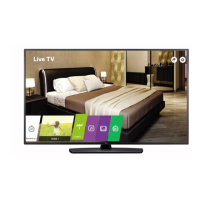
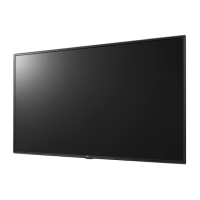
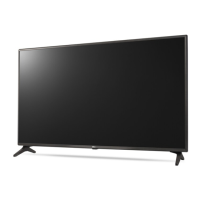
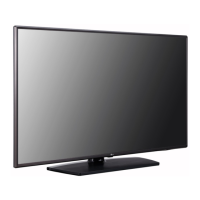
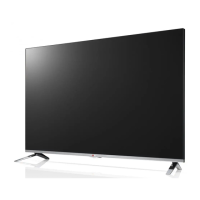
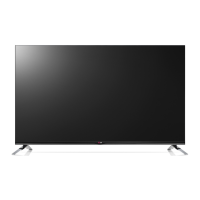
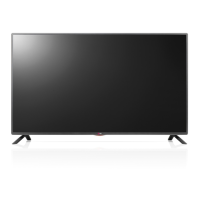
This document describes the LG LV76** LED TV, a display device designed for various applications, including hospitality and commercial use. It emphasizes safety, installation, and operational features, along with technical specifications and remote control functionalities.
Function Description
The LG LV76** is an LED TV that utilizes an LCD screen with LED backlights. It serves as a display for various input sources, including antenna/cable, HDMI, USB, and satellite. It also supports external audio output, pillow speakers, and clock functions, making it suitable for environments like hotels. The TV can be controlled via a physical button on the unit or a remote control, offering functionalities such as power on/off, volume adjustment, program control, menu navigation, and input source selection. It also includes features like Energy Saving, Auto Configure, and Colour Temperature adjustment. For commercial applications, it supports external control via RS-232C, allowing integration with A/V control systems and Pro:Centric servers for network communication.
Important Technical Specifications
The TV models covered include 43LV762M-GC, 49LV762M-GC, and 55LV762M-GC, with varying dimensions and weights. For instance, the 43LV762M-GC measures 974 mm (A) x 571 mm (B) x 79.4 mm (C) and weighs 9.2 kg (D). The power requirement for all models is AC 100-240 V ~ 50/60 Hz.
The CI Module measures 100.0 mm x 55.0 mm x 5.0 mm and operates within 0 °C to 40 °C with less than 80% humidity. Storage conditions are -20 °C to 60 °C with less than 85% humidity.
The TV supports Digital TV (DVB-T/T2, DVB-T/T2/C/S/S2 depending on country) and Analogue TV (PAL B/B, B/G, D/K, I; SECAM B/G, D/K; NTSC-M). Programme coverage includes VHF, UHF, C-Band, and Ku-Band. It can store up to 3,000 DVB-T/T2 & Analogue TV programmes (2,000 for 32/43/49LU640*) and 6,000 DVB-S/S2 programmes. External antenna impedance is 75 Ω.
Wireless module (LGSBWAC72) specifications for Wireless LAN (IEEE 802.11a/b/g/n/ac) include frequency ranges of 2400 to 2483.5 MHz (14 dBm max output power), 5150 to 5725 MHz (16.5 dBm max output power), and 5725 to 5850 MHz (11.5 dBm max output power, not for EU). Bluetooth operates at 2400 to 2483.5 MHz with 8.5 dBm max output power.
HDMI/DVI-DTV supported modes range from 640 x 480 to 4096 x 2160, with various horizontal and vertical frequencies. HDMI/DVI-PC supported modes also cover a similar range, with specific resolutions and refresh rates. RGB-PC supported modes are listed for resolutions from 720 x 400 to 1920 x 1080.
Supported audio formats include .mp3 (32-320 Kbps, 16-48 kHz, MPEG1/MPEG2), .wav (8-96 kHz, PCM), .ogg (64-320 Kbps, 8-48 kHz, Vorbis), .wma (128-320 Kbps, 8-48 kHz, WMA), and .flac (8-96 kHz, FLAC).
Video codec support includes VC-1, H.264/AVC, MPEG-1/2/4, HEVC, Xvid, VP8, VP9, RV30/40, and Realaudio6 across various file extensions like .asf, .wmv, .avi, .mp4, .m4v, .mov, .3gp, .3g2, .mkv, .ts, .trp, .tp, .mts, .mpg, .mpeg, .dat, .vob, .rm, .rmvb.
Usage Features
- Installation: The TV can be mounted on a table or a wall. For table mounting, a minimum 10 cm space from the wall is recommended for ventilation. Wall mounting requires a VESA standard bracket and careful installation to prevent damage or injury.
- Connectivity: Offers a wide range of input/output options:
- Antenna/Cable IN: For connecting to a wall antenna socket (75 Ω RF cable).
- HDMI IN/ARC: For connecting external devices like DVD players, laptops, and gaming consoles. Supports HDMI ULTRA HD Deep Colour for enhanced picture quality on compatible devices.
- USB IN: For connecting USB storage devices and webcams.
- H/P OUT: Headphone/Pillow Speaker output (3 Pole 3.5 mm Stereo Jack).
- Satellite IN: For connecting to a satellite dish (75 Ω satellite RF cable).
- CI Module Slot: For viewing encrypted digital TV services.
- Optical Digital Audio OUT: For connecting to audio systems.
- CLOCK: For external clock devices.
- LAN Port: For wired network connection to a Pro:Centric server or modem/router.
- RS-232C IN (CONTROL & SERVICE): For external control via a PC or A/V control system, using a D-Sub 9-Pin Male connector. USB to Serial converters are also supported for control.
- Remote Control: A comprehensive remote control allows for power, volume, channel, input selection, menu navigation, and special functions like Energy Saving, Live Zoom, Smart Home, Programme Guide, and Teletext. Specific buttons may vary by model.
- On-Screen Display (OSD): Provides visual menus for adjusting TV settings.
- Adjusting the Angle: Some models allow swiveling the TV 20 degrees left or right for optimal viewing.
- Picture and Audio Settings: Users can adjust aspect ratio, screen mute, volume, contrast, brightness, colour, tint, sharpness, and colour temperature.
- Energy Saving: Multiple modes (Off, Minimum, Medium, Maximum, Screen Off, Auto) are available to reduce power consumption.
- Auto Configure: Automatically adjusts picture position and minimizes image shaking in RGB (PC) mode.
- Programme Management: Features for adding/skipping programmes and accessing programme lists.
- External Device Compatibility: Supports various external devices, including HD receivers, DVD players, VCRs, audio systems, USB storage devices, PCs, and gaming devices.
- Software Updates: Information on downloading software updates from the LG Electronics website (http://partner.lge.com) for specific models.
Maintenance Features
- Cleaning: Unplug the TV before cleaning. Use a soft, dry cloth. Avoid excessive force, water, wet cloths, and harsh chemicals (glass cleaner, air fresheners, insecticides, lubricants, waxes, thinners, benzene, alcohol) to prevent damage.
- Power Cord Care: Ensure the power cord is not twisted, kinked, pinched, or walked upon. Do not touch with wet hands. If wet or dusty, dry or wipe clean to prevent electric shock.
- Battery Replacement: For the remote control, replace batteries (1.5 V AAA) matching the polarity markings.
- Ventilation: Maintain a distance of more than 10 cm between the product and the wall. Avoid installing in enclosed spaces (bookshelves, cupboards) or on carpets/cushions. Ensure air vents are not blocked by tablecloths or curtains to prevent overheating and fire.
- Safety Precautions:
- Do not expose the product to rain, moisture, direct sunlight, high humidity, heat sources, steam, oil, or water containers.
- Avoid placing heavy objects on power cables.
- Do not insert metal objects into power cable ends or the product itself.
- Do not drop the product or allow it to fall.
- Keep anti-moisture packing material and vinyl packing away from children.
- Prevent children from climbing or clinging onto the TV.
- Dispose of used batteries carefully.
- Do not disassemble, repair, or modify the product. Contact service personnel for issues.
- Unplug the TV during thunder or lightning storms.
- Unplug if not used for a long period to prevent dust accumulation and fire hazards.
- When moving, ensure the TV is powered off and all cables are disconnected.
- When handling, avoid touching the screen or applying excessive pressure to prevent damage.
- Do not use unapproved items or accessories.
- Ensure screws are fastened completely during stand attachment.
- Avoid installing near inflammable substances.
- Troubleshooting: Provides guidance for common issues such as remote control not working, no image/sound, sudden TV shutdown, and "No Signal" or "Invalid Format" messages when connecting to a PC.
- Abnormal Display/Sound: Explains common phenomena like "flicker" when turned on, tiny black/colored dots on the panel (not a malfunction), variations in brightness/colour based on viewing position, image sticking from prolonged still images, "cracking" noise from thermal contraction, and electrical circuit humming/panel buzzing (normal for high-speed switching circuits).

 Need help?

 To Next Page
 General