EasyManua.ls Logo

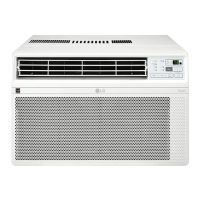
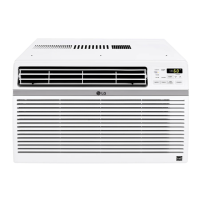
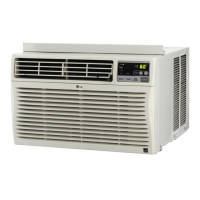
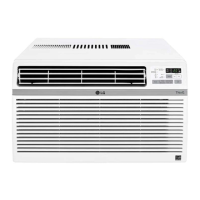
LG LW1022IVSM - User Manual

LG LW1022IVSM
30 pages
Print Icon
To Next Page IconTo Next Page
Loading...
www.lg.com
EN ENGLISH
*MFL71143116*
Copyright © 2020 - 2021 LG Electronics Inc. All Rights Reserved
MFL71143116
Rev.04_082521
AIR CONDITIONER
Read this owner’s manual thoroughly before operating the appliance
and keep it handy for reference at all times.
OWNER’S MANUAL
TYPE : WINDOW (INVERTER)
LW1019IVSM
LW8022IVSM
LW1022IVSM
Question and Answer IconNeed help?

Do you have a question about the LG LW1022IVSM and is the answer not in the manual?

Summary

Safety Instructions

Understanding Safety Symbols and Warnings

Explains the safety alert symbol, WARNING, and CAUTION words used in the manual.

Installation Safety Precautions

Crucial safety guidelines for installing the air conditioner unit.

Operation and Grounding Safety

Safety measures for operating the unit and proper grounding procedures.

General Usage Cautions

Cautions for installation, operation, and maintenance to prevent injury or damage.

Refrigerant Handling Precautions

Safety guidelines and warnings specific to the R32 refrigerant used in the unit.

Installation

Electrical Data and Requirements

Details electrical specifications, plug type, and power supply requirements.

Electrical Safety Warnings

Critical warnings regarding extension cords, surge protectors, and plug modification.

Operation

Control Panel and Remote Layout

Overview of the air conditioner's control panel and wireless remote control buttons.

Air Conditioner Modes Explained

Details on Energy Saver, Cool, Fan, and Dry operation modes.

Smart Functions

Diagnosing Issues with ThinQ

Using the LG ThinQ app to diagnose issues via Wi-Fi or audible signals.

Maintenance

Maintenance Safety Precautions

Essential safety steps before performing any maintenance or cleaning.

Air Filter Cleaning Procedure

Step-by-step guide on how to remove, wash, and replace the air filter.

Troubleshooting

Initial Troubleshooting Steps

Advice on checking basic issues before contacting service.

Troubleshooting: Unit Not Starting

Possible causes and corrective actions if the air conditioner does not start.

Troubleshooting: Poor Cooling Performance

Addresses issues like restricted airflow, dirty filters, and icing.

Troubleshooting: Wi-Fi Connectivity Problems

Solutions for issues connecting the appliance and smartphone to the Wi-Fi network.

Warranty

What This Limited Warranty Covers

Details on what defects and parts are covered under the limited warranty.

Summary

Safety Instructions

Understanding Safety Symbols and Warnings

Explains the safety alert symbol, WARNING, and CAUTION words used in the manual.

Installation Safety Precautions

Crucial safety guidelines for installing the air conditioner unit.

Operation and Grounding Safety

Safety measures for operating the unit and proper grounding procedures.

General Usage Cautions

Cautions for installation, operation, and maintenance to prevent injury or damage.

Refrigerant Handling Precautions

Safety guidelines and warnings specific to the R32 refrigerant used in the unit.

Installation

Electrical Data and Requirements

Details electrical specifications, plug type, and power supply requirements.

Electrical Safety Warnings

Critical warnings regarding extension cords, surge protectors, and plug modification.

Operation

Control Panel and Remote Layout

Overview of the air conditioner's control panel and wireless remote control buttons.

Air Conditioner Modes Explained

Details on Energy Saver, Cool, Fan, and Dry operation modes.

Smart Functions

Diagnosing Issues with ThinQ

Using the LG ThinQ app to diagnose issues via Wi-Fi or audible signals.

Maintenance

Maintenance Safety Precautions

Essential safety steps before performing any maintenance or cleaning.

Air Filter Cleaning Procedure

Step-by-step guide on how to remove, wash, and replace the air filter.

Troubleshooting

Initial Troubleshooting Steps

Advice on checking basic issues before contacting service.

Troubleshooting: Unit Not Starting

Possible causes and corrective actions if the air conditioner does not start.

Troubleshooting: Poor Cooling Performance

Addresses issues like restricted airflow, dirty filters, and icing.

Troubleshooting: Wi-Fi Connectivity Problems

Solutions for issues connecting the appliance and smartphone to the Wi-Fi network.

Warranty

What This Limited Warranty Covers

Details on what defects and parts are covered under the limited warranty.

Overview

This document serves as the owner's manual for an LG window (inverter) air conditioner, specifically covering models LW1019IVSM, LW8022IVSM, and LW1022IVSM. It provides comprehensive instructions for installation, operation, maintenance, and troubleshooting, ensuring safe and efficient use of the appliance.

Function Description

The LG window air conditioner is designed to cool and dehumidify a room, providing a comfortable indoor environment. It features an inverter type compressor, which allows for more efficient operation and potentially quieter performance compared to traditional non-inverter models. The unit offers multiple operating modes, including Energy Saver, Cool, Fan, and Dry, to cater to various climate conditions and user preferences.

The core function of the air conditioner is to circulate air, drawing in warm room air, cooling it through a refrigeration cycle, and then expelling the cooled air back into the room. In the Cool mode, the compressor and fan work together to rapidly lower the room temperature. The Dry mode is specifically designed for humid conditions, removing moisture from the air without significant cooling, by fixing the fan speed at Low. The Fan mode circulates air without engaging the compressor, providing ventilation without temperature alteration. The Energy Saver mode optimizes energy consumption by cycling the compressor and fan off when the set temperature is reached, with the fan periodically turning on to sense if more cooling is needed.

The air conditioner is equipped with a slinger fan, an additional feature designed to improve efficiency. This fan's outer ring picks up condensed water from the base pan when the water level is high enough. This water is then expelled through the condenser, enhancing the unit's cooling efficiency.

Usage Features

The air conditioner can be controlled via a control panel located on the unit itself or through a wireless remote control, offering convenience and flexibility.

  • Power On/Off: A dedicated button on both the control panel and remote control allows users to turn the air conditioner on or off.
  • Operating Modes: Users can cycle through the four operating modes (Energy Saver, Cool, Fan, Dry) using the Mode button.
  • Temperature Control: The desired room temperature can be set between 60 °F (16 °C) and 86 °F (30 °C) using the Temp ^/v buttons on the remote control or corresponding controls on the unit.
  • Fan Speed: In Cool and Fan modes, the fan speed can be adjusted to Low (F1), Medium (F2), or High (F3) to control the airflow intensity. In Dry mode, the fan speed is fixed at Low.
  • Sleep Mode: This feature minimizes operating noise and automatically turns off the air conditioner after a set time (1 to 12 hours). In Sleep Mode, the setting temperature gradually increases by 2 °F after 30 minutes and an additional 2 °F after another 30 minutes, for a total increase of up to 4 °F, to ensure a comfortable sleep environment.
  • Delay ON/OFF Timer: When the unit is off, the Delay ON timer allows users to set it to automatically turn on from 1 to 24 hours later, at its previous mode and fan settings. When the unit is on, the Delay OFF timer allows it to automatically turn off from 1 to 24 hours later. Each press of the Timer button advances the timer by 1 hour.
  • Light Off Function: The brightness of the control panel display can be adjusted or turned off by pressing the Mode button on the remote control for 3 seconds, or by pressing the Mode and Sleep buttons together on the control panel.
  • Auto Clean Function: In Cooling and Dry modes, this function helps remove moisture generated inside the indoor unit, preventing mold and odors. It can be activated by pressing the Energy Saver button on the remote control for 3 seconds. When the unit is turned off, the fan continues to run for 10 minutes to clean the inside of the indoor unit.
  • Auto Restart: In the event of a power outage, the air conditioner will automatically restart with the previously set settings once power is restored.
  • Air Direction: The airflow can be adjusted both horizontally and vertically. Horizontal airflow is controlled by moving the levers of the vertical louvers to the left or right. Vertical airflow is adjusted by touching the horizontal louvers up or down.
  • Wi-Fi Connectivity (LG ThinQ Application): For models with the or ThinQ logo, the unit can connect to a home Wi-Fi network, allowing control and monitoring via the LG ThinQ smartphone application. This provides convenient smart features, including remote control and Smart Diagnosis.
  • Smart Diagnosis: This feature helps diagnose problems with the appliance. Users can transmit troubleshooting data to a smartphone via the LG ThinQ application or use an audible diagnosis method by placing the smartphone mouthpiece near the unit's logo while pressing the DIAGNOSIS button.

Maintenance Features

Regular maintenance is crucial for the efficient and long-lasting operation of the air conditioner.

  • Air Filter Cleaning: The air filter should be checked at least twice a month and cleaned if necessary. A dirty filter can reduce cooling capacity and lead to frost accumulation on the evaporator. The Clean Filter LED on the control panel lights up after 250 hours of operation as a reminder. To clean, remove the filter from the front grille, wash it with lukewarm water below 40 °C (104 °F), gently shake off excess water, and replace it. The filter reset must be done using the control panel by pressing Temp ^ and v buttons together.
  • Cabinet Cleaning: The front grille and inlet grille should be wiped with a cloth dampened in a mild detergent solution. The cabinet can be washed with mild soap or detergent and lukewarm water, then polished with liquid appliance wax.
  • Condenser Coil Check: For continued peak efficiency, the condenser coils (located outside the unit) should be periodically checked and cleaned if clogged with soot or dirt from outside air.
  • Battery Replacement: If the remote control's display screen begins to fade, the AAA (1.5 V) batteries should be replaced. It is recommended to remove batteries if the remote control will not be used for an extended period to prevent discharge.

The manual emphasizes safety precautions throughout, including warnings about installation, operation, and refrigerant handling (for R32 only), to prevent injury, damage, or malfunction. It also provides troubleshooting tips for common issues before calling for service.

LG LW1022IVSM Specifications

General IconGeneral
TypeWindow Air Conditioner
Cooling Capacity10, 000 BTU
CEER12.1
Voltage115V
RefrigerantR32
Noise Level52 dB
Wi-Fi EnabledYes
Noise Level (Indoor)52 dB
Smart DiagnosisYes
Display TypeLED
Fan Speeds (Cooling)3
Fan Speeds (Fan)3
Operating Frequency60 Hz

Related product manuals