EasyManua.ls Logo

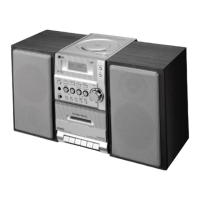
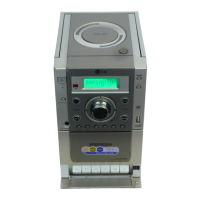
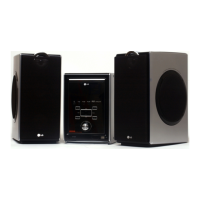
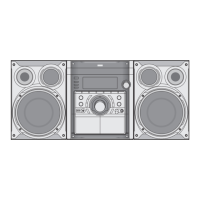
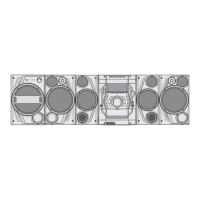
LG LX-M240 - User Manual

LG LX-M240
20 pages
Print Icon
To Next Page IconTo Next Page
Loading...
Please
read
this
manual
carefully
before
operating
your
set.
Retain
it
for
future
reference.
Designs
and
specifications
are
subject
to
change
without
notice
for
improvement.
MICRO
HI-FI
SYSTEM
OWNER'S
MANUAL
MODEL:
LX-M240
(LX-M240A/D/X,
LXS-M240)
LX-M241
(LX-M241A/D/X,
LXS-M241)
LX-M340
(LX-M340A/D/X,
LXS-M340)
LX-M341
(LX-M341A/D/X,
LXS-M341)
AP_LX-M240.M241-ENG(20U)
CD-R/RW

Questions and Answers

  • A
    Andrew WilsonAug 2, 2025
    Why is my LG Stereo System not turning on?
    • D
      Diana NelsonAug 2, 2025
      If your LG Stereo System isn't powering on, the most common cause is that the power cord isn't properly connected. Make sure the power cord is securely plugged into the wall outlet.
  • M
    Matthew JonesAug 9, 2025
    Why is there no sound coming from my LG LX-M240?
    • B
      Billy ThompsonAug 9, 2025
      If you're not getting any sound from your LG Stereo System, there are a couple of things to check: * First, ensure that the audio cables are securely connected to the jacks. * Second, verify that the external source equipment is switched on.
  • T
    tarcherAug 18, 2025
    How to fix LG LX-M240 Stereo System when it does not start playback?
    • T
      Theresa SuttonAug 18, 2025
      If your LG Stereo System isn't starting playback, consider these possible reasons: * Check if a disc or tape is inserted. If not, insert one. * Make sure you're using a playable disc or tape. Some discs or tapes might not be compatible. * Ensure the disc is placed correctly, with the playback side down. * Verify that the disc is placed within the guide on the disc tray. * Clean the disc if it's dirty.
  • K
    Kimberly GrantAug 26, 2025
    What to do if LG LX-M240 remote control is not working?
    • A
      Andrea KennedyAug 26, 2025
      If the remote control for your LG Stereo System isn't working, try the following: * Ensure that you are pointing the remote control directly at the remote sensor on the unit. * Make sure you are within 23 ft (7 m) of the unit. * Remove any obstacles between the remote control and the unit. * Replace the batteries in the remote control with new ones.

Summary

Safety and Precautions

Electrical and Laser Safety Warnings

Describes risks of electric shock, opening the unit, and laser radiation exposure.

Graphical Symbols and General Warnings

Explains key warning symbols and general safety advice for fire and moisture.

Remote Control Operation

Button Functions, Battery, and Range

Explains remote buttons, battery installation, and operational range for effective control.

System Installation and Setup

Speaker and Antenna Connections

Guides on connecting speakers and positioning antennas for optimal audio and radio reception.

Timer Functions

Setting and Managing Timers

Provides detailed steps for setting, checking, and canceling the timer for various functions.

Radio Operation

Presetting and Recalling Stations

Instructions for storing, recalling, and managing preset radio stations.

Tape Functions

Tape Playback and Controls

Explains how to play tapes, stop, rewind, fast forward, and auto-reverse features.

CD Playback Operations

Maintenance and Service

Troubleshooting Common Issues

Resolving Playback and Power Problems

Addresses issues like no power, no sound, and playback failures.

LG LX-M240 Specifications

General IconGeneral
BrandLG
ModelLX-M240
CategoryStereo System
Supported FormatsMP3, WMA
Tuner BandsFM
USBYes
Audio Line-inYes
CD PlayerYes
RadioYes
Playable MediaCD, USB

Related product manuals