#BTJD'VODUJPOT 48
Ţ This option is available on the QWERTY, QWERTZ and AZERTY
keyboards.
Ţ This function may not be supported for some languages.
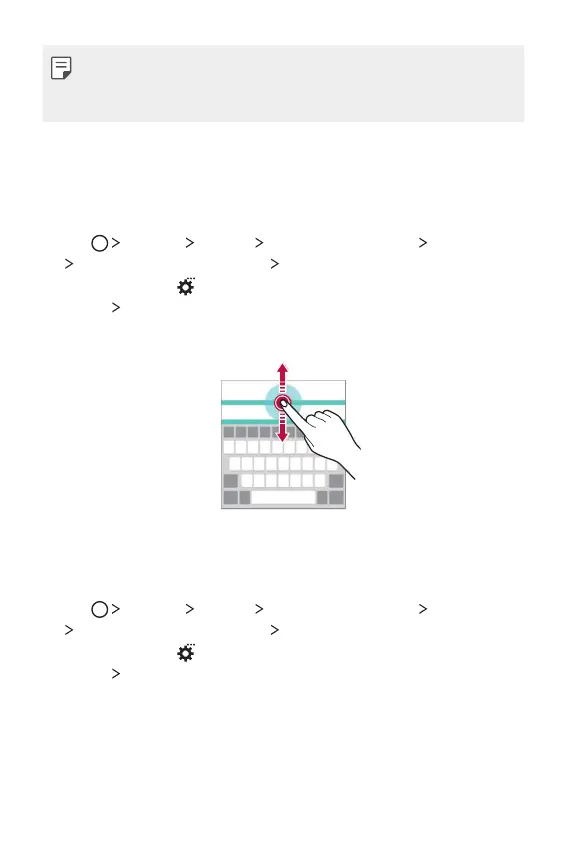
Customising the keyboard height
You can customise the keyboard height to maximise hand comfort when
typing.
1
Tap Settings General Language & keyboard LG Keyboard
Keyboard height and layout Keyboard height.
Alternatively, tap
on the keyboard and tap Keyboard height and
layout
Keyboard height.
2
Adjust the keyboard height.
Selecting a landscape keyboard mode
You can select a l andscape keyboard mode from several choices.
1
Tap Settings General Language & keyboard LG Keyboard
Keyboard height and layout Keyboard type in landscape.
Alternatively, tap
on the keyboard and tap Keyboard height and
layout
Keyboard type in landscape.
2
4FMFDUBLFZCPBSENPEF



 To Next Page