EasyManua.ls Logo

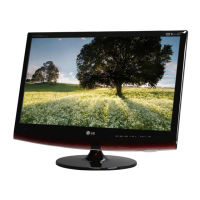
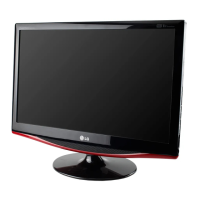
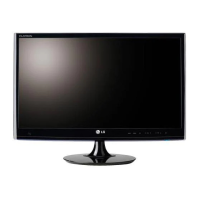
LG M1931D - User Manual

LG M1931D
42 pages
Print Icon
To Next Page IconTo Next Page
Loading...
www.lg.com
OWNER’S MANUAL
LED LCD TV
M1931D
M2631D
19MA31D
Please read this manual carefully before operating the your TV and
retain it for future reference.
LED LCD TV MODEL
ENGLISH

Questions and Answers

  • K
    Kevin Cooper MDAug 8, 2025
    Why does my LG M1931D turn off suddenly?
    • D
      David GarciaAug 8, 2025
      Your LG TV might be turning off suddenly because of a few reasons. First, examine the power control settings, as the power supply could be interrupted. Second, verify if the Auto sleep feature is enabled within the Time settings. Finally, if your TV doesn't receive a signal while it's on, it will automatically shut down after 15 minutes of inactivity.
  • G
    Gregory PerkinsAug 21, 2025
    What to do if the LG TV remote control is not working?
    • R
      Raymond GreenAug 21, 2025
      If you cannot control your LG TV with the remote, first check the remote control sensor on the TV and try again. Second, make sure there are no obstacles blocking the path between the remote and the TV. Lastly, verify that the batteries in the remote are working and properly installed, paying attention to the correct polarity (+ to -, + to -).

Summary

Installation Procedure

Installation Steps

Guide for opening package, attaching stand, and connecting devices.

Assembling and Preparing

Unpacking Contents

Check included items and notes on variations or changes.

Attaching the Stand (M1931 D, 19 MA31 D)

Instructions for attaching the stand to specific TV models.

Attaching the Stand (M2631 D)

Instructions for attaching the stand to the M2631D model.

Watching TV

First Time TV Setup

Guide for initial TV setup, language, and basic settings.

Making Connections

Antenna Connection

Instructions for connecting an antenna to the TV for broadcast reception.

HDMI Connection for Devices

How to connect external devices using HDMI for optimal video and audio.

PC Connection Overview

Connecting a PC to the TV, including Plug & Play and image quality tips.

PC HDMI Connection

Connecting a PC to the TV using HDMI for optimal quality.

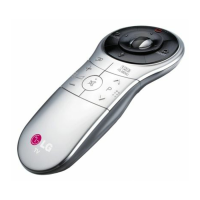
Remote Control

Remote Control Button Functions

Explanation of each button on the TV remote control.

Customizing Settings

Maintenance

Troubleshooting

General Troubleshooting Tips

Common problems and their resolutions for remote control and display issues.

LG M1931D Specifications

General IconGeneral
Screen Size19 inches
Resolution1366 x 768
Display TypeLCD
Aspect Ratio16:9
Brightness250 cd/m²
Contrast Ratio1000:1
Response Time5 ms
HDMI Ports1
USB Ports1
VGA Ports1
Built-in SpeakersYes
VESA Mount CompatibleYes (75 x 75 mm)
Weight3.5 kg
Viewing Angle170°/160°
Input PortsHDMI, VGA, USB
Speakers2
Power Consumption25W (Typical)

Related product manuals