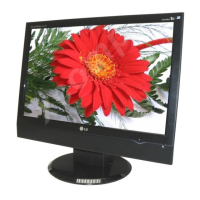
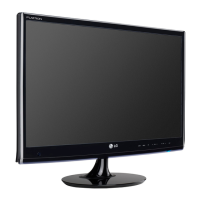
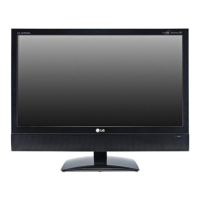
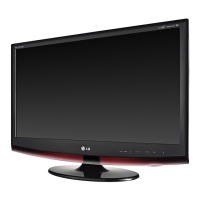
This document is an owner's manual for an LG Monitor TV, specifically covering models M1962DP, M2062DP, M2262DP, M2362DP, and M2762DP. It provides comprehensive instructions for setup, operation, and maintenance of the device.
Function Description
The LG Monitor TV functions as both a monitor and a television, offering a versatile display solution. It supports various input sources, including antenna/cable, HDMI/DVI, component, RGB (PC), and USB, allowing connection to a wide range of external equipment such as HD receivers, DVD/VCR players, and personal computers. The TV mode includes features for automatic and manual program tuning, program editing, and an Electronic Programme Guide (EPG) for digital broadcasts. As a monitor, it supports various display resolutions for PC input.
Important Technical Specifications
The manual provides detailed specifications for each model:
M1962DP:
- LCD Panel: 470.1mm Wide (18.51 inch) TFT (Thin Film Transistor) LCD, Visible diagonal size: 470.1mm.
- Pixel Pitch: 0.30 mm (H) x 0.30 mm (V).
- Max. Resolution: 1360 x 768 @ 60 Hz.
- Recommended Resolution: 1360 x 768 @ 60 Hz.
- Horizontal Frequency: 30 kHz to 61 kHz.
- Vertical Frequency: 56 Hz to 75 Hz.
- Synchronization Type: Separate Sync, Digital.
- Rated Voltage: AC 100-240 V~ 50 / 60 Hz 0.8 A.
- Power Consumption: On Mode: 35 W (typ.), Off Mode ≤ 0.5 W.
- Dimensions (Width x Height x Depth): 449.7 mm x 367.3 mm x 221.6 mm (17.70 inch x 14.46 inch x 8.72 inch).
- Weight: 3.8 kg (8.38 lb).
M2062DP:
- LCD Panel: 508.5 mm Wide (20.0 inch) TFT (Thin Film Transistor) LCD, Visible diagonal size: 508.5 mm.
- Pixel Pitch: 0.2766 mm (H) x 0.2766 mm (V).
- Max. Resolution: 1600 x 900 @ 60 Hz.
- Recommended Resolution: 1600 x 900 @ 60 Hz.
- Horizontal Frequency: 30 kHz to 65 kHz.
- Vertical Frequency: 56 Hz to 75 Hz.
- Synchronization Type: Separate Sync, Digital.
- Rated Voltage: AC 100-240 V~ 50 / 60 Hz 1.2 A.
- Power Consumption: On Mode: 50 W (typ.), Off Mode ≤ 0.5 W.
- Dimensions (Width x Height x Depth): 482.3 mm x 384.2 mm x 221.6 mm (18.99 inch x 15.13 inch x 8.72 inch).
- Weight: 4.3 kg (9.48 lb).
M2262DP:
- LCD Panel: 546.86 mm Wide (21.53 inch) TFT (Thin Film Transistor) LCD, Visible diagonal size: 546.86 mm.
- Pixel Pitch: 0.248 mm (H) x 0.248 mm (V).
- Max. Resolution: 1920 x 1080 @ 60 Hz.
- Recommended Resolution: 1920 x 1080 @ 60 Hz.
- Horizontal Frequency: 30 kHz to 83 kHz.
- Vertical Frequency: 56 Hz to 75 Hz.
- Synchronization Type: Separate Sync, Digital.
- Rated Voltage: AC 100-240 V~ 50 / 60 Hz 1.2 A.
- Power Consumption: On Mode: 53 W (typ.), Off Mode ≤ 0.5 W.
- Dimensions (Width x Height x Depth): 517.2 mm x 399.8 mm x 221.6 mm (20.36 inch x 15.74 inch x 8.72 inch).
- Weight: 4.7 kg (10.36 lb).
M2362DP:
- LCD Panel: 584.2 mm Wide (23 inch) TFT (Thin Film Transistor) LCD, Visible diagonal size: 584.2 mm.
- Pixel Pitch: 0.265 mm (H) x 0.265 mm (V).
- Max. Resolution: 1920 x 1080 @ 60 Hz.
- Recommended Resolution: 1920 x 1080 @ 60 Hz.
- Horizontal Frequency: 30 kHz to 83 kHz.
- Vertical Frequency: 56 Hz to 75 Hz.
- Synchronization Type: Separate Sync, Digital.
- Rated Voltage: AC 100-240 V~ 50 / 60 Hz 1.2 A.
- Power Consumption: On Mode: 55 W (typ.), Off Mode ≤ 0.5 W.
- Dimensions (Width x Height x Depth): 551.8 mm x 419.5 mm x 221.6 mm (21.72 inch x 16.32 inch x 8.72 inch).
- Weight: 5.18 kg (11.4 lb).
M2762DP:
- LCD Panel: 686 mm Wide (27 inch) TFT (Thin Film Transistor) LCD, Visible diagonal size: 686 mm.
- Pixel Pitch: 0.3114 mm (H) x 3114 mm (V).
- Max. Resolution: 1920 x 1080 @ 60 Hz.
- Recommended Resolution: 1920 x 1080 @ 60 Hz.
- Horizontal Frequency: 30 kHz to 83 kHz.
- Vertical Frequency: 56 Hz to 75 Hz.
- Synchronization Type: Separate Sync, Digital.
- Rated Voltage: AC 100-240 V~ 50 / 60 Hz 1.2 A.
- Power Consumption: On Mode: 63 W (typ.), Off Mode ≤ 0.5 W.
- Dimensions (Width x Height x Depth): 649.1 mm x 485 mm x 210 mm (25.56 inch x 19.09 inch x 8.27 inch).
- Weight: 7.2 kg (15.87 lb).
All models feature a tilt range of -5° to 15° and operate within an environmental temperature range of 10 °C to 35 °C (operating) and -10 °C to 60 °C (storage), with operating humidity of 20% to 80% and storage humidity of 5% to 90%.
Usage Features
- Front Panel Controls: Includes headphone jack, IR receiver, input, menu, OK, volume, program, and power buttons, along with a power indicator.
- Stand Installation: Instructions for attaching and detaching the stand, including specific steps for M1962DP/M2062DP/M2262DP/M2362DP models (using a 90° turn lock) and M2762DP (using a coin to tighten a screw).
- Wall Mount Installation: Detailed instructions for horizontal wall mounting, emphasizing VESA standards and screw specifications.
- Display Positioning: Allows tilting the display from -5° to 15° for optimal viewing comfort. The M2762DP model also features a swivel stand with 179° left/right adjustment.
- Security: Includes instructions for securing the set to a wall (M2762DP only) to prevent falling and attaching the TV to a desk (M2762DP only). A Kensington Security System connector is also available.
- External Equipment Setup:
- Antenna Connection: Guides on connecting to wall antenna sockets for multi-family dwellings/apartments and outdoor antennas for single-family dwellings/houses.
- HD Receiver Setup: Instructions for connecting via component cable (Y, PB, PR video and audio jacks) and HDMI cable. Supported HDMI audio formats include Dolby Digital and PCM.
- DVD/VCR Setup: Steps for connecting DVD players via component or Euro Scart cables, and VCRs via RF or Euro Scart cables.
- CI Module Insertion: Explains how to insert a CI Module into the PCMCIA CARD SLOT for viewing encrypted digital TV services (not available in all countries).
- Digital Audio Out: Connects the TV's optical digital audio output to external audio equipment for 5.1-channel sound.
- USB Setup: Connects USB devices for playing photos, music, and movies. Supports JPEG, MP3, and various video formats (DAT, MPG, MPEG, VOB, MP4, MKV, AVI, DIVX, TS, TRP, TP). Provides precautions for USB device usage, including supported file systems (FAT, FAT16, FAT32, NTFS for read-only), recommended capacities (1 TB for HDD, 32 GB for USB memory), and subtitle formats.
- Headphone Setup: Connects headphones for private listening, with volume adjustment and mute functions.
- PC Setup: Instructions for connecting a PC via D-sub 15 pin cable (RGB), HDMI to DVI cable, or HDMI to HDMI cable. Provides supported display resolutions for PC mode.
- Remote Control Functions: Comprehensive guide to all remote control buttons, including power, energy saving, TV/PC, input, TV/RAD, number buttons, list, Q.VIEW, menu, guide, Q.MENU, thumbstick navigation, OK, back, exit, colored buttons for teletext, and subtitle.
- On-Screen Menus: Detailed navigation and adjustment instructions for various menus:
- Setup: Auto Tuning, Manual Tuning, Programme Edit, Software Update, Diagnostics, CI Information, Cable DTV Setting.
- Picture: Aspect Ratio, Picture Wizard, Energy Saving, Picture Mode (Vivid, Standard, Cinema, Sport, Game, Expert 1/2), Backlight, Contrast, Brightness, Sharpness, Colour, Tint, Colour Temperature, Dynamic Contrast, Dynamic Colour, Noise Reduction, Gamma, Black Level, Film Mode, Colour Standard, Expert Pattern, Colour Filter, Colour Management System, Picture Reset.
- Audio: Auto Volume, Clear Voice II, Balance, Sound Mode (Standard, Music, Cinema, Sport, Game, User), Surround X, Treble, Bass, Audio Reset, Digital Audio Out (PCM, Auto), TV Speakers On/Off, DTV Audio Setting (Auto, HE-AAC, Dolby Digital, MPEG), Stereo/Dual Reception (Analogue), NICAM Reception (Analogue), Speaker Sound Output Selection.
- Time: Clock Setup, Auto On/Off Time Setting, Sleep Timer Setting.
- Option: Menu Language, Audio Language, Subtitle Language, Disabled Assistance, Data Service (MHEG/Teletext), Country, Input Label, Set ID, Power Indicator, Demo Mode, Mode Setting (Home Use/Store Demo), Factory Reset.
- Parental Control / Ratings: Set Password & Lock System, Block Programme, Parental Control (Digital Mode), Input Block, Key Lock.
- Teletext: Switch On/Off, Simple Text, Top Text, Fastext, Special Teletext Functions (Index, Time, Hold, Reveal, Update).
- Digital Teletext: Teletext within Digital Service and Teletext in Digital Service.
- USB Device Usage: Detailed instructions for photo list, music list, and movie list functions, including selection, playback, marking, deleting, and specific options for each media type (e.g., slideshow speed, background music for photos; audio/subtitle language, sync, position, size for movies). DivX registration and deactivation processes are also covered.
Maintenance Features
- Cleaning the Screen: Recommends using a soft cloth dampened with lukewarm water and a little fabric softener or dishwashing detergent. Emphasizes wringing the cloth until almost dry and ensuring no excess water remains before switching on.
- Cleaning the Cabinet: Advises using a soft, dry, lint-free cloth to remove dirt or dust. Warns against using a wet cloth.
- Extended Absence: Suggests unplugging the power cord if the TV will be dormant for prolonged periods (e.g., holidays) to protect against lightning or power surges.
- Troubleshooting: Provides solutions for common issues such as remote control not working, TV turning off suddenly, no picture/sound, slow picture appearance, poor color, horizontal/vertical bars, and "Unknown Product" messages when connecting devices.
- Software Update: Explains how to update the TV's software via digital terrestrial broadcasting, including steps for checking for updates, downloading, and installation. Provides precautions during the update process (e.g., do not interrupt power, do not switch off, do not disconnect antenna).

 Need help?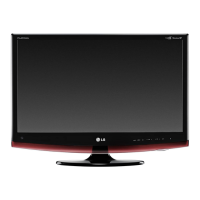

 To Next Page
 General