EasyManua.ls Logo

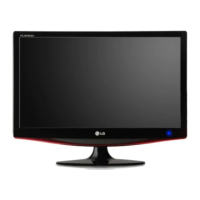
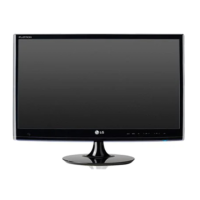
LG M2362DP-PC - User Manual

LG M2362DP-PC
156 pages
Print Icon
To Next Page IconTo Next Page
Loading...
www.lg.com
OWNER’S MANUAL
MONITOR TV
MONITOR TV MODELS
M1962DP
M2062DP
M2262DP
M2362DP
M2762DP
Please read this manual carefully before operating
your set and retain it for future reference.
ENGLISH

Table of Contents

Questions and Answers

  • B
    Brian SmithJul 30, 2025
    What to do if the screen position is wrong on my LG M2362DP-PC?
    • R
      riosbrianJul 30, 2025
      If the screen position is incorrect, you can adjust it using the Position menu in the OSD (On-Screen Display). Also, verify that the video card resolution and frequency are supported by the monitor. If the frequency is out of range, set the resolution to the recommended setting in the Control Panel's Display settings.
  • T
    Taylor SampsonAug 3, 2025
    Why is the screen color unstable on my LG Monitor?
    • M
      michael15Aug 3, 2025
      If the screen color is unstable or a single color, check the connection of the signal cable to ensure it is properly connected.
  • I
    igonzalesAug 9, 2025
    How to get better color resolution on my LG Monitor?
    • M
      Michele PattersonAug 9, 2025
      To improve poor color resolution, set the screen color resolution to more than 24 bits (true color). You can typically do this by going to Control Panel, then Display, then Settings, and finally the Color Table menu in Windows.
  • M
    Michael BookerAug 14, 2025
    How to fix horizontal noise on my LG M2362DP-PC Monitor?
    • D
      Darin ReedAug 14, 2025
      To resolve horizontal noise or blurred characters, adjust the Phase menu within the monitor's OSD (On-Screen Display).
  • K
    kingjanetAug 19, 2025
    What to do if thin lines appear on the background screen of my LG M2362DP-PC Monitor?
    • S
      sextonelizabethAug 19, 2025
      If thin lines appear on the background screen, try adjusting the Clock menu in the monitor's OSD (On-Screen Display).
  • L
    Laurie ReyesAug 25, 2025
    Why do black spots appear on the screen of my LG Monitor?
    • V
      vgarciaAug 25, 2025
      The appearance of black spots is attributable to the unique characteristics of the LCD panel. It is not a malfunction.

Summary

PREPARATION

STAND INSTALLATION

Step-by-step instructions for safely assembling and attaching the monitor stand.

WALL MOUNT: HORIZONTAL INSTALLATION

Guidelines and specifications for securely mounting the monitor horizontally on a wall.

WATCHING TV; PROGRAMME CONTROL

REMOTE CONTROL KEY FUNCTIONS

Detailed explanation of each button's function on the TV remote control.

ON SCREEN MENUS SELECTION AND ADJUSTMENT

Navigating and adjusting settings through the TV's On Screen Display (OSD) menus.

AUTO PROGRAMME TUNING

Automatic search and storage of available TV channels for optimal viewing.

PICTURE CONTROL

PICTURE SIZE (ASPECT RATIO) CONTROL

Adjusting the screen's aspect ratio for various viewing formats.

PICTURE WIZARD

Step-by-step guide to calibrate and optimize picture quality settings.

TIME SETTING

AUTO ON;OFF TIME SETTING

Scheduling the TV to turn on or switch to standby at specific times.

OPTION SETTING

ON-SCREEN MENU LANGUAGE; COUNTRY SELECTION

Customizing the On-Screen Display language and selecting the country.

PARENTAL CONTROL; RATINGS

SET PASSWORD & LOCK SYSTEM

Setting a password to protect TV functions and prevent unauthorized access.

BLOCK PROGRAMME

Locking specific TV programs to prevent them from being viewed.

APPENDIX

TROUBLESHOOTING

Solutions for common operational problems and error messages.

PRODUCT SPECIFICATIONS

Technical details and specifications for various monitor models.

LG M2362DP-PC Specifications

General IconGeneral
Screen Size23 inches
Resolution1920 x 1080
Aspect Ratio16:9
Panel TypeIPS
Response Time5 ms
Refresh Rate60 Hz
Brightness250 cd/m²
Contrast Ratio1000:1
Dynamic Contrast Ratio5, 000, 000:1
Viewing Angle (Horizontal)178 degrees
Viewing Angle (Vertical)178 degrees
TV TunerYes
InputsHDMI, DVI-D, VGA
ConnectivityHDMI, DVI-D, VGA
Input PortsDVI-D, HDMI, VGA
Viewing Angle178 degrees
Speakers2 x 5W

Related product manuals