47
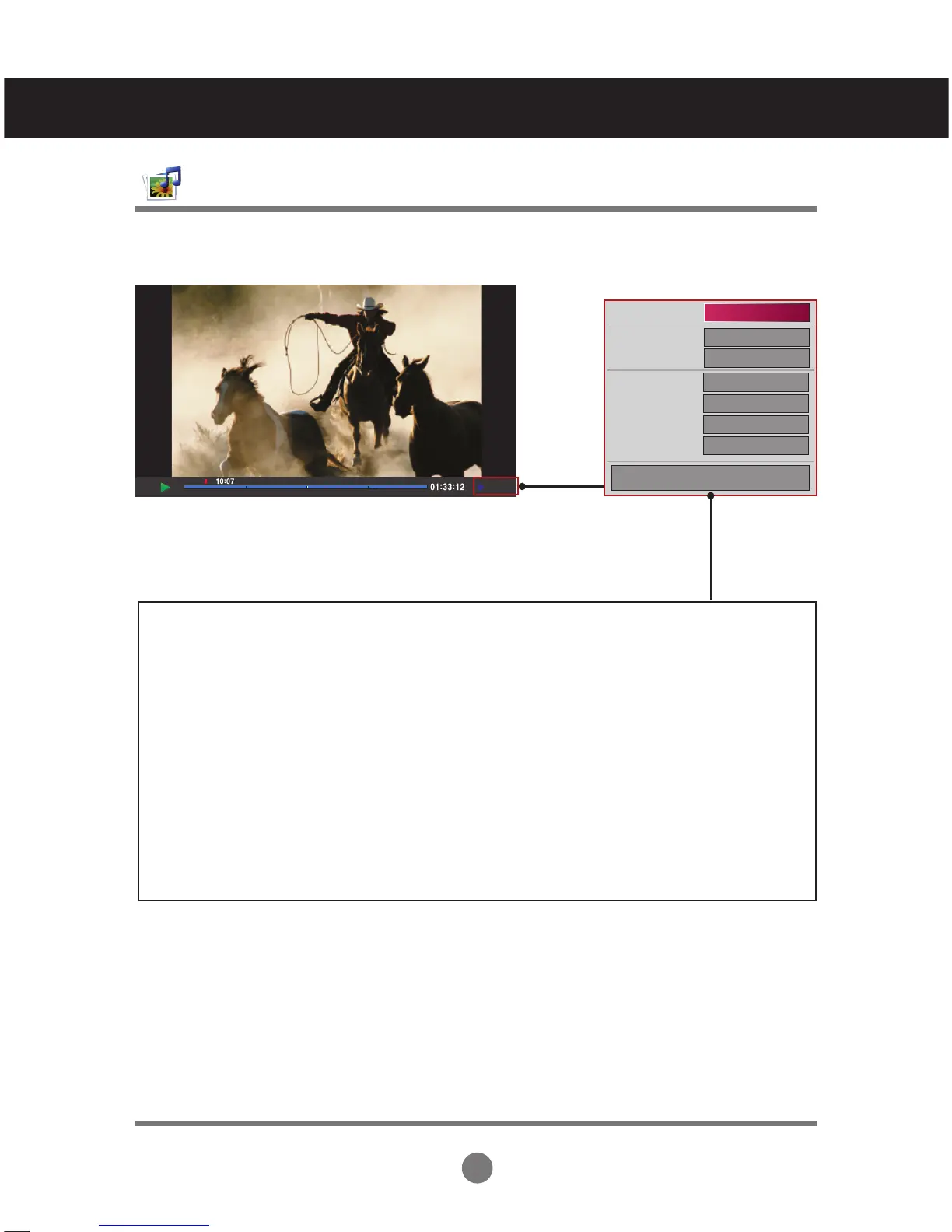
When you select the Movie Option
User Menus
Adjusts the USB options.
1/6
1/6
Off
+0.5
Latin 1
15
◀ Full Screen ▶
Picture Size
Subtitle Language
Audio Language
Subtitle File
● Language
● Sync
● Position
OK
Option
Picture Size : Sets to [Full Screen] or [Original Size].
Subtitle Language : Allows to select the language you want for the file with multiple
subtitle tracks.
This option is not available if the file has only one subtitle track.
Audio Language : Allows to select the language you want for the file with multiple audio
tracks. This option is not available if the file has only one audio track.
Subtitle File : Sets to On or Off.
Language : Sets to one of Latin1, Latin2, Latin4, Latin5, Cyrillic, Greek, Hebrew and
Chinese.
Sync : Adjusts the subtitle delay from 0 and +5.0 in 0.5 second increments.
Position : Moves the subtitle position from 0 to 16.
* You can move the video back or forward by clicking < or > key.



 To Next Page