7
- Only on some models.
M5520C
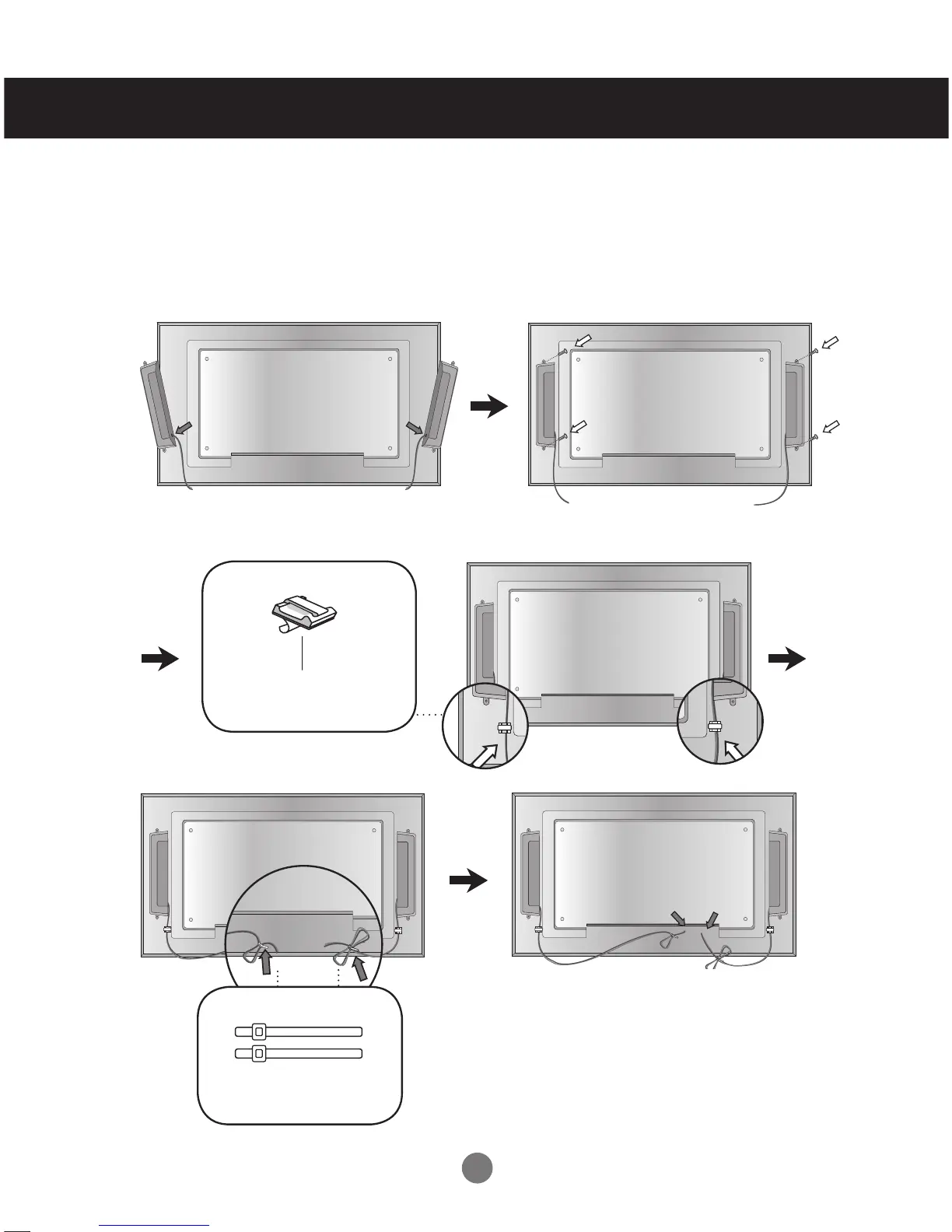
Connecting the Speakers
Unscrew the screws on the back of the product. Use them to mount the speakers on
both sides of the product as shown in the figure. (The screws provided with the speakers
are not allowed.)
When the speakers are installed.
*Connect the speaker terminals noting
the correct polarity.
Remove the paper.
Cable holder
After installing your speakers, use holders and cable ties to organize the speaker cables.
* This feature is not available in all model.
Cable tie
* This feature is not available in all model.



 To Next Page