2
Installing the SIM card
and memory card
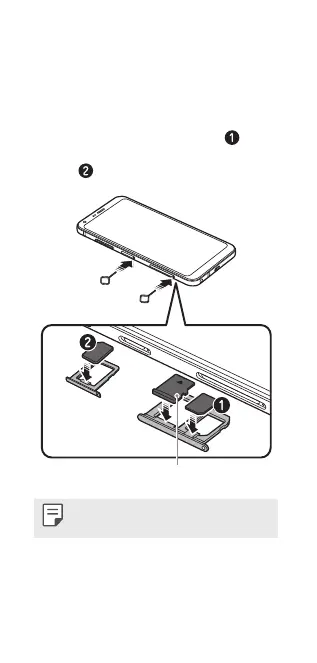
Place the SIM card on the SIM card tray
with the gold-coloured contacts facing
downwards, as shown. Place the primary
SIM card on the SIM card tray 1 (
) and
the secondary SIM card on the SIM card
tray 2 (
).
Memory card (Optional)
Always use a genuine SIM card supplied by
the operator.


 To Next Page
 Loading...